 Nguyen Manh Thang
Chief Executive Officer, AgileTech Vietnam
Nguyen Manh Thang
Chief Executive Officer, AgileTech Vietnam
- Published
- Last updated
- Read time
- 14 min
- Views
- 116

Read the AI overview
Building a running app means solving four problems the feature list never mentions: filtering jittery GPS into distance a runner will trust, keeping battery drain invisible across an hour-long session, surviving iOS and Android background restrictions without losing a run, and syncing correctly with Apple Health and Health Connect. The screens are the cheap part. A polished first version is a small team for three to four months, with most of the effort in layers the user never sees and every vendor quote underprices.
A running app looks simple from outside. Press start, draw the route, show the pace. Then you build one, and discover that raw GPS believes your user ran through a river, that a careless location loop can visibly drain a battery in an hour, and that runners compare you against products refined over a decade.
The gap between the apparent simplicity and the real work is almost entirely in four layers: location accuracy, power discipline, background survival, and health platform correctness. None appear on a feature list. All four decide whether the app feels professional.
This guide covers each in the order they will hurt you, and ends with a version one scope that can actually ship. It reflects how we scope these builds inside our mobile app development services.
Key takeaways
- Raw GPS jitters, and jitter inflates distance. A runner standing still accumulates meters. Every credible app filters, fuses and smooths before computing anything.
- Battery is a ladder, not a switch. Adaptive sampling with OS-batched location APIs preserves route quality at a fraction of the drain of continuous fine positioning.
- Write session data to disk continuously. Losing a personal-record run to a crash loses the runner permanently, and no apology recovers them.
- Sync to HealthKit and Health Connect from day one. Runners judge an app by how well it fits the data ecosystem they already have.
- Validate the filter against recorded real-world traces in automated tests. Accuracy becomes a regression suite instead of an opinion.
- Version one wins on tracking quality plus one sharp differentiator. Competing on feature count against decade-old incumbents is a losing scope.
GPS accuracy is a software problem before it is a hardware one
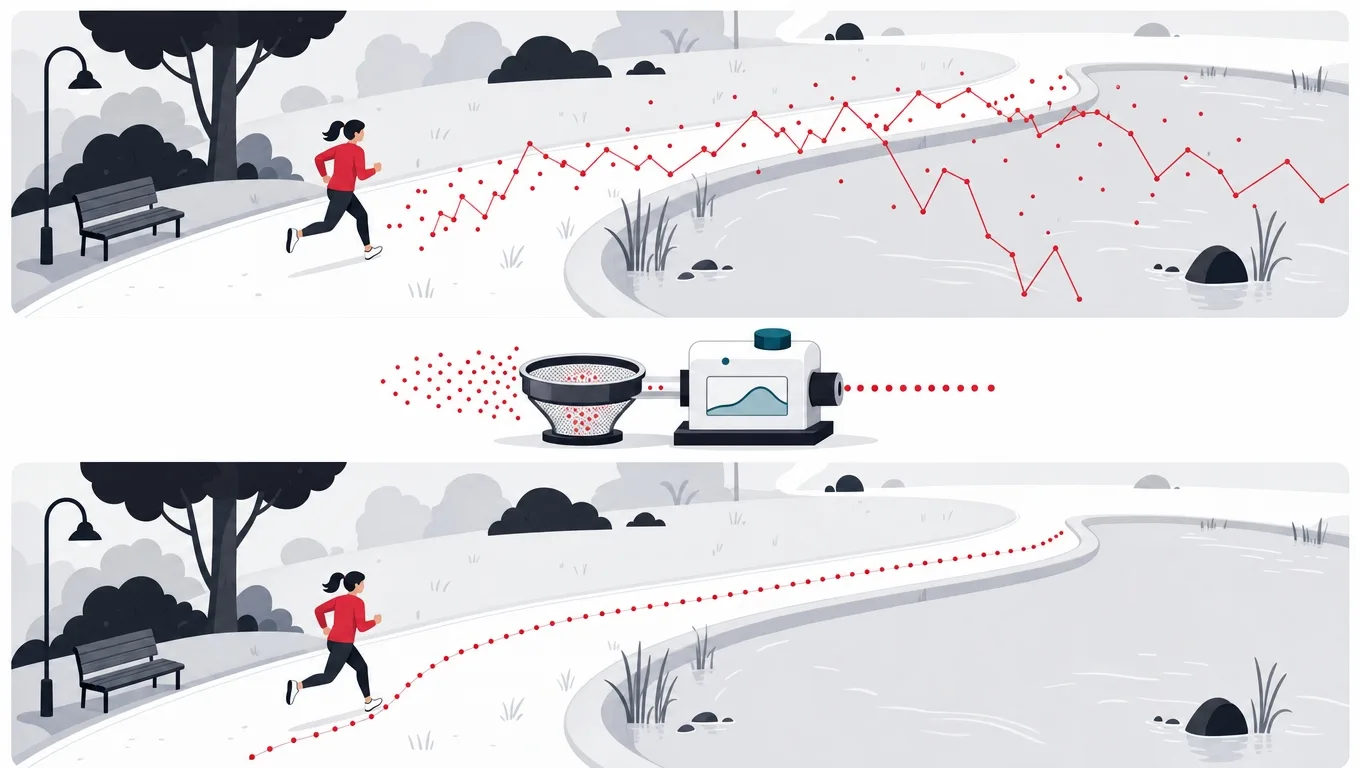
Smartphone positioning is typically accurate to within a few meters under open sky, and considerably worse beside tall buildings, under tree cover, or in the first minute of a session before the receiver settles. Raw coordinates therefore wander, and wandering inflates distance. A runner standing at a traffic light can accumulate tens of meters without moving.
The consequence is not a rounding error, it is a trust problem. Runners know their routes. An app that reports 5.4 kilometers for a course they have measured at 5.0 is not slightly wrong, it is unusable, and the review will say so. Distance is the number the entire product is judged on.
Every credible running app therefore places a filtering layer between the location API and the user. The standard toolkit is well understood: discard fixes with poor reported accuracy, discard fixes implying impossible speed, smooth the survivors, and compute distance from the smoothed track rather than from the raw points. What takes the time is tuning it for real conditions, including urban canyons, tunnels, and the moment a treadmill user loses signal entirely.
The filtering pipeline, stage by stage
-
Reject on reported accuracyCheapest filter
Both platforms report a horizontal accuracy estimate with every fix. Discarding anything above a threshold, commonly twenty to thirty meters during an active session, removes most of the worst noise for almost no effort.
-
Reject on implied speedCatches teleports
Compute the speed implied between consecutive accepted fixes. Anything faster than a human can run is a positioning error, not a movement. This is what stops a runner appearing to cross a river.
-
Fuse with motion sensorsFills the gaps
The step counter and accelerometer keep working when GPS does not. Using them to carry pace through a tunnel or a dense urban block prevents the track from flat-lining and prevents distance from stalling.
-
Smooth the surviving trackKalman or weighted
A Kalman filter is the textbook answer and a weighted moving average is often enough. Either way the goal is the same: remove residual jitter without cutting corners the runner actually took.
-
Compute metrics from the smoothed trackNever from raw
Distance, pace and splits all derive from the cleaned track. Computing any of them from raw fixes reintroduces every error the pipeline just removed.
-
Replay recorded traces in CIMakes it a regression suite
A library of real GPX recordings from your target cities, replayed through the pipeline on every commit with expected distances asserted, turns accuracy from a judgment call into a test that fails.
Each stage discards or corrects a specific failure. Implementing them in this order matters: smoothing a track that still contains impossible jumps produces a smooth wrong answer, which is harder to debug than an obviously wrong one.
Battery is a ladder, and most apps start on the top rung
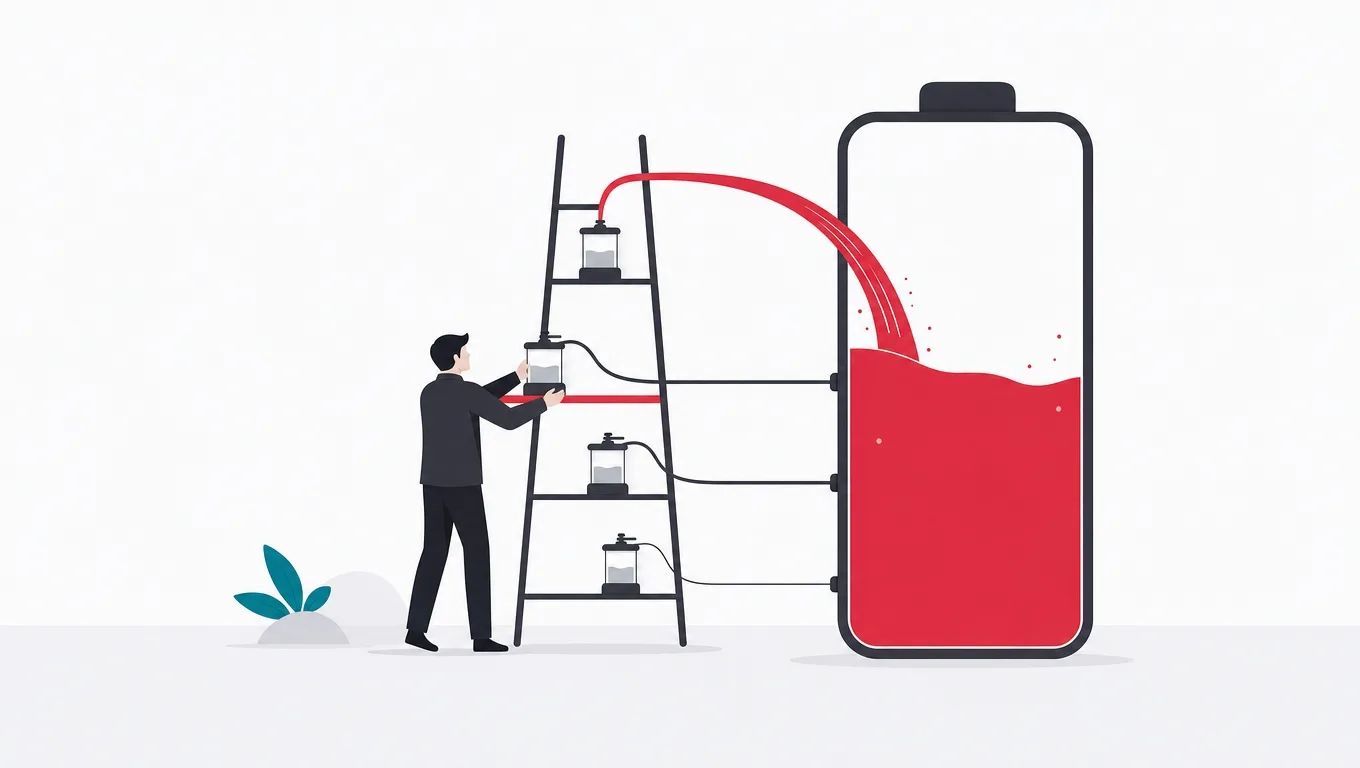
Continuous high-accuracy positioning is among the most power-hungry things a phone can do. If a one-hour run visibly dents the battery, the reviews will say so regardless of how good everything else is, and the comparison will be against an incumbent that solved this years ago.
The mistake is treating location as binary: on at full accuracy, or off. In practice there is a ladder of options between those, and route quality survives most of the descent. Adaptive sampling that tightens through turns and relaxes on straight sections preserves the shape of a track at a fraction of the cost. Platform-batched location delivery lets the operating system coalesce work across apps in ways an app holding the radio itself simply cannot.
The screen deserves separate mention because it is often the largest single consumer and is entirely a product decision. A runner staring at a live map burns considerably more than one who glances at a lock-screen widget. Designing a good glanceable state is a battery feature disguised as a design task.
The power ladder, and what each rung costs you
| Approach | Relative power | Effect on route quality |
|---|---|---|
| Continuous fine positioning | Highest | Best possible, and rarely distinguishable from the next rung down |
| Adaptive sampling by movement | About half | Essentially unchanged for running speeds; corners stay sharp |
| OS-batched location delivery | Lower still | Slight delay in live display, no loss in the recorded track |
| Sensor-carried pace between fixes | Lowest | Depends on calibration; excellent for distance, weaker for exact path |
| Screen-on live map | Comparable to fine GPS | No effect on data, entirely a user-facing choice |
Relative power figures are an illustrative model from our own device testing rather than a published benchmark; absolute drain varies enormously by handset. The ordering is stable across devices, which is what the table is for.
Losing one run loses the runner
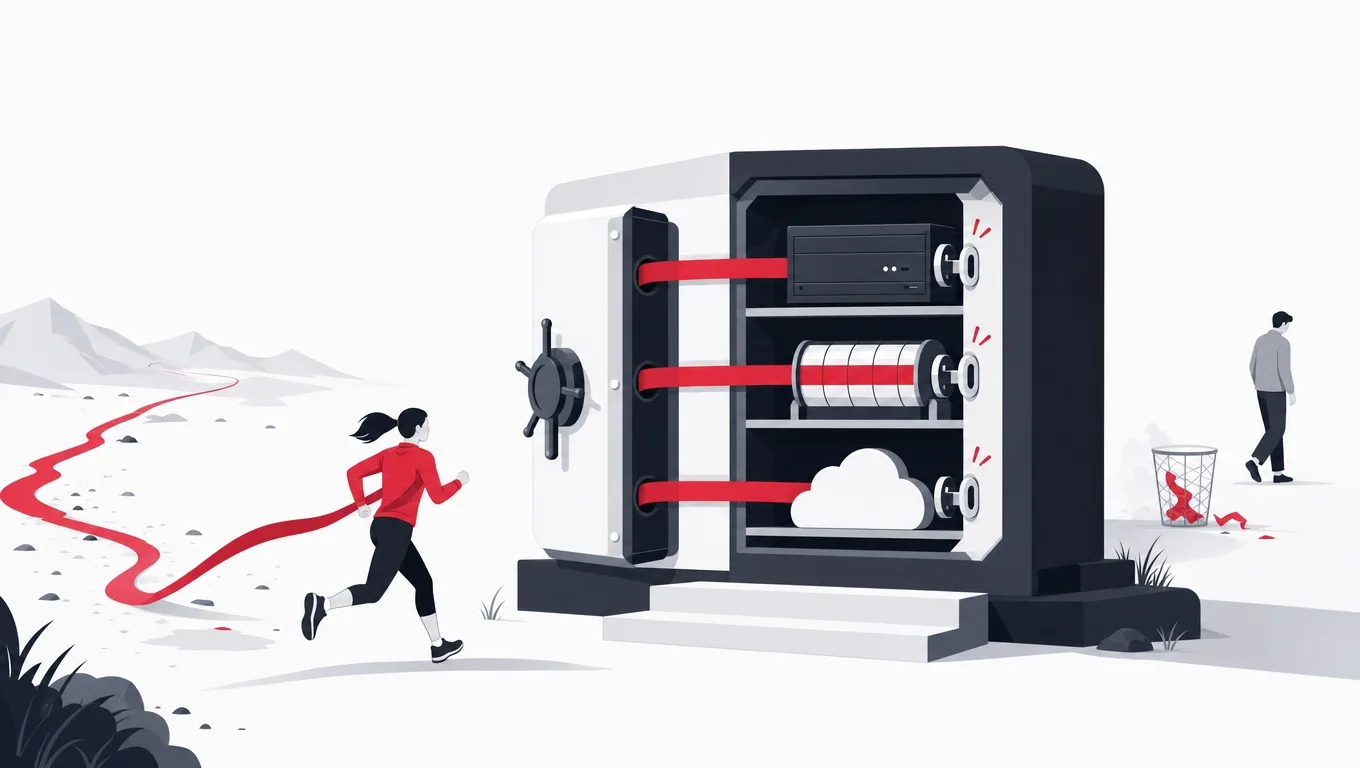
This deserves its own section because it is the failure with the worst consequence-to-difficulty ratio in the entire product. Every other defect is survivable. A runner who finishes their fastest ever ten kilometers and finds the app recorded nothing does not file a bug report. They uninstall, and they tell people.
The engineering answer is unremarkable and just needs to be decided early: treat an in-progress run as durable state, not as view state. Every accepted fix appends to local storage immediately. The app resumes from that store on launch and offers to continue or finish an interrupted session. Upload happens afterwards, from the durable record, with retries.
The reason this gets missed is that it is invisible in normal testing. A developer starting and stopping a run on a warm device with a debugger attached never sees a termination. It only appears in the field, on an older Android handset with aggressive power management, during a long run, which is exactly the user you least want to lose.
Session handling that survives the field
Do this
- Append every fix to durable storageA local database or an append-only file. The cost is negligible and it makes termination survivable rather than catastrophic.
- Recover on launch, alwaysIf an unfinished session exists, offer to resume or save it. Never discard silently, and never require the user to know it happened.
- Upload from the stored recordSync is a separate concern from recording. A network failure should never touch the integrity of the run itself.
- Test with force-stop and low memoryKill the process mid-run on a real device and confirm the run survives. This is a five-minute test that most teams never run.
Not this
- Holding the track in memory until stopOne termination, one lost run, one lost user. This is the single most damaging shortcut available in the product.
- Relying on a wake lock to stay aliveAggressive power management on many Android devices overrides your intentions, and holding one is itself a battery complaint.
- Treating upload failure as run failureA runner in a dead zone should still have their run. Coupling the two turns a connectivity problem into a data loss problem.
- Testing only on flagship devicesThe handsets most likely to kill your process are the ones least likely to be on a developer's desk.
Health platform integration: meet runners where their data already lives

Runners rarely use one app. Heart rate comes from a watch, history may live in Apple Health or Health Connect, and a training plan might sit somewhere else entirely. An app that hoards its data feels like a trap. An app that reads and writes the platform health stores feels like a component of a system the runner already owns.
Concretely that means writing workouts, routes and energy to HealthKit on iOS and Health Connect on Android, and reading heart rate from paired wearables where the user permits it. It also means treating health data with the sensitivity regulators assign to it: collect the minimum, explain each permission at the moment you request it rather than in a wall at first launch, and make export and deletion genuine features rather than support tickets.
There is a product advantage here as well as an obligation. Watch support, whether a full companion app or correct handling of watch-recorded workouts, has become the expectation among serious runners, and it is far cheaper to design for at architecture time than to retrofit into a session engine that assumed the phone was the only recorder.
What to read and write on each platform
| Apple HealthKit | Health Connect | Needed at launch | |
|---|---|---|---|
| Write workoutsThe core obligation | Yes | Yes | Yes |
| Write route dataThe GPS track itself | Yes | Partial | Yes |
| Write active energyCalories burned | Yes | Yes | Yes |
| Read heart rateFrom a paired wearable | Yes | Yes | No |
| Read body metricsWeight, resting rate | Yes | Yes | No |
| Export all user dataA regulatory expectation | Yes | Yes | Yes |
| Delete on requestMust reach the platform store too | Yes | Yes | Yes |
Read this as a scope checklist. Each cell that says yes is a permission to request, a data mapping to write, and a test to maintain, so the total is larger than it looks from a feature list.
A version one scope that can actually ship

The competitive set is mature and well funded, so a first version cannot win on breadth. It can win on tracking quality plus one sharp differentiator: a specific training methodology, a defined community, a coaching model, or an audience the incumbents have no reason to serve.
The discipline is in the second half of that sentence. One differentiator, executed properly, beats three executed partially, because a partial differentiator is indistinguishable from a missing one. The features below the line are not bad features. They are features that should be earned with retention data rather than assumed.
The version one build list
- Core tracking, flawlessStart, pause, auto-pause and stop; live pace, distance and elapsed time; a map; splits. This is the entire trust basis of the product and cannot be approximately right.
- Durable session recordingIncremental writes, crash recovery, and an offer to resume. Covered above, and the least negotiable item on the list.
- History with simple trendsA run log with routes and a basic sense of progress. Runners return to see themselves improving; if you do not show that, they have no reason to open the app between runs.
- Health store sync both waysWrite workouts and routes from day one. This is what makes the app a citizen of the runner's existing setup rather than a silo.
- One differentiator, finishedA training plan engine, audio coaching, or a community mechanic. Pick one and make it genuinely good.
- Field-tested QA on real devicesReal runs, real roads, mid and low tier Android included. GPS and power behavior cannot be validated at a desk, and pretending otherwise is how launch defects happen.
Everything here is required for the app to be credible. Anything not on this list, including social feeds, challenges, route discovery and premium tiers, waits for evidence that the core is working.
Team, timeline, and where the cost really concentrates
A polished first version along the scope above is typically a small team for three to four months: platform engineers for iOS and Android, a backend engineer for accounts and sync, a designer comfortable with data-dense interfaces, and QA with real devices doing real runs. Field testing belongs in the schedule as scheduled work, not as something people do at weekends.
The cost concentrates in the invisible layers. The filtering pipeline, battery tuning across the Android device spectrum, background session robustness and health platform correctness together account for most of the engineering effort. The screens, which is what most quotes are actually priced on, are the smallest share.
This is worth internalizing before comparing bids, because a quote that looks cheap has usually priced the visible half. Our note on choosing a development partner covers how to tell the difference in a proposal.
Four phases to a credible first release
-
Traces and pipelineWeeks 1 to 4
Collect real GPX recordings across your target cities. Build the filter, the fusion and the smoothing against them, with expected distances asserted in continuous integration.
Done when Replaying a known 10km route through the pipeline produces a distance within a tolerance you have written down and agreed.
-
Session engineWeeks 5 to 8
Durable recording, background modes on both platforms, crash recovery, the power ladder, and force-stop testing on mid-tier Android hardware.
Done when A run survives a force-stop and a low-memory kill, on a real device, with no data loss and no user action required.
-
Product surfaceWeeks 9 to 13
The tracking screens, the map, history and trends, onboarding with permissions asked in context, health store sync, and the one differentiator.
Done when A runner who has never seen the app completes a run and finds it in Apple Health or Health Connect without being told how.
-
Field testingWeeks 14 to 16
A real cohort running real routes on a spread of handsets, with battery measurement, accuracy comparison against known distances, and the fixes those surface.
Done when Measured battery drain and distance error are inside the targets set in phase one, on the worst device in the test set.
The unusual thing about this sequence is that the map screen arrives late. That is deliberate: the pipeline underneath it determines whether the map is showing the truth, and building the display first tends to freeze assumptions the pipeline then has to work around.
Choosing the one thing you are better at

Since version one wins on tracking quality plus a single differentiator, the choice of differentiator is the most consequential product decision in the project. It is also the one most often deferred, which produces an app that tracks well and has no reason to exist.
The useful framing is to ask what an incumbent structurally cannot copy quickly. Feature parity is copyable in a quarter. An audience relationship, a training methodology with a real author behind it, a language or region that a global product serves badly, or a community with actual moderation are all much harder, because they are not code.
Which differentiator fits your position?
What do you have that a well-funded incumbent cannot acquire in a quarter?
-
A coach, a methodology or a named expert
Build the training plan engine as the core product
Structured plans with adaptation are hard to fake without expertise, and the authority transfers to the app. The tracking becomes the instrument that serves the plan, which is a much stronger position than tracking alone.
-
An existing community, club or region
Build for that group specifically, including the awkward parts
Global products serve local needs generically. Route types, units, language, event calendars and the social norms of a particular running culture are all places where being specific beats being big.
-
A technical capability the incumbents skip
Go deep on the measurement itself
Serious runners will switch for better data. Treadmill accuracy, indoor tracking, particular wearable support, or genuinely good handling of trail and elevation are narrow but defensible.
Each of these has shipped successfully for someone. The wrong answer is not any one of them, it is choosing two.
Frequently asked questions
How accurate can a phone-based running app actually be?
Under open sky with a good filtering pipeline, distance accuracy within one to two percent of a measured course is achievable and is what serious runners expect. In dense urban environments, under heavy tree cover, or in the first minute before the receiver settles, raw accuracy degrades substantially, and the difference between a good app and a poor one is almost entirely how well the filter handles those conditions rather than the hardware.
How much battery should an hour of tracking use?
The honest answer depends heavily on the handset, but the useful target is that a one-hour run should not be something the user notices. That is achievable with adaptive sampling, platform-batched location delivery and a glanceable interface instead of a live map held open. It is not achievable with continuous fine positioning and the screen on, which is where most first implementations start.
Do we need a companion watch app for version one?
Not necessarily, but you should decide before the session engine is designed. Correctly handling workouts recorded on a watch and synced through the platform health store covers many users without building a companion app. What is expensive is deciding to add a watch app after the recording logic has been welded into a phone screen, because the session engine then has to be extracted rather than reused.
What does it cost to build a running app?
A polished first version with excellent tracking, durable sessions, health store sync and one real differentiator is typically a small team for three to four months. The variable that moves the number most is not features but device coverage and field testing, because Android power management differs by manufacturer and validating across that spread is real scheduled work rather than something absorbed into a sprint.
Should the app be native or cross platform?
Fitness tracking is one of the genuine cases where native has an advantage. The location, motion, background execution and health store APIs are all platform-specific, deeply integrated, and where most of the engineering effort goes, so a cross-platform layer often ends up wrapping platform code anyway. If the differentiator is content or community rather than measurement, that calculation can change.
How do we test GPS accuracy without going outside constantly?
Record real routes once with a logging build, capturing raw fixes and their accuracy values, then replay those recordings through the pipeline in automated tests with expected distances asserted. This turns accuracy into a regression suite that runs on every commit. You still need field testing before release, but you stop needing a run to evaluate every change.
If you are planning a fitness product and want the invisible half priced honestly rather than discovered later, talk to AgileTech, a Vietnam software development company that field-tests tracking apps on real roads before calling them done.
Source: https://agiletech.vn/blog/how-to-develop-a-running-app/ · (c) AgileTech Vietnam. Printed from agiletech.vn.
