 Nguyen Manh Thang
Chief Executive Officer, AgileTech Vietnam
Nguyen Manh Thang
Chief Executive Officer, AgileTech Vietnam
- Published
- Read time
- 14 min
- Views
- 155
Read the AI overview
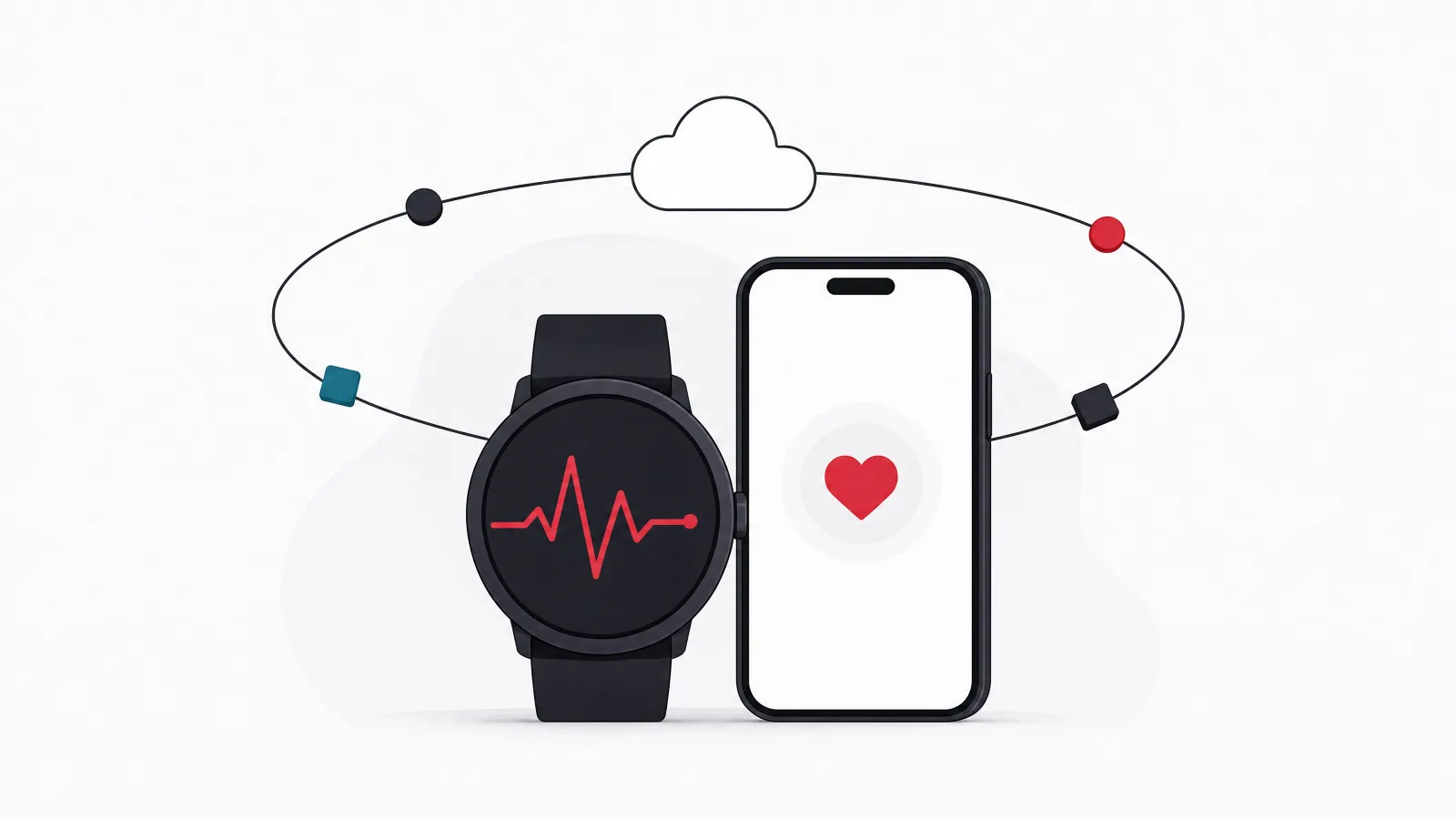
Building a fitness tracker app means solving four problems in order: capturing activity data reliably from phone sensors and wearables, syncing it through HealthKit and Health Connect without draining the battery or losing sessions, turning raw numbers into habits through goals, streaks, and social features that survive week four, and deciding early whether the product stays a wellness tool or crosses into medical claims that trigger regulation. A focused MVP with step and workout tracking, one wearable integration, goals, and a progress view costs roughly USD 60,000 to 120,000 over four to six months; a platform with coaching, social features, multiple device integrations, and a web dashboard runs USD 120,000 to 250,000 or more. The apps that grow are not the ones with the most metrics; they are the ones whose first week produces a visible result the user wants to protect.
Fitness tracking is one of the few app categories where demand is proven, competition is fierce, and most new entrants still fail for the same reasons. The market does not lack step counters. It lacks products that make a specific person keep moving after the novelty wears off, and that is a design and engineering problem before it is a marketing one.
This guide walks through how a fitness tracker app actually gets built: which data to capture, how phone and wearable data reach your servers, the architecture that keeps sync reliable, the retention mechanics that separate apps people keep from apps people delete, the regulatory line between wellness and medical, and what each stage costs. It complements the narrower running app guide, which covers one sport in depth, and the Android fitness app roundup, which is the competitive set you are entering.
The guidance draws on how mobile product teams scope these builds in practice: what gets cut from an MVP without hurting the outcome, and what never should. If your product will touch health conditions rather than general wellness, read the compliance section twice.
Key takeaways
- Track fewer things well before tracking everything: steps, active minutes, workouts, heart rate, and sleep cover most retention value. Every extra metric adds sensor, sync, and testing cost.
- Do not build your own device integrations first. HealthKit on iOS and Health Connect on Android already aggregate most wearables; direct vendor APIs come later for the devices your users actually own.
- Retention is a product design problem, not a notification problem. Goals that adapt, streaks that forgive one miss, and a weekly summary that shows progress beat push reminders every time.
- Wellness apps and medical apps are different regulatory objects. The moment the product diagnoses, treats, or advises on a condition, it becomes a medical device in most jurisdictions.
- Background tracking is the hardest engineering in the product: OS restrictions, battery budgets, and reconciliation of duplicate sessions from phone and watch are where most fitness apps ship bugs.
- Plan USD 60,000 to 120,000 for a focused MVP and USD 120,000 to 250,000 or more for a platform with coaching, social layers, and multiple integrations. Post-launch costs scale with users and data volume.
What should a fitness tracker app actually track?
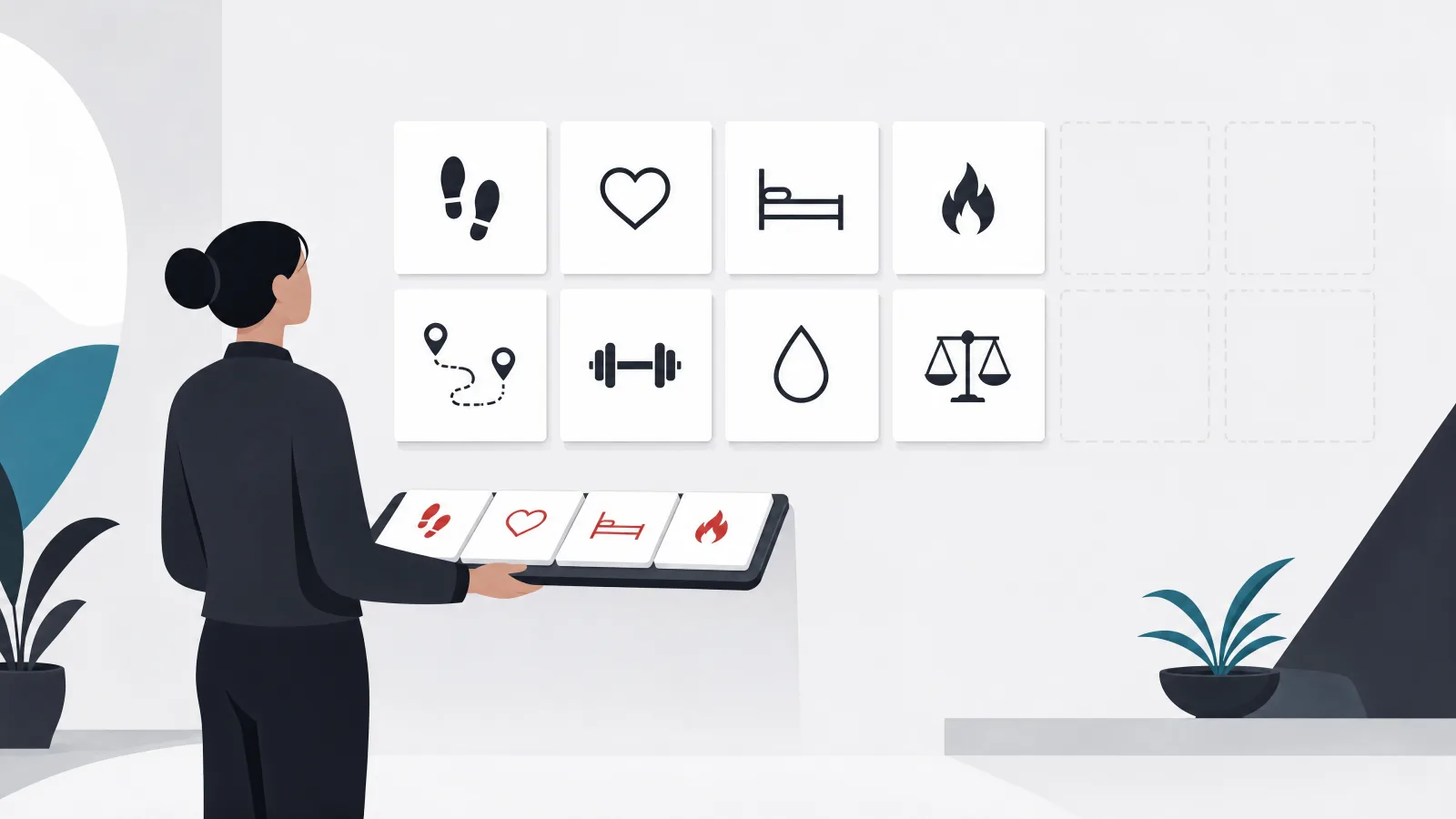
The first product decision is the data model, and the common mistake is to treat every measurable quantity as a feature. A phone alone can produce steps, distance, floors, active minutes, and rough calorie estimates. A wearable adds continuous heart rate, heart rate variability, blood oxygen, skin temperature, sleep stages, and workout-specific metrics like cadence, power, and stroke rate. Each of these is a sensor pipeline, a storage schema, a set of edge cases, and a screen that has to explain the number to a human.
The metrics that drive retention are a much shorter list. Steps and active minutes give a daily target that anyone can hit. Workouts give a sense of accomplishment. Resting heart rate and sleep give a slow-moving trend that rewards consistency. Weight, if the user opts in, closes the loop with the calorie side of the equation, which is why so many fitness apps end up adjacent to the calorie tracker category. Almost everything else is a differentiator for a niche, not a requirement for a launch.
The practical rule is to pick the metrics your target user already cares about and make those trustworthy. A runner distrusts an app that miscounts distance; a sleep-focused user distrusts an app that reports six hours when they were awake at three. Accuracy on a few metrics builds the credibility that lets you add more later. Inaccuracy on many metrics ends the relationship in the first week.
Metrics by source, cost, and retention value
| Metric | Primary source | Engineering cost | Retention value |
|---|---|---|---|
| Steps and active minutes | Phone or wearable | Low | High: the daily target |
| Workouts (type, duration, route) | Phone GPS, wearable | Medium | High: accomplishment |
| Heart rate and HRV | Wearable | Medium | Medium: trend, recovery |
| Sleep duration and stages | Wearable | Medium to high | Medium: slow trend |
| Weight and body composition | Manual, smart scale | Low | Medium: closes the loop |
| Blood oxygen, temperature | Wearable | Medium | Low for most users |
| Calories burned | Derived estimate | Low to build, hard to trust | Medium, often disputed |
Retention value reflects how often the metric changes a user's daily behavior. Engineering cost includes sensor handling, storage, reconciliation, and the screens needed to explain it.
Where does the data come from? Phones, wearables, and platform health stores
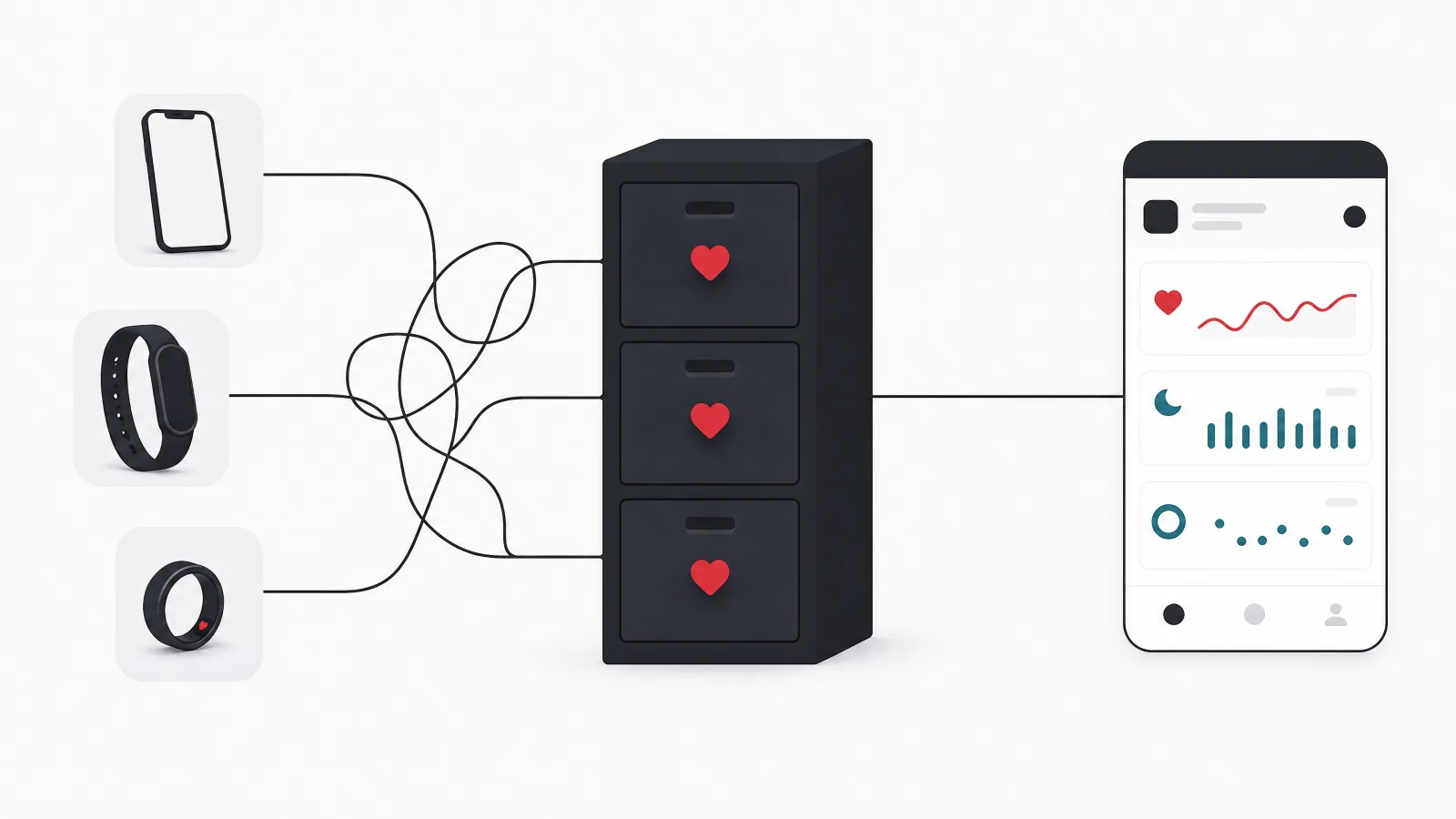
A fitness app has three possible data sources, and the order in which you integrate them matters more than most teams realize. The phone itself provides motion data through the pedometer and motion APIs, location through GPS, and, on recent devices, reasonably good step counts without any wearable. Platform health stores, HealthKit on iOS and Health Connect on Android, aggregate data written by other apps and devices, so a user with any mainstream watch already has their data available to you through one integration per platform. Direct vendor APIs from Garmin, Fitbit, Polar, Oura, Whoop, and others give you richer, device-specific data at the cost of one integration, one OAuth flow, and one set of rate limits per vendor.
The right sequence is phone sensors first, platform health stores second, and direct vendor APIs only for devices your analytics prove your users own. Teams that start with vendor APIs spend months on integrations that a minority of users touch, while their core phone-only experience stays weak. Teams that start with the health stores get most wearables covered in weeks and learn which vendors matter from real usage.
Health Connect deserves a specific note because it changed the Android picture. Google Fit APIs are deprecated, and Health Connect is now the aggregation layer, with its own permission model, data types, and a requirement that apps request only the data types they use. On iOS, HealthKit has been stable for years, but Apple reviews the justification for each data type you request and rejects apps that ask for more than their features need. Both platforms are effectively enforcing the data minimization rule from the previous section.
The integration order that keeps the MVP on schedule
-
Phone sensorsWeeks 1 to 4
Pedometer, motion, and GPS. Works for every user on day one and defines the baseline experience the wearable layer improves.
-
Platform health storesWeeks 4 to 8
HealthKit and Health Connect read and write. Covers most wearables through one integration per platform, with platform-managed permissions.
-
Direct vendor APIsAfter launch, by demand
Garmin, Fitbit, Oura, Whoop, Polar and others, chosen from what your users actually connect. Each is an OAuth flow, a webhook, and a rate limit.
-
Bluetooth peripheralsOnly if the segment demands it
Heart rate straps, cycling sensors, smart scales over BLE for users who want live workout data without a watch. Niche, expensive, valuable for serious athletes.
The architecture: on-device capture, sync, and a server that reconciles
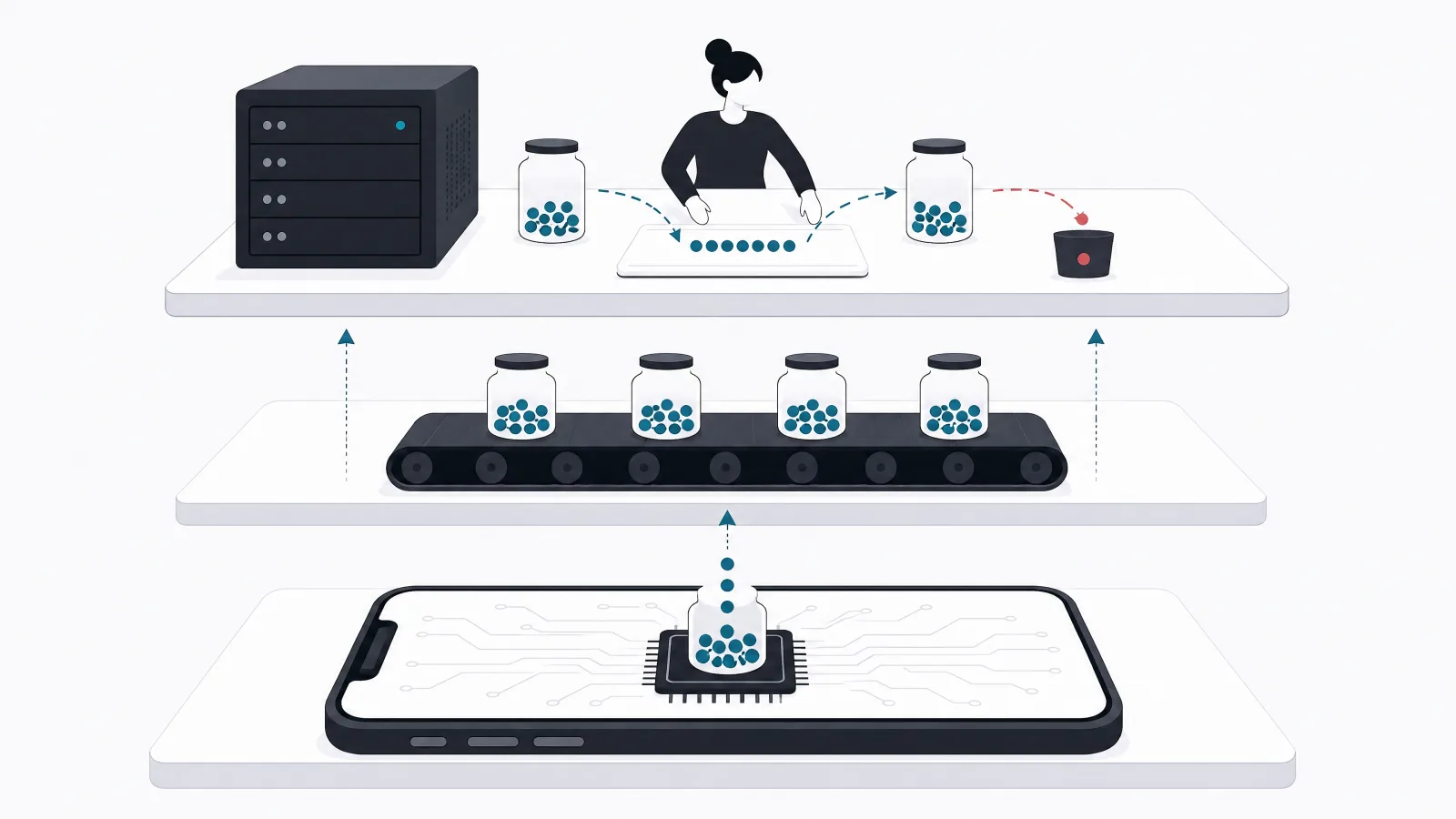
The reference architecture has four layers. On the device, a capture layer reads sensors and health stores and writes sessions to a local database that survives app kills and reboots. A sync layer batches those sessions to the server when network and battery conditions allow, with idempotency keys so a retried upload never duplicates a workout. On the server, an ingestion layer validates, deduplicates, and normalizes data from phone, health store, and vendor webhooks, because the same run will frequently arrive from all three. Above that sits the product layer: goals, streaks, insights, social features, coaching, and the analytics that tell you what is working.
Reconciliation is the part teams underestimate. A user wearing a watch and carrying a phone generates two step counts for the same walk. A workout recorded on a Garmin arrives through the vendor webhook and, hours later, through Health Connect after the Garmin app syncs. Without a reconciliation rule that picks a source of truth per data type and per time window, the user sees doubled numbers and stops trusting the app. The platform health stores do some of this for you; your server must do the rest.
The backend is otherwise conventional: a time-series-friendly store for samples, a relational store for users, goals, and social graph, a job queue for insight generation and notifications, and an API the mobile clients and any web dashboard share. What distinguishes a good fitness backend is not exotic technology but discipline about time zones, daylight saving transitions, and the fact that a day boundary for a user in Hanoi is not the day boundary on your server.
Background tracking and battery: the hardest engineering in the product
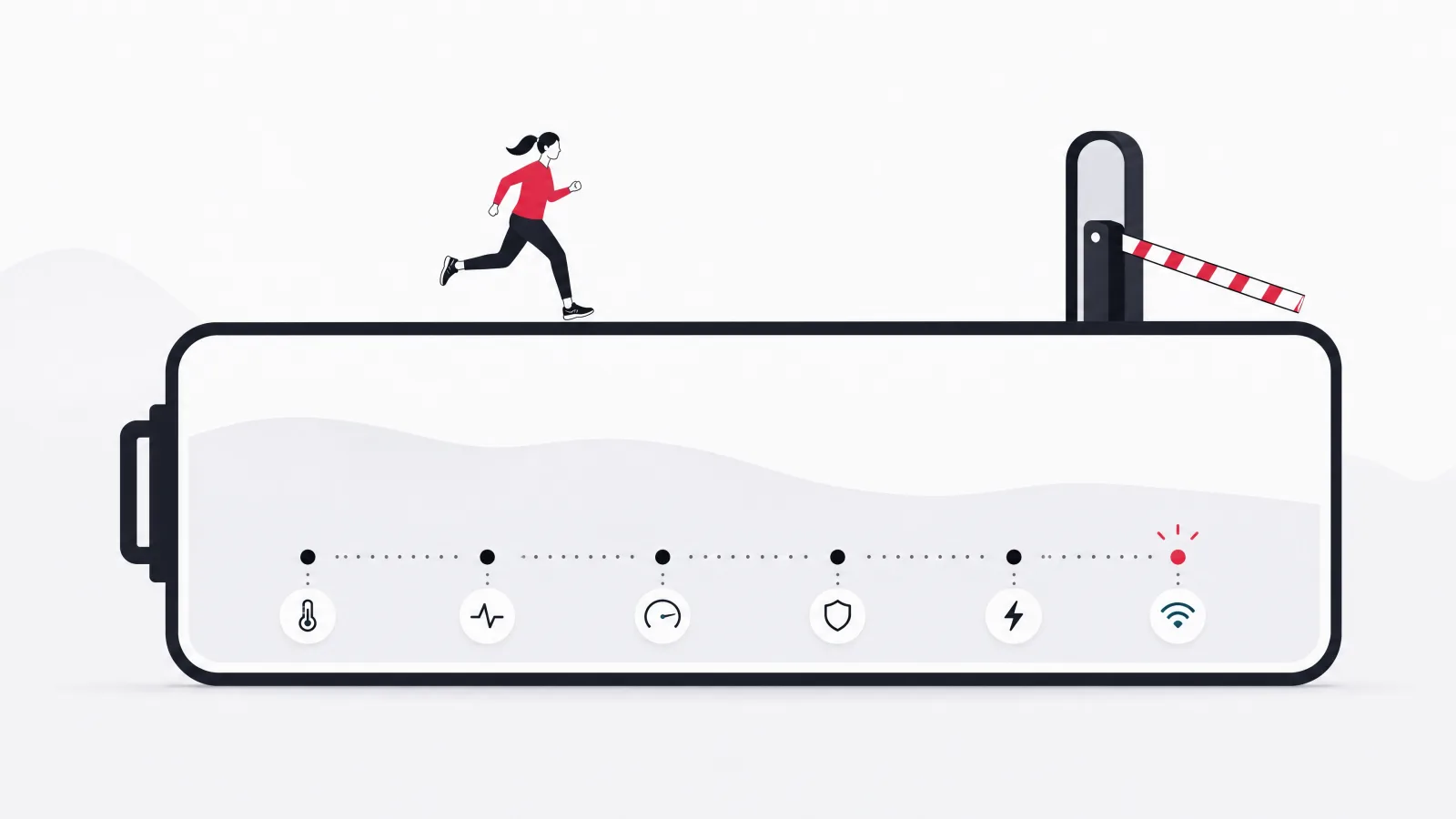
Every fitness app promises to track activity in the background, and every operating system is actively working to stop apps from doing exactly that. iOS suspends apps aggressively and allows background location only with clear user consent and visible indicators. Android imposes background execution limits, Doze mode, and manufacturer-specific battery optimizers that kill services without warning, with Chinese OEM builds being notoriously aggressive. Building a tracker that survives all of this is a specialist skill, and it is the single most common source of one-star reviews in the category.
The workable strategy is to lean on the platforms rather than fight them. For passive tracking, read steps and activity from the health stores and the pedometer APIs, which the OS records for you without your app running. For active workouts, use the dedicated workout session APIs that both platforms provide, which grant the elevated background rights a live session needs and shut them off when it ends. Reserve custom background services for the few cases where the platform APIs are insufficient, and test them on the specific low-end and OEM-modified devices your users have.
Battery is the other half of the same problem. Continuous GPS at one-second intervals drains a phone in a few hours; adaptive sampling that tightens during movement and relaxes at rest can cut that dramatically with no visible loss of accuracy. Users will forgive a workout that took a moment to start; they will not forgive an app that appears at the top of the battery usage screen every day.
- Passive tracking: read from HealthKit, Health Connect, and pedometer APIs. The OS records steps whether or not your app is alive.
- Active workouts: use the platform workout session APIs for background rights, live metrics, and clean shutdown.
- Custom services: only where platform APIs fall short, and only after testing on the OEM builds that kill them.
- Battery budget: adaptive GPS sampling, batched sync, and no polling. Measure on real devices and publish the result internally.
How do fitness apps keep users past week four?

Most fitness apps lose the majority of their users within a month, and the ones that do not share a recognizable pattern. They produce a visible result inside the first week, they set goals that adapt to the person instead of a fixed target, and they make progress legible over time. The search query behind this article, how to grow a fitness tracker, is really a retention question, and the answer is mostly product design rather than acquisition spend.
Adaptive goals are the first lever. A fixed ten-thousand-step target demoralizes a user who averages four thousand and bores one who averages fourteen. A goal that starts from the user's measured baseline and increases gently as they hit it produces a stream of small wins. Streaks are the second lever, with one crucial refinement: a streak that breaks after a single missed day punishes the user for having a life, while a streak that allows one rest day per week or a repair action keeps the motivation without the resentment. Weekly and monthly summaries are the third lever, because a trend line is the only thing that makes a slow metric like resting heart rate feel like progress.
Social features work when they are small and close: a challenge with three friends outperforms a global leaderboard, because nobody is motivated by being ranked ninety-thousandth. Coaching, whether human, rule-based, or generated, is the most expensive feature in this list and the one most often added too early. It earns its cost when the product already has retained users who want the next step, not as a launch feature hoping to create them.
Retention mechanics that work and the ones that only look like they do
Do this
- Baseline-relative goalsStart from what the user actually does and grow the target as they hit it. Small wins compound.
- Forgiving streaksOne rest day per week or a repair action. Keeps the pull of a streak without the rage-quit.
- Weekly summary with a trendTurns slow metrics into visible progress. The email or card people actually open.
- Small group challengesThree to ten people who know each other. Accountability without humiliation.
Not this
- Daily push reminders by defaultThe fastest route to notification permissions being revoked, then the app being deleted.
- Fixed universal targetsTen thousand steps for everyone demoralizes half your users and bores the rest.
- Global leaderboardsMotivating for the top hundred, meaningless for everyone else.
- Coaching at launchExpensive to build, and there is nobody retained yet to coach.
Wellness or medical? The regulatory line you must decide early
A fitness tracker that counts steps, logs workouts, and shows heart rate trends is a wellness product almost everywhere, with light regulation focused on privacy and truthful marketing. The moment it tells a user that their heart rhythm looks irregular, that their sleep pattern suggests a disorder, or that they should change a medication dose, it becomes software that diagnoses or treats, and in the United States, the European Union, and most other major markets that makes it a medical device subject to FDA, MDR, or equivalent rules. The engineering is not what changes; the evidence, documentation, quality system, and approval timelines are.
The decision has to be made before architecture, not after launch, because a medical pathway changes the team, the timeline, and the budget by multiples. Most fitness products should stay firmly on the wellness side, phrase every insight as information rather than advice, and avoid condition-specific language entirely. Products that genuinely want to cross the line, for example cardiac monitoring or chronic condition management, should be scoped from the start as healthcare software with the regulatory work planned in, not bolted on.
Privacy applies on both sides of the line. Health data is sensitive personal data under GDPR and most regional equivalents, and several US states now regulate consumer health data specifically. Collect only what features need, explain each permission at the moment it is requested, encrypt at rest and in transit, give users export and deletion, and never share with advertising partners. The fitness apps that made headlines for the wrong reasons in recent years did so over exactly these points.
Which side of the line is your product on?
Does the product tell the user anything about a health condition?
-
It shows measured data and general trends (steps, workouts, heart rate over time)
Wellness product. Privacy law and truthful marketing apply; no device regulation.
Information about activity is not a diagnosis. Keep insight copy descriptive, never prescriptive.
-
It suggests a user may have a condition or should seek care for one
Likely regulated software. Plan clinical evidence, quality system, and approval before building.
Detecting or flagging a condition is a diagnostic claim in most jurisdictions regardless of disclaimers.
-
It advises on treatment, dosing, or managing a diagnosed condition
Medical device. Scope as a healthcare build with regulatory affairs from day one.
Treatment advice carries the highest classification and the longest approval path.
What belongs in the MVP, and what waits
A fitness tracker MVP that can actually test the retention hypothesis needs onboarding with a measured baseline, passive step and active-minute tracking, manual and automatic workout logging, one wearable path through the platform health stores, adaptive goals with a forgiving streak, a daily view and a weekly summary, and the privacy controls the law requires. It does not need direct vendor integrations, social features, coaching, a web dashboard, or in-app purchases beyond a simple subscription gate, and each of those omitted items is a month of work that would delay learning whether anyone comes back.
The interface matters more in this category than most, because the product is consulted several times a day for a few seconds each. The daily view has to answer one question at a glance: how am I doing today. Numbers that need explanation, charts that need interpretation, and menus that hide the main action all lose to a competitor with a single ring. This is where investing in dedicated product design before development pays back fastest, because a fitness interface is redesigned far more often than it is re-architected.
Platform choice follows the audience. A cross-platform build with a shared codebase and native modules for sensors and health stores is the default for a consumer launch, and the Flutter app examples in this category show it holds up. Native-only makes sense when the product is deeply tied to one ecosystem, such as an Apple Watch-first experience, where the platform APIs are the product.
MVP scope: ship this, defer the rest
- Onboarding with baselineRead seven days of existing health store data on first launch so the first goal is realistic.
- Passive trackingSteps and active minutes from health stores and pedometer. No custom background service.
- WorkoutsStart, pause, stop with GPS for outdoor types; import from health stores for everything else.
- Adaptive goals and forgiving streaksThe retention engine. Write the rules down before coding them.
- Daily view and weekly summaryOne glanceable screen and one trend view. Nothing else on the home tab.
- Privacy controlsPer-permission explanation, export, deletion, and no third-party data sharing.
How much does a fitness tracker app cost to build?
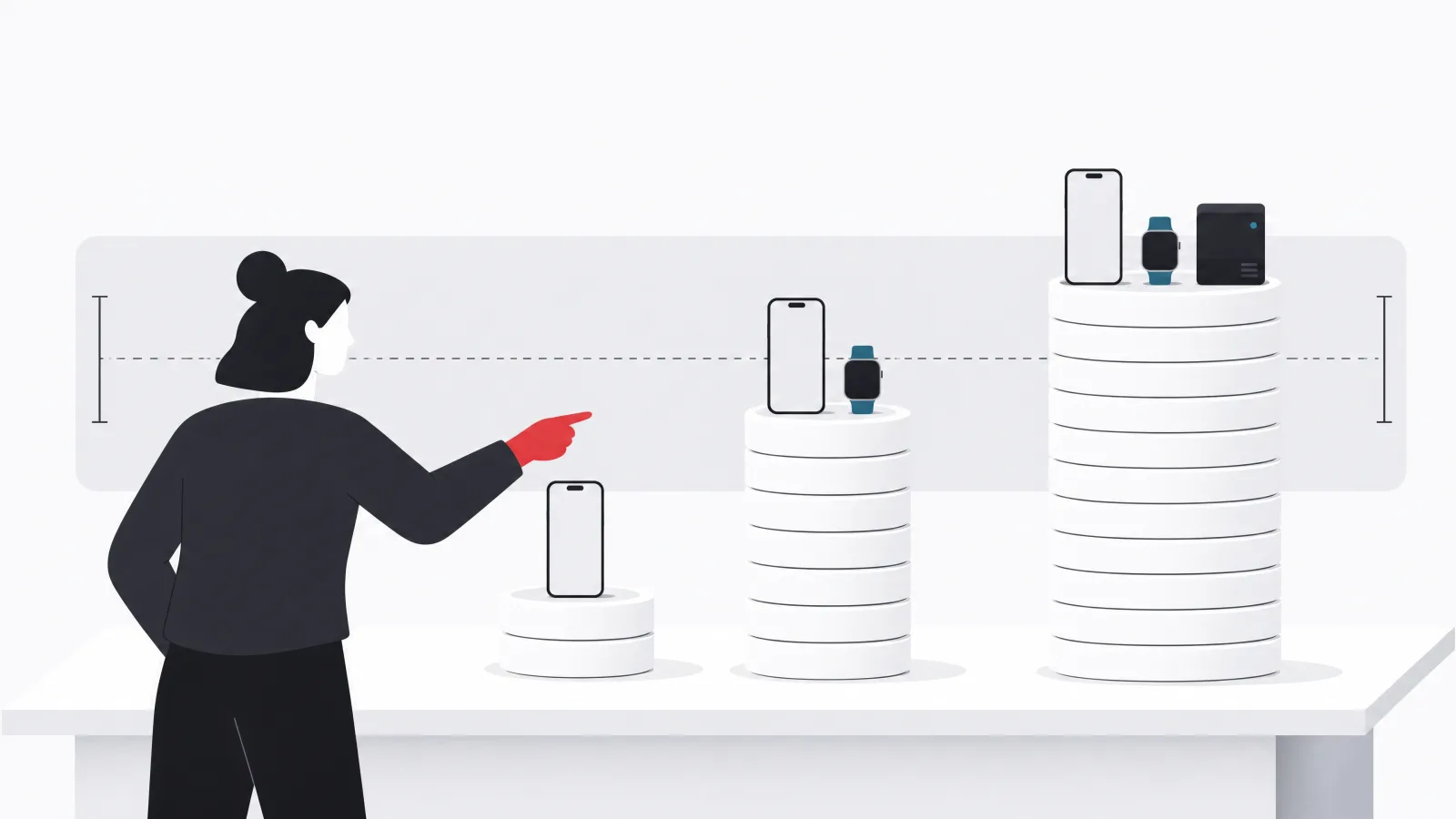
A focused MVP with the scope above costs roughly USD 60,000 to 120,000 and takes four to six months with an experienced team. The range depends mostly on how many platforms ship at launch, how much custom design the product needs, and whether background tracking beyond the platform APIs is required. A fuller product adding direct vendor integrations, social challenges, coaching content or logic, a web dashboard, and subscription management typically lands between USD 120,000 and 250,000 over eight to fourteen months, with the upper end driven by the number of integrations and the sophistication of the coaching layer.
Post-launch costs scale with users and data. Storing years of per-minute samples for a large user base is a real infrastructure line. Vendor API integrations break when vendors change them, which they do, and each OS release brings new background execution rules that need testing. A sensible plan reserves a standing engineering budget for maintenance from launch, sized at roughly a fifth of the build cost per year, plus infrastructure that grows with active users.
Where teams overspend is predictable: building vendor integrations before knowing which devices users own, building coaching before there is anyone to coach, and building custom background services when the platform APIs would have sufficed. Where cutting backfires is equally predictable: skimping on reconciliation logic, skipping testing on low-end Android devices, and treating privacy controls as a compliance afterthought rather than a trust feature. Cut features, never integrity.
The planning numbers
Frequently asked questions
How much does it cost to build a fitness tracker app?
A focused MVP with step and workout tracking, one wearable path through HealthKit and Health Connect, adaptive goals, and a weekly summary typically costs USD 60,000 to 120,000 over four to six months. A platform with direct vendor integrations, social challenges, coaching, and a web dashboard runs USD 120,000 to 250,000 or more over eight to fourteen months. Ongoing maintenance is roughly a fifth of build cost per year plus infrastructure that scales with users.
Do I need to integrate with Fitbit, Garmin, and Apple Watch directly?
Not at launch. HealthKit on iOS and Health Connect on Android already aggregate data from most wearables, including Apple Watch, Garmin, Fitbit, Oura, and others once the user has the vendor app installed. Start with those two integrations, then add direct vendor APIs for the devices your analytics show users actually connect. Direct integrations give richer data but each costs an OAuth flow, webhook handling, and ongoing maintenance.
How do fitness apps track steps in the background without draining the battery?
They mostly do not track in the background themselves. The operating system records steps continuously through low-power motion coprocessors, and the app reads that history from the pedometer APIs and platform health stores when it opens or syncs. For live workouts, the platform workout session APIs grant temporary background rights. Custom always-on background services are the exception, not the norm, and are the main cause of battery complaints.
Is a fitness tracker app a medical device?
Usually not. An app that counts steps, logs workouts, and shows heart rate or sleep trends is a wellness product in most jurisdictions, regulated for privacy and truthful marketing but not as a device. It becomes regulated software when it claims to detect, diagnose, or advise on a health condition. Decide which side of that line the product is on before designing it, because the medical pathway changes team, timeline, and budget substantially.
What keeps users coming back to a fitness app?
A visible result in the first week, goals that start from the user's own baseline and grow as they hit them, streaks that forgive an occasional miss, and a weekly summary that turns slow metrics into visible progress. Small group challenges with people the user knows work better than global leaderboards. Daily push reminders by default and fixed universal targets are the two most common retention mistakes.
Should I build a fitness app natively or cross-platform?
Cross-platform with native modules for sensors and health stores is the default for a consumer launch on both iOS and Android, because most of the product is screens and logic that a shared codebase handles well. Go native-only when the product is built around one ecosystem, such as an Apple Watch-first experience where the watch APIs are the product itself.
When the tracker is ready to be built, AgileTech is an AI native software development company in Vietnam with mobile teams who have shipped sensor-heavy consumer products through exactly these constraints.
Source: https://agiletech.vn/blog/how-to-build-a-fitness-tracker-app/ · (c) AgileTech Vietnam. Printed from agiletech.vn.
