 Nguyen Manh Thang
Chief Executive Officer, AgileTech Vietnam
Nguyen Manh Thang
Chief Executive Officer, AgileTech Vietnam
- Published
- Last updated
- Read time
- 12 min
- Views
- 63

Read the AI overview
A cloud-based LMS is a [[learning management system|/industries/education-software-development/learning-management-system/]] that runs on infrastructure you do not operate, but the label hides three different arrangements: multi-tenant SaaS, where the vendor runs one platform for all customers and you rent seats; vendor-hosted single instances, where a provider operates a dedicated deployment of a platform like Moodle for you; and self-managed cloud, where your team runs the LMS on rented infrastructure such as AWS or Azure. They differ in who patches, who scales, who answers for uptime, where the data lives and what you can customize. SaaS wins for most organizations on speed and operational cost; hosted and self-managed models win where data residency, deep customization or integration control genuinely require them.
Every LMS on the market now calls itself cloud-based, which has made the phrase almost useless at the exact moment buyers search for it most. The term once distinguished modern platforms from the server under the training department's desk; today it papers over the distinction that actually matters, who runs the system, where the data lives, and what you are allowed to change.
This guide restores the distinction. It separates the three deployment models the label hides, walks the architecture that sits behind a modern cloud LMS, lists the security and data questions that belong in every vendor conversation, and then does what vendor content will not: names the situations where the cloud-based default is wrong and a hosted or self-managed deployment honestly wins.
It slots into a cluster this blog already carries. If you are deciding whether to buy, extend or build at all, start with choosing an LMS. If you are pricing the options, what an LMS costs covers all three tiers. This page owns the deployment question those two defer: given that most of what you will evaluate is "cloud-based", what does that actually commit you to?
Key takeaways
- The phrase "cloud-based LMS" names three different deployments: multi-tenant SaaS you rent, a dedicated instance a vendor hosts for you, and a platform your team runs on rented cloud infrastructure. Vendors use one label for all three, and most buying mistakes in this category start by not asking which one is being sold.
- The real question behind the deployment choice is who carries the operations: patching, scaling, backups, uptime and incident response. SaaS moves all of it to the vendor; self-managed keeps all of it; hosted splits it in ways the contract must spell out.
- Cloud does not mean careless: data residency, retention, encryption, single sign-on and audit exports are contract items, not assumptions, and education deployments add learner-privacy duties (FERPA, GDPR, local equivalents) that decide which vendors and regions are even eligible.
- Self-hosting still wins in specific, nameable cases: hard data-residency or sovereignty rules, deep platform customization that SaaS tiers forbid, air-gapped or regulated networks, and very large learner counts where per-seat pricing exceeds an operations budget.
- Migration is the underpriced step: moving learner records, completion history and SCORM content into a cloud LMS is real project work, and the vendor demo never shows it. Budget the migration and the adoption effort alongside the subscription.
- The five-year cost comparison is deployment-shaped, not sticker-shaped: SaaS charges per learner forever, hosted charges a flat operations fee, self-managed charges in staff time. Which is cheapest depends on headcount and growth, and the answer flips as you scale.
Three deployments hiding under one label
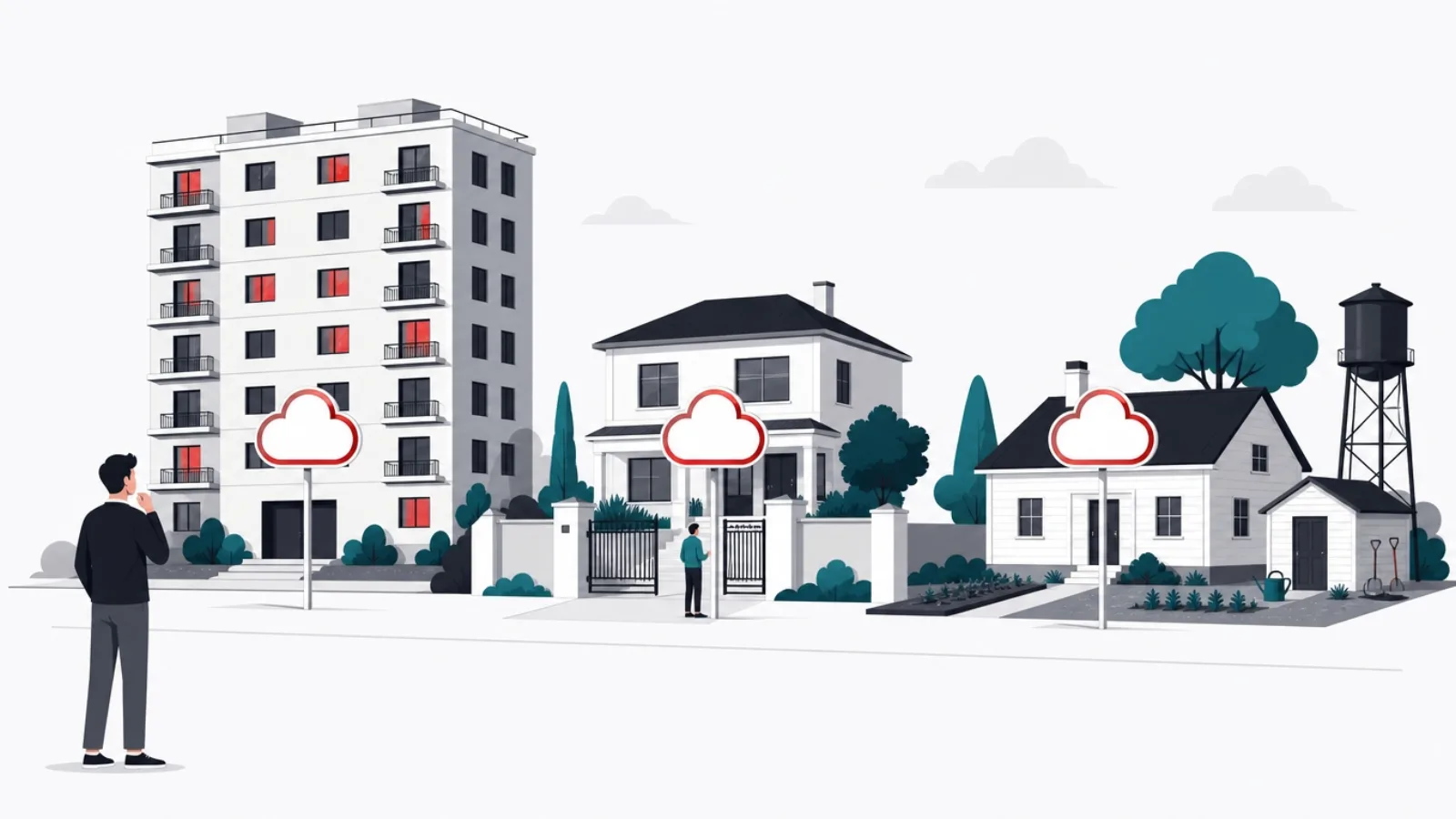
Multi-tenant SaaS is what most vendors mean. One platform, operated by the vendor, serves every customer from shared infrastructure: TalentLMS, Docebo, LearnWorlds, 360Learning, and most of the market by product count. You rent access per learner or per active user; the vendor patches, scales, backs up and upgrades everyone at once. The trade is uniform: fast to start, cheap to operate, and configurable only within the walls the vendor built, because your customization cannot be allowed to break the other tenants.
Vendor-hosted single instance is the middle model, most visible in the Moodle economy: a hosting partner operates a dedicated deployment of an open-source or licensed platform for you. The instance is yours, so plugins, themes and deep configuration are possible; the operations are theirs, so patching and uptime sit in a services contract rather than on your staff. It costs more than SaaS at small scale and less than SaaS at large scale, and its quality is exactly the quality of the partner, which makes partner evaluation the real procurement.
Self-managed cloud is the third model, and the one the label obscures most: your team runs the LMS, usually open-source, on rented infrastructure, AWS, Azure, Google Cloud, or a local provider chosen for data-residency reasons. It is "cloud-based" in the literal sense and nothing like SaaS in the operational one: every patch, scale event, backup and three-a.m. incident is yours. Organizations choose it for control, compliance or cost-at-scale, and it is the right choice exactly as often as there is a real operations team behind it.
The buying error this section exists to prevent is comparing across models as if they were one product category. A SaaS seat price against a hosting contract against a cloud bill is three different objects; the comparable number is total cost of ownership at your learner count, including the staff time each model consumes. And the first question in any vendor call is now obvious: which of the three are you actually selling, and who carries operations when something breaks at midnight before the compliance deadline?
The three models, compared on who carries what
| Duty | Multi-tenant SaaS | Vendor-hosted instance | Self-managed cloud |
|---|---|---|---|
| Patching and upgrades | Vendor, for everyone at once | Hosting partner, per contract | Your team, on your schedule |
| Scaling under load | Vendor, invisible to you | Partner, within contract limits | Your team and your cloud bill |
| Backups and recovery | Vendor, verify the terms | Partner, verify the drills | Your team, tested or fictional |
| Custom code and plugins | Not allowed, config only | Allowed, at your risk | Unlimited, at your risk |
| Data location control | Vendor region options | Negotiable per deployment | Fully yours |
| Cost shape | Per learner, forever | Flat fee plus changes | Cloud bill plus staff time |
Same label, different owners for every operational duty. The contract should read like this table.
Under the hood: what a cloud LMS is actually made of
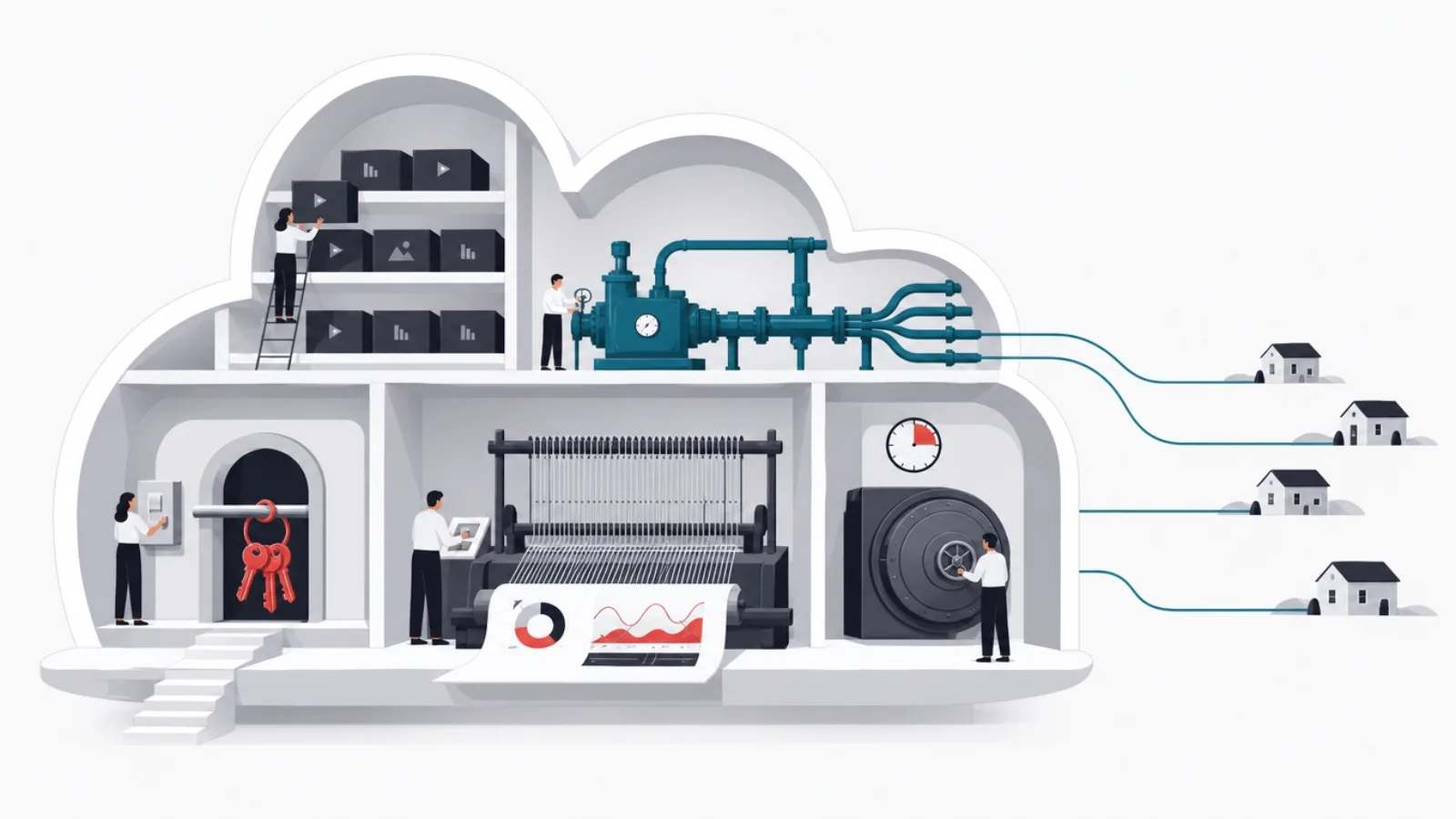
A modern cloud LMS is a familiar web architecture with two education-specific pressures: media delivery and reporting. The core is unremarkable, an application tier serving the learner and admin interfaces, a database holding users, enrollments, progress and results, and an authentication layer that in any serious deployment means single sign-on against your identity provider. What distinguishes a well-built platform is how it handles the parts that spike.
Video is the first spike. Course content is media-heavy, and delivering it well means a content delivery network serving learners from nearby edge locations, adaptive streaming so a warehouse tablet on poor Wi-Fi gets a watchable rendition, and storage economics that survive a video-first content strategy. This is where multi-tenant SaaS quietly earns its fee: the vendor amortizes a serious delivery pipeline across all tenants, while a self-managed deployment must assemble CDN, transcoding and storage itself or accept that Monday-morning compliance training buffers.
Concurrency is the second spike, and it is education-shaped: usage arrives in walls, not waves. An all-staff deadline, a semester start, a product launch certification, and suddenly a system sized for hundreds of daily users meets thousands in an hour, most of them streaming video and submitting quiz attempts. Cloud infrastructure handles this well when someone has engineered for it, autoscaling application tiers, queue-backed writes, load-tested quiz submission paths, and handles it badly when "cloud-based" was treated as a synonym for "scales automatically", which it is not.
The integration surface is the last structural piece. A working LMS syncs enrollments from an HR system, authenticates through your identity provider, plays SCORM or xAPI content packages, emits completion events to compliance and BI tooling, and increasingly serves its own data out through APIs. In SaaS, this surface is the product tier list, integrations live one plan up, reliably. In hosted and self-managed models it is engineering work with honest costs. Either way, the integration surface, not the course player, is where LMS projects overrun, which is a pattern the LMS cost guide prices in detail.
The architecture vocabulary vendor calls assume
- Multi-tenancy
- One platform instance serving many customer organizations with isolated data. The architecture behind SaaS pricing, and the reason SaaS customization has walls.
- CDN
- A content delivery network: edge servers that put course video near learners. The difference between watchable training and a support queue.
- SCORM and xAPI
- Packaging and tracking standards for course content. Support for them decides whether existing content ports into a new LMS or gets rebuilt.
- SSO (single sign-on)
- Learners authenticate through your identity provider rather than another password. In SaaS pricing, reliably a feature of the plan above the one you quoted.
- Autoscaling
- Infrastructure that adds capacity under load automatically. Cloud makes it possible, not automatic; someone must engineer and test it.
- Data residency
- A guarantee about the country or region where learner data is stored and processed. A contract term, not a checkbox, and a hard constraint in many jurisdictions.
Security, privacy and the questions that belong in every vendor call
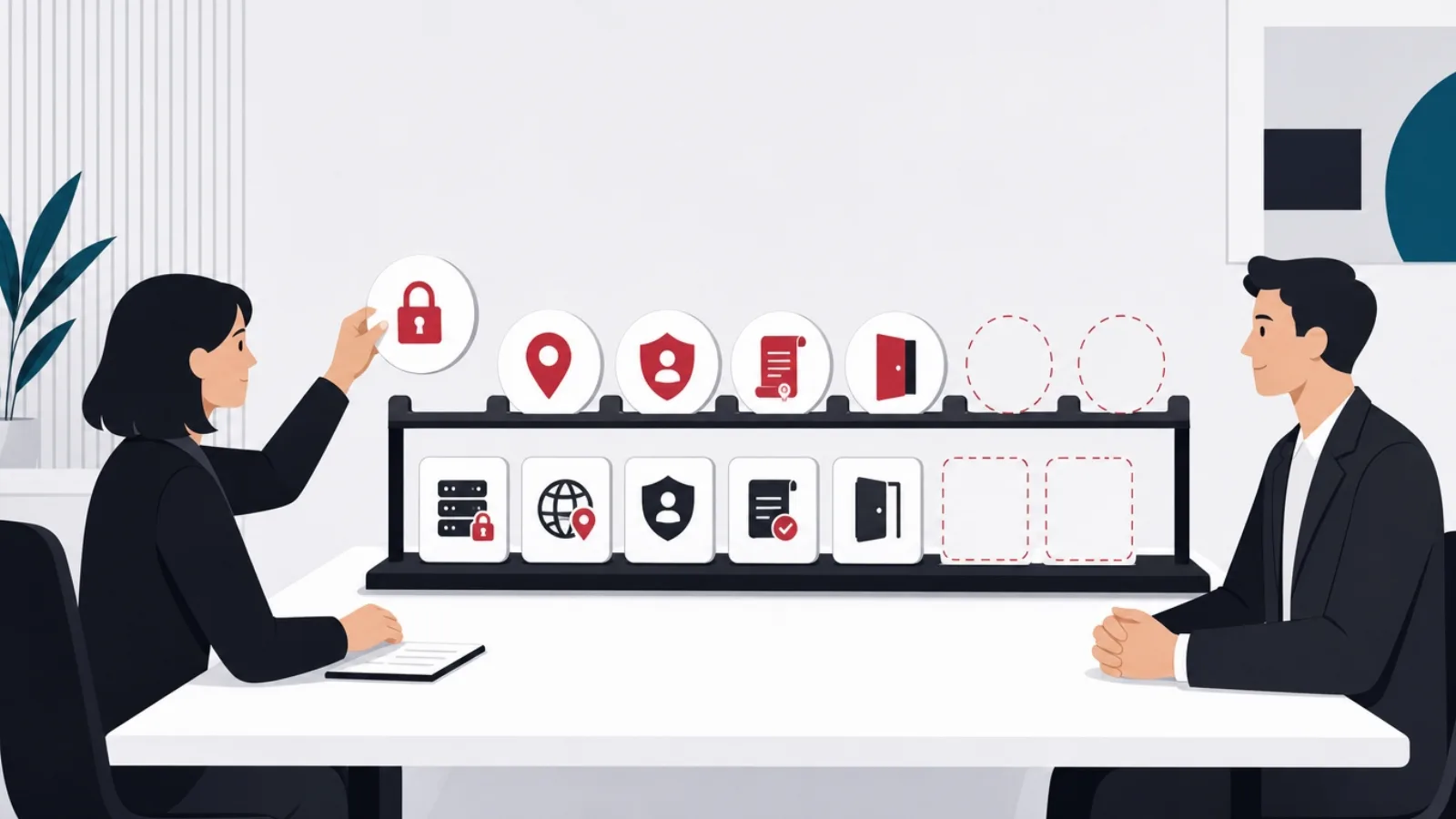
Learning platforms hold more sensitive data than buyers usually credit: identity and org-chart data synced from HR, performance signals in the form of assessment results, compliance records that are legally load-bearing, and, in academic settings, records covered by education privacy law such as FERPA in the United States or GDPR provisions in Europe. "It is just training data" is how LMS deployments end up as the weak point in an otherwise careful data posture.
The vendor security conversation has a standard shape, and running it is not optional. Certifications first: SOC 2 or ISO 27001 as table stakes for SaaS, with the report actually read, not just requested. Then the concrete mechanics: encryption at rest and in transit, single sign-on and enforced MFA for administrators, role-based access that maps to your org structure, audit logs that export rather than merely exist, and breach notification terms with hours attached. A vendor who answers these fluently is describing their operations; one who routes you to a trust-page PDF is describing their marketing.
Data residency and portability deserve their own paragraph because they decide eligibility, not preference. If law or policy requires learner data to stay in a given country, the vendor either operates a region there or is disqualified, and "our CDN may cache content globally" needs to be understood precisely. Portability is the exit question asked at entry: what exports, in what format, at what completeness, learner records, completion history, content packages, when you leave? A cloud LMS without a real export path is not a subscription; it is a slow-motion lock-in, and the time to discover that is before signature.
Self-managed deployments invert the conversation: every assurance you would demand from a vendor becomes a duty you owe yourself. Patch cadence, dependency updates, backup restoration drills, access reviews, penetration testing, all real, recurring work. This is the honest security argument for SaaS at most organizations: a professional vendor's security team is better than an unfunded internal afterthought. And it is the honest argument for self-management at a minority: where the data is sensitive enough that no third party may hold it, the operations budget is the price of that rule.
The vendor security checklist, in the order to ask it
- SOC 2 or ISO 27001, report in handTable stakes for SaaS. Read the scope and exceptions; a certification with a narrow scope is a narrow assurance.
- Data residency, in writingWhich region stores learner data, where backups live, and what the CDN caches where. A legal constraint, not a preference.
- SSO and admin MFA on your planConfirm which pricing tier actually includes them. Password-only admin access to compliance records is an audit finding waiting.
- Audit logs that exportWho accessed what, exportable to your tooling. Logs you cannot export are logs you do not have during an investigation.
- Breach notification with hoursA committed notification window and a named contact path, in the contract rather than the FAQ.
- Full export at exit, testedLearner records, completions, certificates and content, in documented formats. Ask for a sample export during evaluation, not at departure.
When the cloud default is right, which is most of the time

For most organizations, most of the time, multi-tenant SaaS is the correct answer, and pretending otherwise would make this article dishonest in the opposite direction from the brochures. The economics are structural: the vendor amortizes engineering, security and operations across thousands of customers, delivering a level of uptime, delivery infrastructure and patch discipline that a single training department could never fund alone. A 400-person company running its own LMS on a cloud VM is usually paying more, in staff attention, for a worse system.
Speed is the second structural advantage. A SaaS LMS goes from contract to first course in days: branding, SSO, an HR sync, content upload, pilot cohort. The same milestone on a self-managed deployment is weeks of infrastructure and configuration before anyone learns anything. For organizations whose LMS need is real but not exotic, onboarding, compliance, role training, the fastest path to the actual goal, people completing courses, is renting the plumbing.
The updates argument matters more in education than buyers expect. Learning platforms move: new content standards, accessibility improvements, mobile clients, AI-assisted authoring and search arriving across the category. SaaS customers receive this movement continuously and automatically. Self-managed deployments receive it as upgrade projects, each one a small migration with plugin compatibility risk, and the practical result across the installed base is that self-managed systems run years behind, not because upgrades are impossible but because they are deferrable, and deferred they are.
The honest framing is that SaaS is the default that must be argued away, not toward. The next section supplies the legitimate arguments, and they are specific and checkable. If none of them applies to your organization, the remaining work is vendor selection, covered across the LMS platform comparison and its corporate-focused sibling, and contract discipline, covered by the checklist above. Deployment exotism without a driving requirement is how training budgets become infrastructure hobbies.
The SaaS default, in three honest figures
When self-hosting or a dedicated instance honestly wins

Data sovereignty is the cleanest case. Government bodies, defense-adjacent contractors, healthcare systems and public universities in some jurisdictions operate under rules that no multi-tenant vendor region satisfies: data must stay on national soil, on named infrastructure, sometimes on networks with no public internet path at all. Air-gapped and restricted-network training environments exist and are not exotic in the sectors that need them. Here the deployment model is decided by law, and the only real choices are which platform to run and who operates it.
Deep customization is the second case, and it deserves an honest test rather than a reflex. SaaS configurability has walls: workflow changes the vendor did not anticipate, integrations their API does not expose, pedagogical models their course structures cannot represent. Organizations whose learning model is genuinely their own, simulation-heavy professional training, assessment workflows with regulatory shape, multi-organization delivery with unusual hierarchies, hit those walls quickly, and a dedicated Moodle or Open edX instance with real plugin development is the honest home. The test: write down the three requirements SaaS cannot meet, and have someone verify they truly cannot, because "we assumed we would need custom" funds a lot of unnecessary operations.
Scale economics is the third case, and it is arithmetic rather than principle. Per-learner SaaS pricing that is negligible at 500 learners becomes a six-figure annual line in the tens of thousands, at which point a hosted or self-managed platform whose costs are flat-ish, infrastructure plus an operations retainer, undercuts it durably. Universities, national training programs and extended-enterprise deployments serving customers and partners live in this territory. The crossover math is the same one worked through in the LMS cost guide: price both models at year-three headcount, not launch headcount.
And a fourth case that is really a boundary: sometimes the requirement list has outgrown the LMS category itself, and the conversation becomes a product build, training as a revenue line, learning experiences that are the company's differentiator, platforms serving external customers at product-grade polish. That is no longer a deployment-model question, and it is routed properly by the buy, extend or build decision. The deployment models in this article are answers to "where should the platform run"; they cannot answer "should this be a platform we own", and mixing the two questions produces the worst outcomes of both.
Making the self-hosting call honestly
Do this
- Name the rule that forces itA statute, a contract clause, a security policy with a number. Sovereignty cases are documentary, not vibes.
- Write the three requirements SaaS failsAnd have someone technical verify against current vendor capability, which moved while you were assuming.
- Fund operations as a named budgetPatching, upgrades, backups, on-call. If the budget line does not exist, the deployment model is a fiction.
- Run the crossover arithmetic at scalePer-seat times year-three headcount versus flat operations cost. Let the bigger number lose.
Not this
- Self-hosting for imagined controlControl you never exercise is cost without benefit. Most "we might need to customize" never customizes.
- Treating open source as freeThe license is free; the deployment is an engineering project and the upkeep is a payroll line, priced in the cost guide.
- Air-gapping what merely feels sensitiveRestricted networks are for rules, not feelings. They tax every update and integration forever.
- Letting IT preference outvote learnersThe deployment model is invisible to learners; the product quality is not. Choose for the people taking the courses.
Moving to a cloud LMS: the migration nobody demos

Whatever model you choose, most cloud LMS projects are migrations, from a legacy on-premise system, an outgrown SaaS, or a pile of spreadsheets and shared drives doing an LMS impression. The migration is the project phase the sales process never shows, and it is where timelines actually slip, so it belongs in the plan, budgeted, before the contract is signed rather than after.
Learner data moves first and matters most. Accounts, enrollments, completion history and certificates carry the organization's training record, and in compliance contexts that record is legally load-bearing: an auditor does not accept "it was in the old system". The mechanics are extraction, transformation into the new platform's import shape, and verification against source counts, unglamorous work with a real error surface. Decide explicitly what history migrates and what gets archived read-only; migrating a decade of stale records into a new platform is cost without benefit, but archiving must actually be retrievable.
Content is the second wave, and its portability was decided years ago by whoever authored it. SCORM and xAPI packages generally travel: upload, validate, spot-check tracking. Content authored in a legacy platform's native editor generally does not, and rebuilding it is quiet five-figure work that should be scoped, not discovered. The migration is also the natural audit point: course libraries accumulate dead weight, and moving only what is current and used both shrinks the project and improves the catalog learners meet on day one.
The cutover itself rewards boredom. Run the new platform in parallel for a pilot cohort while the old one still stands; wire the integrations, SSO, HR sync, compliance reporting, and verify them with real accounts before the announcement; pick a low-stakes date, never the week before a compliance deadline; and keep the old system in read-only reach until the first reporting cycle completes cleanly on the new one. Teams that skip the parallel phase to save a month reliably spend that month anyway, in incident form, with an audience.
The migration, phased so nothing surprises
-
Inventory and decide what movesWeeks 1 to 2
Learner records, completions, certificates, content packages. Current and legally required data migrates; the rest archives read-only, retrievably.
-
Move and verify the dataWeeks 3 to 5
Extract, transform to the new import shape, load, and reconcile counts against the source. Compliance history gets checksummed attention.
-
Port content, rebuild the restWeeks 3 to 6
SCORM and xAPI packages upload and validate; native-format content gets scoped for rebuild honestly rather than discovered in week six.
-
Parallel pilot, then boring cutoverWeeks 6 to 9
A real cohort on the new system, integrations verified with real accounts, a low-stakes cutover date, and the old system read-only until the first clean reporting cycle.
Deciding: the deployment question, answered in order
The decision compresses to four questions asked in the right order, and the order matters because each one can end the process early. First: does a rule, law, contract or security policy, constrain where learner data may live? If yes, the eligible set is defined by the rule: a vendor region that satisfies it, a dedicated instance where it must be, or self-managed infrastructure where nothing else qualifies. Rules are not weighed against convenience; they filter first.
Second: does the learning model genuinely exceed SaaS configurability? Answered by the written-requirements test from earlier, three named capabilities, verified against current vendor reality, not by instinct. If the requirements are real, the choice is between a vendor-hosted dedicated instance and self-managed cloud, and that sub-decision is mostly an operations-capacity question: a strong platform team makes self-managed viable, and its absence makes the hosting partner's contract the load-bearing document.
Third: does the arithmetic flip at your scale? Price per-seat SaaS at year-three headcount against a flat operations model; in the low thousands of active learners the lines start crossing, and in extended-enterprise or university territory they cross decisively. Fourth, and only now: which SaaS vendor? Most organizations arrive here, having passed the first three gates with "no", and the work becomes ordinary selection, platform fit, security checklist, contract exit terms, guided by the platform comparisons this blog already carries.
One closing reframe, because it is the article's actual thesis: "cloud-based" was never the decision. It is the label on three different answers to who runs your learning infrastructure, and the quality of your outcome depends less on which answer you pick than on picking it for a stated reason, with the operations, security and migration costs of that answer named in the budget. Organizations that can articulate why their LMS runs where it runs almost always run it well; the ones that inherited the answer from a brochure are the ones this article was written for.
The deployment router
Where should your LMS actually run?
-
A law, contract or policy constrains data location
The rule picks: compliant region, dedicated instance, or self-managed
Sovereignty requirements filter before preference. Verify vendor regions and CDN behavior against the actual rule.
-
Your learning model exceeds SaaS walls, verified in writing
Dedicated instance or self-managed, by operations capacity
Real customization needs an instance you control. A strong platform team self-manages; everyone else contracts a hosting partner.
-
Tens of thousands of learners, or seats taxing revenue
Run the crossover math; flat-cost models start winning
Per-seat pricing scales linearly forever. At scale, infrastructure plus operations undercuts it durably.
-
None of the above
Multi-tenant SaaS, chosen with the security checklist
The default earns its place: faster launch, vendor-grade operations, continuous updates. The remaining work is vendor selection and exit terms.
Four gates, in order. Most organizations exit at the last one, and that is the healthy outcome.
Frequently asked questions
What is a cloud-based LMS?
A learning management system that runs on infrastructure you do not operate yourself. The label covers three distinct arrangements: multi-tenant SaaS, where the vendor runs one platform for all customers and you rent access per learner; vendor-hosted single instances, where a provider operates a dedicated deployment of a platform like Moodle for you; and self-managed cloud, where your own team runs the LMS on rented infrastructure like AWS or Azure. They differ in who patches and scales the system, where data lives, what you can customize, and how the costs are shaped.
What is the difference between a cloud LMS and a SaaS LMS?
SaaS is one kind of cloud LMS, the multi-tenant kind: one vendor-operated platform serving all customers, sold per learner, configurable but not customizable at the code level. A cloud LMS can also be a dedicated instance a hosting partner runs for you, or a platform your team operates on rented cloud infrastructure, both of which allow deep customization and carry correspondingly more operational responsibility. Vendors use "cloud-based" for all three, so the first evaluation question is which arrangement is actually on the table.
Is a cloud-based LMS secure?
Reputable SaaS vendors typically run stronger security operations than an internal team could fund for one system: dedicated staff, SOC 2 or ISO 27001 programs, continuous patching. But security is contractual, not assumed: verify the certification scope, encryption at rest and in transit, SSO and admin MFA availability on your actual plan, exportable audit logs, breach notification windows, and data residency in writing. Education deployments add learner-privacy duties, FERPA in the US, GDPR in Europe, that can disqualify vendors or regions outright.
When is self-hosting an LMS better than SaaS?
In four checkable cases. Data sovereignty: law, contract or policy requires learner data on specific soil or restricted networks that no vendor region satisfies. Verified customization needs: your learning model exceeds SaaS configurability, confirmed in writing against current vendor capability rather than assumed. Scale economics: in the tens of thousands of learners, flat infrastructure-plus-operations costs undercut per-seat pricing durably. And a funded operations team to actually run it, without which self-hosting is a fiction. Absent all four, multi-tenant SaaS is the honest default.
How hard is it to migrate to a cloud-based LMS?
It is a real project the sales demo never shows, typically eight to ten weeks run properly. Learner records, completion history and certificates must be extracted, transformed and verified against source counts, and compliance history is legally load-bearing. SCORM and xAPI content generally ports; content authored in a legacy platform's native editor often must be rebuilt, which should be scoped up front. Run a parallel pilot cohort, verify SSO and HR integrations with real accounts, cut over on a low-stakes date, and keep the old system read-only until the first clean reporting cycle.
How much does a cloud-based LMS cost?
By model. Multi-tenant SaaS runs roughly 3 to 15 dollars per active learner monthly at mid-market, plus setup packages, with the total scaling linearly with headcount forever. Vendor-hosted dedicated instances cost an implementation, commonly 20,000 to 80,000 dollars for platforms like Moodle, plus flat monthly hosting and a maintenance contract. Self-managed cloud costs the infrastructure bill plus real staff time, typically 10 to 30 percent of implementation cost annually in labor. Which is cheapest depends on learner count, and the ranking flips as you grow.
When the rented options genuinely cannot hold your learning model, AgileTech is one of the top software development companies in Vietnam, with the operations, security and migration costs named before the first sprint.
Source: https://agiletech.vn/blog/cloud-based-lms/ · (c) AgileTech Vietnam. Printed from agiletech.vn.
