 Nguyen Manh Thang
Chief Executive Officer, AgileTech Vietnam
Nguyen Manh Thang
Chief Executive Officer, AgileTech Vietnam
- Published
- Last updated
- Read time
- 17 min
- Views
- 83

Read the AI overview
Choose an LMS by first deciding whether learning is a support function for you or part of your product, because that single question separates buying from building. If you need to train employees, partners or customers on material that looks like everyone else's training, buy a commercial platform and spend your effort on integrations and content. If the learning experience is what your customers pay for, or if your delivery model does not fit a course and a completion certificate, a commercial platform will fight you and a custom build is the cheaper path over a three year horizon. Between those two sits the option most buyers never evaluate: an open source core extended by a small team, which fits organizations that need control without needing originality. Whichever you choose, price the integrations, the content migration and the administrative time, because those three lines routinely exceed the license fee.
Searching for the best learning management system produces ranked lists, and the ranked lists are close to useless, because the rankings answer a question nobody actually has. There is no best LMS in the abstract. There is only the platform that fits your delivery model, your integration landscape, your compliance obligations and the amount of administration your team can genuinely absorb, and those four things differ so much between organizations that two careful buyers can correctly choose opposite platforms.
The decision also has an unusually long tail. An LMS accumulates completion records, and completion records are the kind of data that has legal weight, so the platform you choose is a platform you will probably still be running in five years, exporting from under pressure if it turns out to be wrong. That makes the cost of a poor fit much higher than the switching cost of most software.
This article is the framework rather than a ranking. It covers the one question that separates buying from building, what corporate and small business buyers each get wrong, the three licensing models and who each one actually suits, the cost lines that appear after the license fee, the integrations that decide whether the system lives or dies, what building means in practice if you conclude you need to, and how to migrate without losing records you are legally required to keep. We build these systems, so the engineering sections reflect what we see fail, and how we approach that work is on our learning management system development page.
Key takeaways
- The first question is not which platform, it is whether learning is a support function or part of your product. Support functions should buy. Products should build. Everything else follows from that answer.
- Corporate and small business buyers fail differently. Large organizations underestimate integration and permission modeling. Small teams overestimate how much administration they can absorb, then abandon a platform that technically works.
- The license fee is rarely the largest line. Integration, content migration, administrative time and per seat growth usually cost more over three years, and only the license fee appears in the quote.
- Per seat pricing punishes exactly the outcome you want, which is more people learning. Model the cost at the headcount you hope to reach, not the one you have.
- Compliance and certification requirements are the strongest argument for buying, because audit trails, versioned course records and e-signature workflows are expensive to build and boring to maintain.
- A learning experience that is part of your revenue, or a credential a regulator cares about, is the strongest argument for building. So is any model that does not decompose into courses, modules and completions.
- Whatever you choose, the integrations decide the outcome. An LMS that does not know who works here, what they do and when they changed roles becomes a manual data entry job that quietly dies.
- Migration is the phase that is always underestimated. Old course content, historical completion records and in flight enrollments each migrate differently, and the completion records are the ones with legal weight.
The question that decides everything else: support function or product

Before comparing any platforms, answer one question honestly. Is learning something you do to support the business, or is it part of what your customers buy? Almost every other decision follows from that answer, and buyers who skip it end up evaluating platforms against a requirements list that does not describe their actual situation.
If learning is a support function, meaning you train employees on safety procedures, onboard new hires, keep a sales team current on products, or certify partners on your equipment, then your material looks structurally like everyone else's. Courses, modules, quizzes, completions, expiry dates, reminders. Commercial platforms have solved this problem thoroughly and cheaply, and building your own version of it is engineering effort spent recreating something you can license. Buy, and spend your effort on integrations and content quality instead.
If learning is part of your product, the calculation inverts. When customers pay for the learning experience, that experience is your competitive surface, and a commercial platform makes your product look and behave like every competitor using the same platform. Worse, you inherit its roadmap: the feature you need next quarter arrives when the vendor decides, or never. Product teams in that position consistently find that the platform they licensed becomes the constraint they are working around, and the workarounds cost more over three years than a focused build would have.
There is a third case that catches people out, and it is worth checking against explicitly. Some delivery models simply do not decompose into courses and completions. Cohort programs where the schedule and the peer group are the product, apprenticeship models where assessment is continuous observation rather than a quiz, simulation based training, and anything where the credential is issued against a standard a regulator defines. Those models can sometimes be forced into a commercial LMS, but the force is the warning sign: you will spend the next three years fighting the data model, and the fight never gets easier.
Buy, extend or build
Is the learning experience something your customers pay for?
-
No, we train our own people or our partners
Buy a commercial platform
Your requirements are the requirements the market has already solved. Licensing is cheaper than building, and the effort you save belongs in integrations and content quality, which is where support function learning programs actually succeed or fail.
-
No, but we need control the vendors will not give us
Extend an open source core
Data residency rules, an unusual permission model, a private deployment, or integration with systems no vendor will build a connector for. An open source core with a small maintaining team gives you control without originality, which is exactly the right trade when your needs are unusual rather than novel.
-
Yes, and it decomposes into courses and completions
Consider a headless commercial platform
Some commercial platforms expose an API and let you own the entire learner interface. You keep your product surface and inherit their record keeping. Verify the API covers everything you need before committing, because a headless platform with gaps is worse than either alternative.
-
Yes, and our model is not courses and completions
Build
Cohort programs, continuous assessment, simulations, regulated credentials. The commercial data model will fight you indefinitely, and the workarounds compound. A focused build is usually cheaper across three years and always cheaper across five.
Read this in order and stop at the first branch that matches. The most expensive mistake is arriving at build for reasons of preference rather than fit, and the second most expensive is forcing a product sized requirement into a platform chosen for a support function.
Corporate and small business buyers fail differently

Advice written for one of these buyers actively misleads the other, which is why generic best platform lists disappoint everyone. The two situations differ in what is scarce. For a large organization the scarce resource is integration and governance capacity. For a small team it is administrative attention. Each buyer tends to plan carefully for the constraint they do not have.
Large organizations underestimate two things consistently. The first is identity and permission modeling: who can see whose completion records, who assigns training, what happens when someone changes departments mid course, how a contractor differs from an employee, and how regional data rules affect where records may be stored. This looks like configuration in a demo and turns into a project. The second is that training obligations usually live inside other processes. Onboarding, promotion, incident response and audit all need to trigger or read training state, so the LMS is never really a standalone system, and the integration work is the real work.
Small teams underestimate administration. A platform that technically does everything still needs someone to build courses, enroll people, chase completions, keep content current and answer questions about why a video will not play. When that someone has another full time job, the platform quietly stops being used, and the organization concludes the software failed when in fact nobody had the hours. For a small team, the most important selection criterion is usually how little administration the platform demands, which almost never appears on a feature comparison.
Small buyers also have one advantage worth using deliberately: they can change their minds cheaply. With a few dozen learners and a year of records, migrating is a real but survivable task. So a small organization should optimize for a fast, cheap, reversible start and revisit in eighteen months. A large organization with thousands of learners and years of compliance records cannot lean on that, which is why the integration and export questions deserve much more scrutiny at that scale.
- Corporate: model permissions before you shortlist. Write down who may see whose records, who assigns, and what happens on a role change or a transfer between regions. Then ask vendors to demonstrate exactly that, with your org shape, rather than watching a generic demo.
- Corporate: assume integration is the project. Directory, human resources system, and whatever owns the compliance calendar. If those three do not connect, the LMS becomes a manual data entry job and the data goes stale within two quarters.
- Small business: count the administrative hours honestly. Name the person and the hours per week. If nobody has the hours, choose the platform with the least setup and the most defaults, even if it scores lower on features you would like.
- Small business: prefer reversible decisions. Check the export before you buy, not because you plan to leave, but because a verified export is what makes an eighteen month reassessment possible rather than theoretical.
- Both: price the growth case, not today. Per seat models are quoted at current headcount and paid at future headcount. Model the bill at the number of learners you are trying to reach, because success is what makes this line hurt.
What each buyer should weight most heavily
| Concern | Corporate or enterprise | Small business or team |
|---|---|---|
| Scarcest resource | Integration and governance capacity | Administrative attention |
| Decides the outcome | Identity, permissions, and connections to systems of record | Time to first working course, and how little upkeep it needs |
| Most underestimated | Permission modeling and role change handling | The weekly hours of someone chasing completions |
| Cost line that surprises | Integration work and administrator seats | Per learner growth as adoption succeeds |
| Reversibility | Expensive; verify export early and in writing | Genuinely cheap; use it and plan to reassess |
| Right default | Buy, and budget the integration properly | Buy the simplest thing that works, revisit later |
The same platform can be the right answer for one of these buyers and the wrong answer for the other. These are the criteria that most often decide the outcome in each case, which is not the same as the criteria that appear at the top of feature comparisons.
Three licensing models, and who each one actually suits

Platforms in this market organize into three groups by how they are licensed and operated, and the group matters more to your decision than any individual product's feature list, because the group determines your cost curve, your control and your exit. This is a structural distinction rather than a ranking, and no group is better than the others in the abstract.
Commercial hosted platforms are licensed per learner or per active user, run by the vendor, and updated without your involvement. You get a working system quickly and predictably, support when something breaks, and compliance features already built. You accept the vendor's roadmap, a cost that scales with your success, and limits on how far you can change behavior. For most support function training this is the correct choice, and the speed is worth more than the flexibility you give up.
Open source platforms are free to license and not free to run. Moodle, Canvas and Open edX are mature systems with large ecosystems, and the licensing model means the money moves from license fees to hosting, upgrades and a person who owns the deployment. That trade is favorable when you need control, unusual integrations or private deployment, and unfavorable when you have nobody to own it, because an unmaintained open source LMS becomes a security liability rather than a saving.
Custom builds are the third group, and the honest framing is that you are choosing to own a product rather than rent one. The cost is concentrated up front and continues as maintenance, and what you buy is a system that matches your model exactly and a roadmap nobody else controls. It is the right answer when learning is your product, when your delivery model does not fit the standard data model, or when the workarounds on a licensed platform would cost more than the build. It is the wrong answer when the requirement is ordinary and the motivation is preference.
Licensing model against what you are optimizing for
| Commercial hosted | Open source, self run | Custom build | |
|---|---|---|---|
| Time to first working courseDays, months or quarters | Yes | Partial | No |
| Predictable cost at small scale | Yes | Partial | No |
| Cost stays flat as learners grow | No | Yes | Yes |
| Compliance features already built | Yes | Partial | No |
| Control over the learner experience | No | Partial | Yes |
| Unusual integrations possible | Partial | Yes | Yes |
| Private or in country deployment | Partial | Yes | Yes |
| Works with no technical owner | Yes | No | No |
| Examples | Per seat commercial suites | Moodle, Canvas, Open edX | Built to your model |
Named platforms are examples of each model, not recommendations. The rows are the properties buyers actually trade against each other, and the point of the grid is that no column wins on every row.
What an LMS actually costs, line by line

The license fee is the number in the quote and rarely the largest number in the program. Buyers who compare quotes on license fee alone are comparing the one line the vendors compete on and ignoring the lines that decide the total. Rather than publish price ranges that would be wrong for most readers, this section gives you the cost structure and the arithmetic, so you can build a defensible three year number from real quotes for your own situation.
Start with the recurring platform cost, and model it at three headcounts: today, your realistic case in two years, and the success case you are actually trying to reach. Per learner and per active user pricing means the bill grows with adoption, which is the outcome you want, so a model that looks cheap at current headcount can become the reason a successful program gets capped. Ask specifically how an inactive learner is treated, because that definition is where per active user pricing gets expensive or forgiving.
Then price implementation, which is where the surprises live. Integrations with your directory and human resources system, single sign on, permission and role configuration, migration of existing course content, migration of historical completion records, and the reporting your compliance function needs rather than the reports that ship. Each of those is a real piece of work, and in a large organization their sum commonly exceeds the first year license fee. Ask every vendor for an itemized implementation quote and an explicit exclusion list, because what a vendor did NOT price tells you more than the total.
The line almost nobody budgets is administrative time, and it is the line that most often kills an otherwise sound program. Someone builds and updates courses, enrolls people, chases completions, fixes access problems and keeps content accurate. That is hours per week, indefinitely. Cost it at a real salary and put it in the comparison, because a platform that saves license fees while doubling administrative hours is more expensive, and the comparison that leaves this line out will not show you that.
For a custom build, the structure differs rather than simply being larger. Cost concentrates in an initial delivery, then continues as maintenance, hosting and the ongoing feature work that any product needs. Compare it against the licensed option over the same horizon, three years at minimum, with per seat growth and workaround costs included on the licensed side. The comparison is often much closer than people expect once those two are honest, and how we structure that estimate is set out on our software development cost guide.
The three year cost model, by line
Recurring platform
- Per learner or per active user fee
- Model it at today, your two year case, and the success case. Confirm in writing how an inactive learner is counted and when the count is taken.
- Administrator and author seats
- Often priced separately from learners, and often needed in larger numbers than the first estimate.
- Tier thresholds
- Ask where the next pricing tier begins. Crossing a threshold mid year is a common and avoidable budget surprise.
- Storage and video delivery
- Video is the bulk of most content libraries. Ask whether hosting and bandwidth are included or metered.
Implementation, first year
- Directory and single sign on
- Almost always required, frequently excluded from the initial quote.
- Human resources system integration
- The system of record for who works here and what they do. Without it, enrollment becomes manual and records go stale.
- Permission and role configuration
- Cheap in a small organization, a genuine project in a large one with regions, contractors and delegated administration.
- Content migration
- Scales with library size and with how much of it needs rebuilding rather than importing. Audit the library first.
- Historical records migration
- Completion history has compliance weight and rarely maps cleanly between systems. Price it separately from content.
- Custom reporting
- Shipped reports answer the vendor's idea of the question. Compliance functions usually need a specific one.
Ongoing internal cost
- Administration
- Hours per week at a real salary, indefinitely. The most commonly omitted line and the most common cause of quiet program failure.
- Content creation and refresh
- Content decays. Budget the refresh cycle or plan for a library that is quietly wrong in two years.
- Support to learners
- Access problems and playback issues arrive at someone. Decide who before launch.
- Upgrades and testing
- Hosted platforms absorb this. Self run and custom systems do not, and skipping it is how a working system becomes unsafe.
No figures here, deliberately: real numbers depend on your headcount, region, integration landscape and compliance obligations, and a published range would be wrong for most readers in a way they could not detect. Fill these lines from your own quotes and salaries, and require every vendor to price the same list.
The integrations that decide whether the system lives
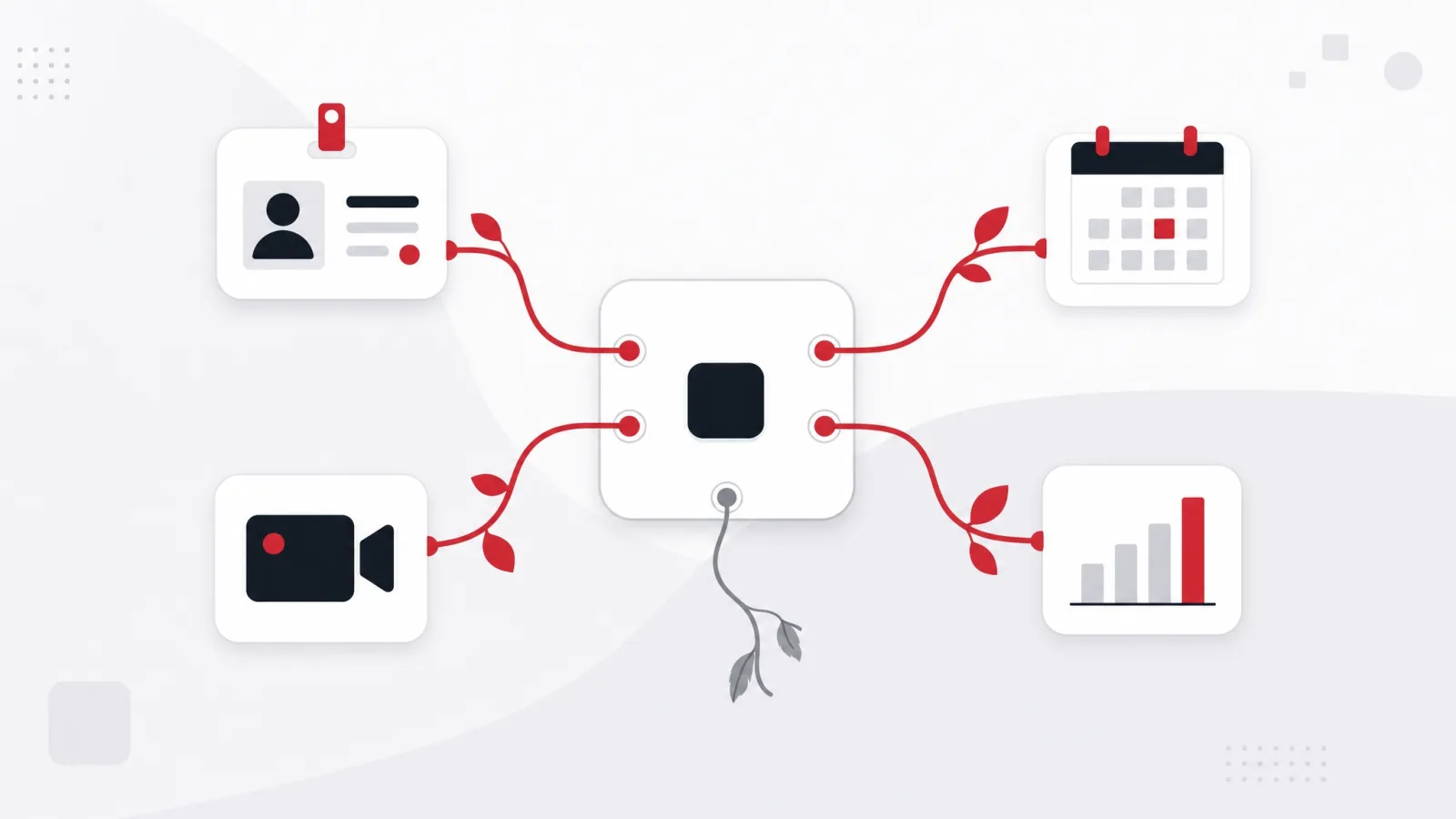
An LMS is not a standalone system in any organization above a handful of people. It needs to know who works here, what their role is, when that changed, and what training that role requires. Every one of those facts already lives in another system, and an LMS that does not read them becomes a data entry job. That is the actual mechanism behind most abandoned platforms: not a missing feature, but a system whose data went stale because keeping it current was manual.
Identity is the first integration and the one that determines daily experience. Single sign on against your existing directory means learners do not manage another password and access ends when employment does. Without it you accumulate orphaned accounts, which is both an access risk and a per seat bill for people who left. Ask specifically which protocols are supported, whether group membership can flow through as well as identity, and whether automated provisioning and deprovisioning are included or extra.
The system of record for employment is the second, and it is what makes assignment automatic rather than remembered. When the human resources system says someone joined, changed role or transferred region, the LMS should enroll and unenroll accordingly. Getting this wrong produces the two failure modes auditors find: people who never got required training because nobody noticed they arrived, and people still assigned training for a job they no longer do.
Then there are the content and reporting standards, which are less exciting and matter at exit. SCORM and xAPI determine whether your existing course content and your future content are portable, and portability is what makes a platform decision reversible. On the reporting side, decide early whether completion data needs to reach a data warehouse or a business intelligence tool, because retrofitting that is harder than including it, and compliance reporting has a way of becoming urgent on someone else's schedule.
For organizations where the learning connects to a wider student or member system, the integration surface grows again, and the same principle applies: one system owns each fact, everything else reads it. We build these connections as part of education software development work, and the adjacent systems that most often need to share data are the assessment and examination platform and the virtual classroom platform.
Integration questions to settle before signing
- Which single sign on protocols, and does group membership flow through?Identity alone is not enough. If groups do not flow, someone maintains group membership by hand in two systems, and the two will disagree within a quarter.
- Is automated provisioning and deprovisioning included?This is what closes access when employment ends and stops you paying per seat fees for people who left. It is frequently a separate line.
- How does the platform learn about a role change?The answer should be an integration with the system of record, not a person remembering. Role changes are where required training silently lapses.
- Which content standards are supported, for import and for export?Both directions. Import protects your existing library, export protects your ability to leave, and vendors are noticeably more specific about the first.
- Can completion data reach our warehouse or reporting tool?Ask how: an API, a scheduled export, or a paid connector. Compliance reporting requirements tend to arrive with a deadline attached.
- What exactly can we export, and in what format?Request a sample export of course content and of completion records before signing. A promised export that turns out to be a summary report is discovered at the worst possible moment.
Ask these as specific written questions rather than reading a feature matrix. Every one of them has a vendor answer that sounds affirmative in a demo and turns into a professional services line item in an invoice.
Integration patterns that survive, and ones that do not
Do this
- One system of record per factEmployment data comes from the human resources system, identity from the directory, learning records from the LMS. Everything else reads. Disagreement becomes impossible rather than merely unlikely.
- Event driven enrollmentA role change fires an event and enrollment follows automatically. Correctness stops depending on anyone remembering.
- Verified export, tested on real dataRun the export during evaluation, on a real course and real records, and read the output. This is the cheapest insurance in the entire decision.
- Standards for content, both waysContent that imported cleanly and exports cleanly keeps the decision reversible, which is worth more than any single feature.
Not this
- Spreadsheet enrollmentA monthly upload of new joiners. It works for two months, then someone is on leave, and the gap is invisible until an audit finds it.
- Two systems both owning employment dataThe LMS holds departments and the human resources system holds departments. They will diverge, and neither team will consider the reconciliation their job.
- Deferring reporting to phase twoCompliance reporting is not a phase two requirement, because the first audit does not wait for your roadmap. Design the data path before launch.
- Trusting an export you never ranExport is the most commonly overstated capability in this category. An untested export is an assumption you are betting years of records on.
The difference is almost always whether one system owns each fact, or whether two systems each hold a copy that someone is expected to keep in step.
If you build: what the system actually consists of
If the decision framework led you to build, it helps to know that a learning platform is a fairly well understood set of components, and the risk is concentrated in a few of them rather than spread evenly. The parts that look impressive in a demo are usually not the parts that determine whether the system holds up.
The data model is the foundation, and getting it right early is disproportionately valuable. Learners, cohorts, courses, versions of courses, enrollments, attempts, results and completions. The two decisions that hurt most if made carelessly are course versioning and completion records. Course versioning matters because content changes and a completion refers to the version that was completed, so a system that overwrites content silently invalidates its own history. Completion records matter because they are the part with legal weight, which means they should be immutable, timestamped and auditable from the first commit rather than retrofitted after the first audit request.
Content delivery is where cost and quality concentrate, because video dominates most libraries. Adaptive streaming, sensible transcoding, resumable playback, and reliable progress tracking on flaky connections are all more involved than they first appear, and they are the parts learners notice immediately. This is usually the right place to lean on an established service rather than build, and it is worth deciding that consciously rather than discovering it after a bandwidth bill. The delivery model and contract shape for a build like this are decisions of their own, and agile versus waterfall compared covers which one fits a scope that will keep moving.
Assessment is the other area that carries more depth than expected. Question banks, randomization, attempt limits, partial credit, timed assessment, and defensible grading each add real complexity, and if a credential depends on the result then integrity requirements arrive too. Scope this deliberately, because assessment is the classic place where a build expands from a quarter into a year.
Then there is the part nobody demos and everybody needs: administration and reporting. Bulk enrollment, exception handling, an audit trail, the report the compliance team asks for, and the tooling that lets an administrator fix a wrong record safely. Underbuild this and you have shipped a system that works for learners and cannot be operated. Our custom software engineering work on these platforms treats administration as a first class part of scope for exactly that reason.
A build sequence that de risks the expensive parts first
-
Model and recordsFirst
The data model, immutable and auditable completion records, course versioning, and identity integration.
Done when A completion can be recorded, exported and audited, and content can change without rewriting history.
-
Core learner pathNext
Enrollment, content delivery with reliable progress tracking, and the simplest assessment your model needs.
Done when A real learner completes a real course end to end and the record survives an export and a re import.
-
AdministrationBefore any launch
Bulk operations, exception handling, the audit trail, and the reports the compliance function actually needs.
Done when An administrator can run the system, and correct a mistake, without an engineer.
-
Scale and depthAfter launch
Richer assessment, analytics, integrations with adjacent systems, and performance work driven by measurement.
Done when Growth is a capacity question rather than a rebuild.
The ordering principle is that the two components with legal and structural consequences, records and identity, come before the components that are merely visible. Reversing that order is the most common cause of an expensive rebuild in year two.
Migration: the phase everyone underestimates

Whether you are moving between commercial platforms or onto something you built, migration deserves its own plan and its own budget line. It is consistently the most underestimated part of an LMS program, partly because it looks like a data transfer and is actually three different projects with different risks.
Course content is the visible part. Some of it will import cleanly through a standards based export, some will need rebuilding, and some should not move at all. Audit the library before you migrate rather than after: most organizations discover a meaningful share of their content is obsolete, duplicated or was never used, and migrating it costs real money and buys nothing. Deciding what not to move is the cheapest optimization available in this phase.
Historical completion records are the part with legal weight, and they should be treated with more care than the content. If you are required to demonstrate that a named person completed specific training on a specific date, that record needs to survive intact, with its date and its association to the right version of the course. Records rarely map cleanly between systems, so verify a sample end to end early, and keep the old system readable for a defined period afterward rather than switching it off on launch day.
In flight enrollments are the operationally awkward third piece. People are partway through courses on the day you cut over, and there are only a few honest options: complete them on the old system before cutover, restart them on the new one, or migrate partial progress if both systems support it faithfully. Choose deliberately and tell the affected learners, because the alternative is a support queue on the morning of launch and a group of people who lose confidence in the new system on day one.
Three migrations, three different risks
| What moves | Main risk | How to de risk it |
|---|---|---|
| Course content | Migrating material nobody uses, and losing formatting or interactivity on import | Audit and prune first, then import a representative sample of each content type and review it before committing to the bulk |
| Completion records | Losing dates, learner association or the course version, which is a compliance exposure rather than an inconvenience | Verify a sample end to end, keep the old system readable for a defined period, and document the mapping decisions |
| In flight enrollments | Learners losing progress at cutover and losing trust in the new platform on its first day | Pick one policy deliberately, communicate it before cutover, and prefer completing short courses on the old system |
Treating these as one task is why migration estimates slip. They have different owners, different failure modes and different acceptance tests, and only one of them carries legal exposure.
Running the decision, in the order that avoids rework
The sequence below is deliberate. Every step before shortlisting exists to prevent the most common and most expensive mistake in this category, which is evaluating platforms against a requirements list assembled from feature comparisons rather than from your own situation. Vendors are good at demonstrating features; only you can determine fit.
Start with the support function or product question, because it eliminates most of the market immediately and cheaply. Then write down the constraints that are genuinely constraints: compliance obligations, data residency, the systems that must connect, and the honest number of administrative hours available. Model the cost at three headcounts before you fall in love with anything, since per seat economics eliminate some options at the scale you are aiming for even when they look ideal today.
Only then shortlist, and keep the list to three. Give each vendor the same written brief, the same integration questions and the same request for an itemized three year quote with exclusions. Run a pilot with real content, real learners and one real integration, because a pilot with sample data tests the demo rather than the platform. Verify the export during that pilot, on real records, and read the file.
Then decide, and write down why. The reasoning matters because you will revisit this in two years with different constraints, and knowing which assumption drove the choice tells you immediately whether the decision still holds. If you conclude that a build is the right answer, the same discipline applies to choosing who builds it, and our technology partner evaluation framework covers how to verify that rather than take it on trust.
The eight step selection
-
Answer the support or product questionStep 1
Write one paragraph on whether learning supports the business or is part of the product. This eliminates most of the market immediately.
-
Write the real constraintsStep 2
Compliance obligations, data residency, systems that must connect, and the administrative hours you actually have. Constraints only, not preferences.
-
Model cost at three headcountsStep 3
Today, your realistic two year case, and the success case. Some options are eliminated here on economics rather than features.
-
Audit the content libraryStep 4
Count what exists, what is current and what should not move. This sizes migration and often shrinks it substantially.
-
Shortlist three, with one briefStep 5
Same written brief, same integration questions, same request for an itemized three year quote with an explicit exclusion list.
-
Compare exclusions, not totalsStep 6
What each vendor did not price is the informative part. Normalize the quotes onto the same scope before comparing anything.
-
Pilot with real content and one real integrationStep 7
Real learners, real content, one genuine connection to a system of record. Sample data tests the demo, not the platform.
-
Verify the export, then decide and record whyStep 8
Run the export on real records and read it. Then write down the assumption that drove the decision, so a future reassessment is quick.
Steps one through four cost days and eliminate most of the market. Steps five through eight cost weeks and are only worth running once the field is genuinely narrow.
Frequently asked questions
Which LMS is the best one?
There is no best platform in the abstract, and ranked lists are unhelpful because they answer a question that does not have a general answer. The right platform depends on whether learning is a support function or part of your product, your compliance and data residency obligations, the systems it must integrate with, and how much administrative time you genuinely have. Two careful buyers with the same budget can correctly choose different platforms. Work through the constraints first and the field narrows quickly on its own.
How much does an LMS cost?
The license fee is the number in the quote and rarely the largest number in the program, so a published price range would mislead more than it helps. Model four groups of lines: the recurring per learner cost at three different headcounts, first year implementation (identity, human resources integration, permission configuration, content migration, records migration, custom reporting), ongoing administrative time at a real salary, and content refresh. Ask every vendor for a three year itemized total with an explicit exclusion list, then compare the exclusion lists rather than the totals, because a lower quote is usually a less complete quote.
How much does it cost to develop a custom LMS?
Custom LMS development is priced by which of three shapes you are actually building, so any single figure would mislead. Extending an open source core with your integrations and branding is the smallest program, typically a few person-months of work concentrated in identity, HR integration and reporting. A purpose-built platform for a conventional course-and-completion model is a mid-size build measured in team-quarters, and most of its budget goes to the unglamorous parts: records that survive audits, permissions, and content migration. A learning product with its own delivery model, cohorts, continuous assessment, simulations, is a genuine product program with no meaningful upper bound, because the learning experience is the product. Scope the records and integration work first in all three shapes; underestimating those, not the course player, is what blows these budgets.
What is the best LMS for a small business?
For a small team the deciding criterion is usually administrative load rather than features, because the most common failure is not a platform that cannot do something, it is a platform nobody has the hours to run. Choose the simplest option that covers your requirements, prefer strong defaults over configurability, and confirm the export works before you commit. Small organizations also have a real advantage: with a few dozen learners, changing platforms later is survivable, so optimize for a fast reversible start and plan to reassess in about eighteen months.
Should we buy an LMS or build one?
Buy if learning supports your business, because your requirements are the requirements commercial platforms already solve well and cheaply. Build if the learning experience is part of what customers pay for, or if your delivery model does not decompose into courses, modules and completions, which is the case for cohort programs, continuous assessment, simulation based training and regulated credentials. Between those sits extending an open source core, which suits organizations needing control without needing originality, provided a named person owns upgrades. Wanting to build is not itself a reason to build, so name the specific requirement a commercial platform cannot meet and confirm it with two vendors before committing.
Is an open source LMS cheaper?
It is free to license and not free to run, so the money moves rather than disappearing: from license fees to hosting, upgrades, and a person who owns the deployment. That trade is genuinely favorable when you need control, unusual integrations or private deployment and you have someone to own it. It is unfavorable when nobody owns it, because an unmaintained deployment falls behind on versions and becomes a security liability holding records you cannot safely patch. Evaluate it as a staffing decision: who upgrades this, in what window, and what happens when that person leaves.
What integrations does an LMS need?
At minimum, single sign on against your directory, and a connection to whatever system of record holds employment data. Identity keeps access correct and ends it when employment does; the employment system is what makes enrollment automatic when someone joins or changes role. Without the second one, auditors find the two classic gaps: people who never received required training because nobody noticed they arrived, and people still assigned training for a job they no longer do. Beyond that, content standards for import and export protect portability, and a path for completion data into your reporting stack is worth designing before launch rather than after the first audit request.
How long does an LMS migration take?
It depends on library size and record volume, but the useful planning insight is that migration is three projects rather than one, and they carry different risks. Course content needs auditing and pruning before it moves, because most libraries contain material that is obsolete or unused and moving it costs money for no benefit. Historical completion records carry compliance weight and rarely map cleanly, so verify a sample end to end early and document the mapping. In flight enrollments need an explicit policy chosen and communicated before cutover. Keep the old system readable in a read only state for a defined period afterward, since that is the only cheap answer to the question that always arrives a month later.
If you are weighing a build against a licensed platform and want that comparison run honestly, including the case for not building, we are a software development company in Vietnam that builds learning platforms and will tell you when buying is the better answer.
Source: https://agiletech.vn/blog/choosing-an-lms/ · (c) AgileTech Vietnam. Printed from agiletech.vn.
