 Nguyen Manh Thang
Chief Executive Officer, AgileTech Vietnam
Nguyen Manh Thang
Chief Executive Officer, AgileTech Vietnam
- Published
- Read time
- 10 min
- Views
- 140
Read the AI overview
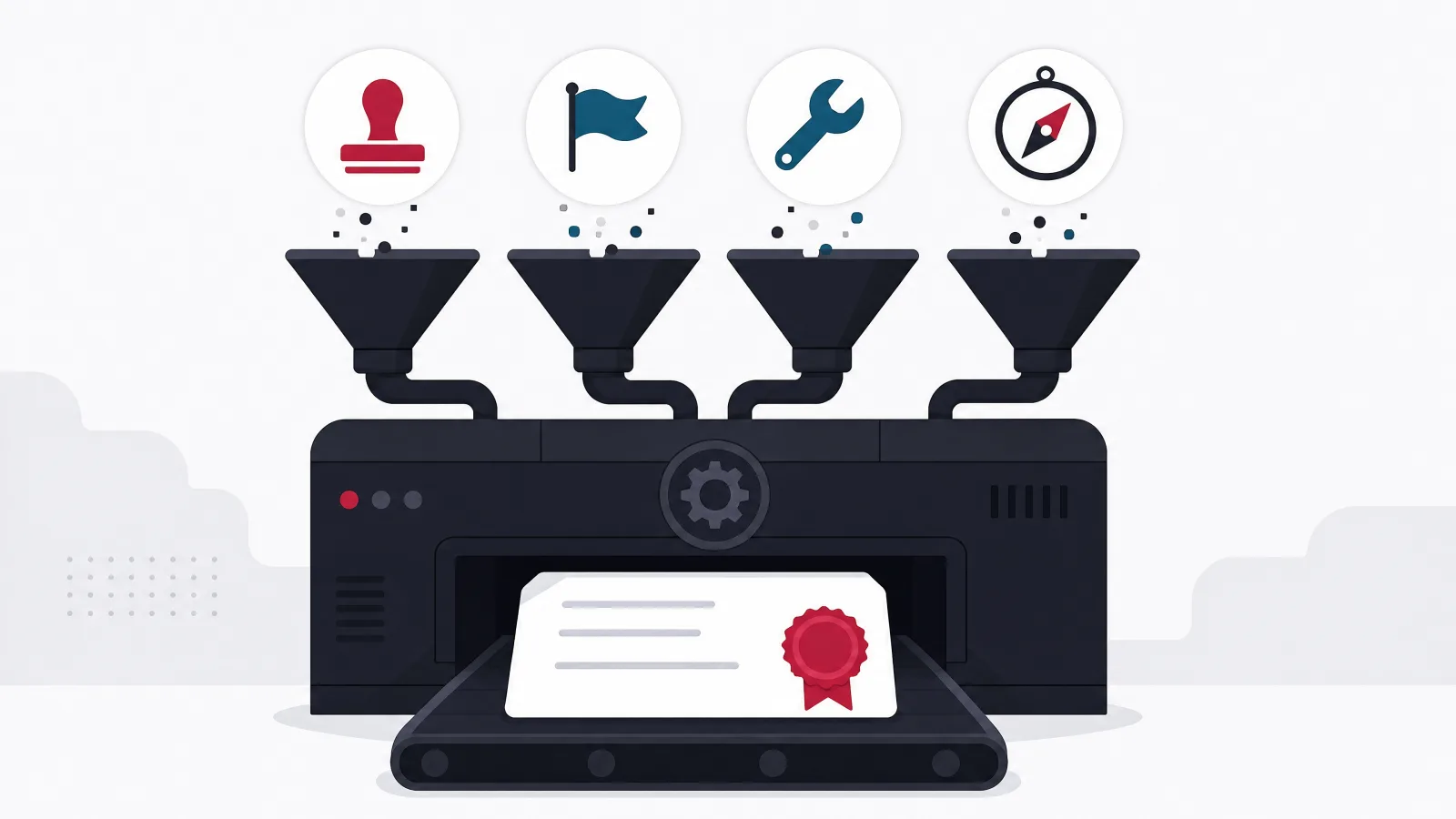
An employee training LMS is the system of record for workforce learning: it assigns courses, tracks completions against deadlines, proves compliance to auditors, and feeds development data back to the HR stack. The mistake most buyers make is evaluating it as one product for one problem, when internally it serves four programs with conflicting needs: compliance training that must be provable, onboarding that must be fast, skills development that must be voluntary and engaging, and leadership programs that blend cohorts with live sessions. The platform that wins is the one whose assignment engine, HR-system integration, and reporting survive contact with all four, not the one with the prettiest course player. Most companies should buy; building is justified when training data must live inside proprietary operational systems or when the LMS is part of a product you sell.
Every company past its first hundred employees runs training whether it admits it or not: the safety briefing a supervisor delivers from memory, the onboarding checklist in a spreadsheet, the compliance course bought in a panic before an audit, the leadership program run through calendar invites. An employee training LMS is where that scattered activity becomes a system: courses assigned by role and location, deadlines tracked and chased automatically, completions recorded in a form an auditor accepts, and skills data flowing back to the HR systems where development conversations happen.
The buying mistake is almost always the same one. A team evaluates platforms against a single mental picture of training, usually the program that triggered the purchase, and discovers a year later that the platform handles that program well and the other three badly. Compliance training, onboarding, skills development, and leadership programs are four genuinely different problems wearing one budget line, and this guide is organized around that fact. It is the internal-facing sibling of our guide to the customer training LMS, where the learners are buyers rather than staff, and it goes deeper than the general method in choosing an LMS on the questions only internal programs raise.
The order below follows the decision as a buying team actually meets it: the four programs and where they conflict, the feature core that serves all of them, the HR-stack integrations that make the records trustworthy, the vendor landscape as it really segments, when building beats buying, what the honest costs look like, and the rollout sequence that separates platforms people use from platforms that become an annual license renewal nobody can justify. For named-vendor comparisons, the corporate LMS comparison carries the current shortlists.
Key takeaways
- One internal LMS serves four different programs: compliance, onboarding, skills development, and leadership. They disagree about almost everything, and the platform must survive all four.
- The feature core is unglamorous: an assignment engine driven by HR attributes, deadline and recertification tracking, audit-grade completion records, and reporting managers actually open.
- The HRIS integration is the foundation, not an add-on: without automatic joiner, mover, and leaver sync, assignments rot within a quarter and every compliance report becomes manual archaeology.
- The vendor landscape splits into compliance-first suites, engagement-first platforms, and HCM-bundled modules; each is weak exactly where the others are strong.
- Buy unless training records must live inside proprietary operational systems, the workforce is deskless at a scale that breaks per-seat pricing, or learning is part of the product you sell.
- Rollout decides adoption: migrate records first, run compliance as the anchor tenant, then earn voluntary usage with skills content, in that order.
One platform, four programs that disagree about everything

Compliance training is the program that usually pays for the platform, because its failure mode is a regulator, a lawsuit, or a lost contract rather than a soft metric. Safety certifications, anti-harassment training, data protection courses, industry licenses: each comes with an external deadline, a recertification cycle, and an audience defined by role, location, and jurisdiction rather than by interest. What compliance needs from an LMS is machinery: automatic assignment when someone enters a role, escalation when a deadline approaches, a completion record with a timestamp and an identity an auditor will accept, and a report that answers who is out of date right now without a spreadsheet export. It does not need the content to be enjoyable. It needs the tracking to be unbreakable.
Onboarding is the second program, and its clock is different. A new hire's first weeks are the most expensive learning period the company will ever fund for that person, and the LMS's job is sequencing: the right courses appearing in the right order, gated by start date and role, blended with the human parts of onboarding that no platform delivers. The metric is time to productivity, not completion rate, and the platform features that matter are learning paths, prerequisites, integration with the HR system so day-one access is automatic, and enough polish that the new hire's first impression of the company's internal tooling is not despair.
Skills development is where the two captive programs end and the voluntary one begins. Nobody is fired for skipping a data analysis elective, which means the program lives or dies on the same engagement mechanics a consumer product needs: search that works, recommendations tied to role and career path, content short enough to fit inside a working day, and a manager who can see enough to encourage without seeing so much that learning feels surveilled. This is also where content libraries enter the decision, because no internal team can author a full skills catalog; the platform must either bundle a library or integrate the major ones cleanly.
Leadership and cohort programs are the fourth shape: a selected group moving through a curriculum together over months, mixing self-paced modules with live sessions, assignments, and discussion. Pure self-serve platforms handle this badly, because the unit of progress is the cohort rather than the individual. If leadership development is a serious program rather than an aspiration, the platform needs cohort management, session scheduling, and instructor tooling, or the program will run in calendars and email the way it always has, and the LMS will report a fraction of the learning that actually happened.
Four programs, four sets of demands
| Program | Learner posture | What the LMS must do | The metric that matters |
|---|---|---|---|
| Compliance | Captive, deadline-driven | Assign by attribute, chase, record, prove | Zero overdue at audit time |
| Onboarding | Captive, time-boxed | Sequence paths, gate by start date, automate access | Time to productivity |
| Skills | Voluntary, interest-driven | Search, recommend, integrate content libraries | Repeat voluntary usage |
| Leadership | Selected cohorts | Cohorts, live sessions, assignments, instructors | Program completion and promotion flow |
The feature core: the machinery underneath every program

Strip the vendor decks away and the internal LMS is four machines. The first is the assignment engine: rules that map HR attributes to training obligations, so that a forklift operator in the Hanoi warehouse receives the safety course, the recertification eighteen months later, and the local-language version, all without a coordinator touching a spreadsheet. The quality of this engine is the single best predictor of long-term satisfaction, and it is nearly invisible in a demo. Ask the vendor to model your three messiest real rules, the ones with location exceptions and role combinations, and watch whether the configuration is rules or hand-maintained lists wearing a rules costume.
The second machine is deadline and recertification tracking. Compliance training is not an event but a cycle: certifications expire, regulations change, and the population moves under the rules as people join, transfer, and leave. The platform must track due dates per person per course, escalate through reminder chains that end at the manager rather than in a muted notification channel, and handle the ugly real cases: the employee on leave when the deadline passed, the transfer who now needs a different jurisdiction's version, the contractor whose obligations differ from staff. Every one of those cases handled manually is a future audit finding.
The third machine is the record itself. A completion record that satisfies an auditor carries identity, timestamp, course version, and score where applicable, and it survives the employee leaving, the course being updated, and the platform being migrated. Course versioning matters more than buyers expect: when the anti-harassment course is updated after a legal change, the record must show who completed which version, because the old completions may no longer count. Ask directly how the platform handles retroactive requirements and version-scoped validity, and expect at least one shortlisted vendor to answer poorly.
The fourth machine is reporting, and the test is not the dashboard screenshot but the audiences. A compliance officer needs current-state coverage by requirement and site. A manager needs a weekly view of their team's overdue items that arrives without being requested. An executive needs trend lines that justify the budget. HR needs completion data flowing back into the employee record. If producing any of those requires an export and a pivot table, that report will be produced quarterly at best, and the platform's data will drift out of the decisions it was bought to inform.
The demo script for the machinery
- Model your three messiest assignment rules liveRole plus location plus exception. If the answer is a hand-maintained group, the engine is a list manager.
- Expire a certification and watch the chaseWho gets reminded, when, and where does escalation end? A chain that never reaches the manager is decorative.
- Update a course and inspect the recordsVersion-scoped validity, retroactive reassignment, and the audit view of who completed what version.
- Ask for the manager's Monday viewThe overdue report that arrives unprompted. If managers must log in and build it, they will not.
- Terminate a test employee mid-courseThe record must survive; the license must free; the compliance report must not count a ghost.
Run these against every shortlisted platform with your own data shapes, not the vendor's sample org.
The HR stack: the integrations that make the records true
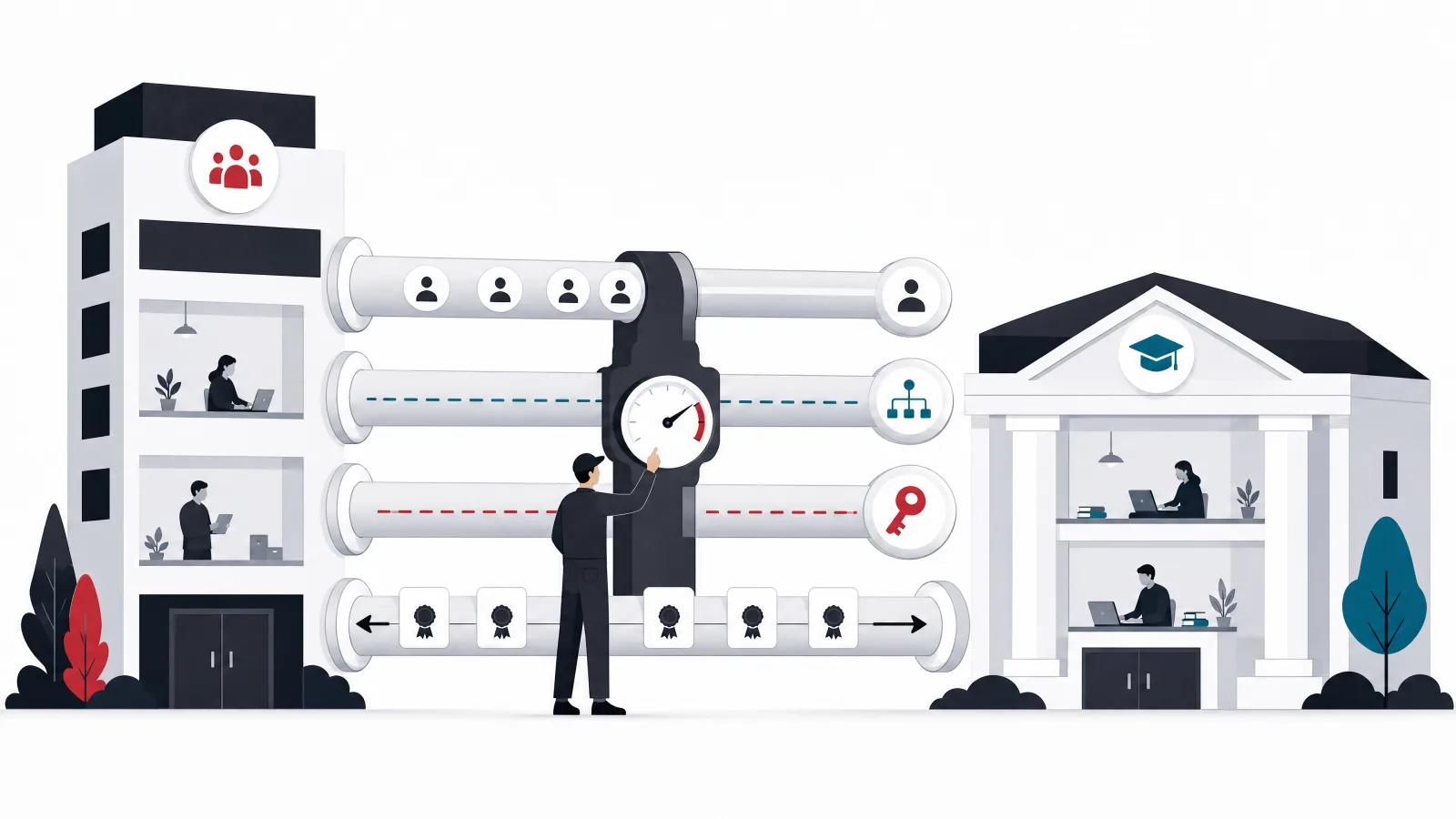
The HRIS integration is the foundation the whole system stands on, and it is the most common thing buyers under-scope. Every assignment rule in the platform keys off employee attributes: role, department, location, manager, start date, employment type. Those attributes live in the HR system of record, and they change constantly as people join, move, and leave. If the LMS learns about those changes through a nightly automated sync, the assignment engine stays correct by itself. If it learns through a monthly CSV upload, the platform is wrong for up to thirty days at a time, and the compliance report inherits every one of those errors. When evaluating vendors, treat a native, field-level, automated HRIS connector for your specific HR system as a hard requirement, not a nice-to-have.
Identity is the second seam. Employees should reach the LMS through the company's single sign-on, full stop: a separate password is a support burden, a security finding, and an adoption tax all at once. The subtle requirements are deprovisioning, so a leaver's access dies with their directory account while their records persist, and the deskless case: warehouse staff, drivers, and shop-floor workers who have no corporate laptop and sometimes no corporate email. If a meaningful share of the workforce is deskless, the mobile experience and the kiosk or shared-terminal login flow stop being edge cases and become the primary interface, and plenty of desk-first platforms fail there.
The third seam is content. No internal team authors a full catalog, so the platform must play well with the ecosystem: standards support for importing purchased courses, connectors to the major content libraries so licensed catalogs appear inside search rather than on a separate site, and a built-in authoring tool good enough for the internal courses that matter most, the ones about your own processes and systems that no library sells. The fourth seam runs outward: completions and skills data flowing back to the HR platform where development conversations, succession planning, and performance reviews happen. An LMS that hoards its data turns every talent review into an export exercise.
The integration contract, seam by seam
Inbound from the HR stack
- HRIS sync
- Automated, at least daily, field-level: role, department, location, manager, start date, employment type, status. Joiner, mover, and leaver events drive assignment.
- Identity
- Company SSO for desk staff; mobile and shared-terminal flows for deskless staff; deprovisioning tied to the directory, with records surviving the account.
Content in and data out
- Content
- Standards-based course import, library connectors surfacing licensed catalogs in native search, and authoring adequate for internal process courses.
- Outbound
- Completions, certifications, and skills data flowing to the HR platform and the reporting warehouse; audit exports that carry identity, timestamp, and course version.
The vendor landscape: three segments, three sets of blind spots

The first segment is the compliance-first suite: platforms built around the assignment engine, the recertification cycle, and the audit report, often with deep roots in regulated industries. Their machinery is genuinely strong, and their weakness is everything voluntary: the learner experience tends toward the utilitarian, search and recommendations lag the consumer bar, and the skills program that needs engagement mechanics will fight the platform. Companies whose training reality is eighty percent compliance should shortlist here first and accept the trade honestly rather than paying an engagement premium for machinery they could have had cheaper.
The second segment is the engagement-first platform, frequently marketed as a learning experience platform rather than an LMS. These lead with the parts the first segment neglects: consumer-grade search, recommendations, content library integrations, social features, and an interface employees do not dread. Their historical weakness is the machinery: assignment engines that started life as playlist tools, compliance reporting added under customer pressure, and recertification handling that needs careful proof in the demo. Companies buying primarily for skills development and culture shortlist here, and must test the compliance path hard, because most of them still have one.
The third segment is the HCM-bundled module: the learning component of a suite the company may already own for HR, payroll, and performance. The integration story is real, because the employee attributes and the completion records live in one vendor's data model, and the license is often nearly free at the margin. The trade is depth: bundled modules are routinely a generation behind the specialists in learner experience and often in assignment flexibility too. The honest evaluation is to demo the bundled module first, precisely because it is cheap and integrated, and make the specialists justify their premium against it with your four programs as the test.
Segment strengths against the four programs
| Compliance | Onboarding | Skills | Leadership cohorts | |
|---|---|---|---|---|
| Compliance-first suite | Strong | Workable | Weak | Workable |
| Engagement-first platform | Test hard | Strong | Strong | Workable |
| HCM-bundled module | Workable | Workable | Weak | Weak |
Where each vendor segment is strong, workable, or a known regret, program by program.
Buy or build: where the default flips

The default for an internal LMS is to buy, more strongly than for most enterprise software, because the problem is standardized: the four programs above look remarkably similar across companies, the vendor market is mature and competitive, and the compliance machinery in particular embodies years of edge cases no internal team should rediscover at its own audit's expense. A company whose needs are the standard four programs, whose workforce lives in the HR system, and whose content is courses should buy a platform, integrate it properly, and spend the engineering budget on the seams.
The default flips in three situations. The first is operational embedding: when training records must live inside proprietary operational systems, when completing a certification must unlock equipment access or system permissions in real time, or when the learning content is inseparable from internal tools, the standalone LMS becomes an awkward satellite, and a built learning layer inside the operational stack serves better. The second is the deskless majority at scale: a workforce of thousands of drivers, warehouse staff, or field technicians can break per-seat pricing while needing a narrow, mobile-first slice of LMS functionality, and a focused build against that slice is sometimes cheaper and always better fitted. The third is learning as product: when the company sells training, certification, or an academy to its market, ownership economics take over, and that decision is covered properly in our customer training LMS guide.
There is also the middle path that most mature setups quietly converge on: buy the platform, build the seams. The LMS handles courses, assignment, and records; custom engineering handles the integrations the vendor does poorly, the HRIS field mappings, the completion-to-permissions bridge, the data flowing to the warehouse, and the internal tools that surface training status where managers already work. That seam engineering is unglamorous and decisive, and it is where a development partner earns its keep even when the platform is bought.
The sourcing decision for internal training
Does anything about your training break the standard shape?
-
Standard four programs, desk-based workforce
Buy a platform, engineer the seams
The problem is standardized and the vendor market is mature; differentiation lives in the integrations, not the course player.
-
Training gates equipment, permissions, or operations
Build the learning layer into the operational stack
Real-time unlock logic and proprietary system embedding make a standalone LMS a permanently awkward satellite.
-
Deskless thousands, narrow needs, seat pricing breaks
Consider a focused build against the narrow slice
Mobile-first micro-training for a uniform population is a small product; per-seat platform pricing is built for a different shape.
-
Learning is sold to customers or partners
Different problem entirely
Revenue, brand, and commerce requirements take over; see the customer training guide.
What it costs, bought or built
Bought platforms price per active user per year, and the sticker spans a wide band: roughly $6 to $25 per employee per year for mid-market platforms at reasonable volume, with compliance-first suites and HCM bundles often at the low end and engagement-first platforms with bundled content libraries at the high end. Content is frequently the larger line: licensed course libraries commonly cost as much as the platform again, and custom-authored internal courses run $2,000 to $15,000 per finished hour depending on production quality. Implementation, migration of historical records, and HRIS integration typically add a one-time cost in the $10,000 to $80,000 range depending on how clean the source data is and how custom the connector work gets.
A built system prices differently: engineering time up front and permanently. A focused internal learning layer, the assignment engine, mobile delivery, completion records, and HRIS sync, built against a well-defined narrow scope by an offshore team, typically lands in the $80,000 to $250,000 range for a first production version, with the wide band driven almost entirely by how much of the four-program surface it must cover and how gnarly the operational integrations are. The permanent line is maintenance and evolution, realistically fifteen to twenty-five percent of build cost per year, and the honest comparison against per-seat pricing includes it forever, not just in year one. Detailed component-level numbers live in our LMS development cost breakdown.
The cost that appears on neither invoice is administration. A platform with a weak assignment engine or a manual HRIS sync consumes a coordinator's week every month, silently, indefinitely; a platform with strong machinery runs the same programs on a fraction of that. Over a three-year horizon, the difference between those two staffing realities routinely exceeds the entire license delta between the cheapest and the most expensive shortlisted platform, which is why the demo script above tests the machinery rather than the catalog.
The internal training budget, in its real lines
The rollout: the sequence that decides adoption

Internal LMS rollouts fail in a specific, predictable way: the platform launches with everything at once, the all-staff email lands, a wave of curiosity traffic crests and recedes, and six months later the platform is a compliance chore with a skills catalog nobody browses. The alternative is a sequence, and it starts before launch with the least glamorous work: migrating historical training records. Certifications earned in the old system, or in spreadsheets, must arrive in the new one with dates and versions intact, because the first compliance report from a platform missing history is wrong, and a compliance platform that starts wrong never quite recovers its authority.
Compliance is the anchor tenant and should go live first, alone. It is mandatory, so adoption is guaranteed; it exercises the assignment engine, the HRIS sync, the reminder chains, and the reporting under real load; and every defect it surfaces gets fixed before the voluntary programs arrive to be judged. Onboarding follows, wired to the HR system so that day-one assignment is automatic for every new joiner. Only then does the skills catalog open, and it opens with curation rather than volume: a small set of paths tied to visible roles, endorsed by named leaders, beats ten thousand imported library courses presented as a wall.
The last discipline is measurement that was set up before launch. Baseline the numbers the platform is supposed to move: audit preparation effort, overdue compliance rates, onboarding time to productivity, coordinator hours per month. Review them quarterly against the baseline, prune the content nobody finishes, and publish the wins internally. An LMS with a measured story survives budget season; an LMS whose defense is a login count does not. When the seams need engineering along the way, the completion-to-permissions bridges, the warehouse feeds, the manager surfaces, that is bounded, well-specified work a product team or an external partner can deliver without touching the platform choice.
The rollout, phased with exits
-
FoundationWeeks 1 to 4
HRIS sync live, SSO wired, historical records migrated with dates and versions intact.
Done when A spot-audit of fifty migrated records matches the old system exactly.
-
Compliance anchorWeeks 5 to 10
Mandatory programs live, assignment rules real, reminder chains and manager reports running.
Done when One full deadline cycle completed; overdue report accepted by the compliance owner.
-
OnboardingWeeks 11 to 14
Role-based paths auto-assigned from HR joiner events; day-one access with no tickets.
Done when Three consecutive new-hire cohorts onboarded with zero manual enrollment.
-
Skills and cohortsMonths 4 to 6
Curated paths with leader endorsement, library connectors live, first leadership cohort scheduled.
Done when Voluntary weekly usage holds after the launch spike; first cohort mid-program.
Frequently asked questions
What is an employee training LMS?
An employee training LMS is the internal system of record for workforce learning: it assigns courses based on role, location, and other HR attributes, tracks completions against deadlines and recertification cycles, stores audit-grade records, and reports training status to managers, compliance owners, and the HR stack. It typically serves four programs at once: compliance training, onboarding, voluntary skills development, and leadership cohorts.
What features matter most in an internal LMS?
The unglamorous machinery: an assignment engine driven by HR attributes rather than hand-maintained lists, deadline and recertification tracking with escalation that reaches managers, completion records that carry identity, timestamp, and course version, and reports each audience receives without building them. The course player and catalog aesthetics matter for voluntary programs, but the machinery determines whether the platform is trustworthy and cheap to administer.
Does an employee LMS need to integrate with the HRIS?
Yes, as a hard requirement rather than an enhancement. Every assignment rule keys off employee attributes that live in the HR system and change constantly. An automated, at least daily, field-level sync keeps assignments correct by itself; a manual upload cadence means the platform is wrong between uploads and every compliance report inherits the errors. Joiner, mover, and leaver events should drive enrollment, reassignment, and deprovisioning automatically.
Should we use our HCM suite's learning module or buy a dedicated LMS?
Demo the bundled module first, because it is cheap at the margin and natively integrated with the employee data. Then make dedicated platforms justify their premium against it using your real programs as the test. Bundled modules are typically a generation behind specialists in learner experience and often in assignment flexibility; whether that gap matters depends on how much of your training is voluntary skills development versus mandatory compliance.
When should a company build a custom training platform instead of buying?
In three cases: when training records must live inside proprietary operational systems, for example when certification completion unlocks equipment or system access in real time; when a large deskless workforce needs a narrow mobile-first slice of functionality and per-seat pricing breaks at that scale; or when learning is part of a product sold to customers, which is a different problem covered by customer training platforms. Otherwise buy the platform and spend engineering budget on the integration seams.
How much does an employee training LMS cost?
Bought platforms run roughly $6 to $25 per employee per year at mid-market volume, with licensed content libraries often costing as much again and implementation adding a one-time $10,000 to $80,000. A focused custom build lands around $80,000 to $250,000 at offshore rates plus fifteen to twenty-five percent yearly maintenance. The unpriced line is administration: weak assignment machinery consumes a coordinator-week per month indefinitely, which over three years can exceed the license difference between any two platforms.
For the seam engineering a bought platform still needs, AgileTech is a top software company in Vietnam with LMS integrations and learning platforms in production.
Source: https://agiletech.vn/blog/employee-training-lms/ · (c) AgileTech Vietnam. Printed from agiletech.vn.
