 Nguyen Manh Thang
Chief Executive Officer, AgileTech Vietnam
Nguyen Manh Thang
Chief Executive Officer, AgileTech Vietnam
- Published
- Read time
- 13 min
- Views
- 75
Read the AI overview
Software testing is the process of evaluating software to find defects, reduce risk, and determine whether it meets defined requirements, through both human investigation and automated checks across code, integrations, complete systems, and user workflows. It does not prove the absence of defects; it produces evidence about quality so a team can decide whether the remaining risk is acceptable for release. Work is organized into four levels, unit, integration, system, and acceptance, each examining the product at a different boundary, and into types that each answer a different quality question: functional, performance, security, usability, regression, and smoke testing. Manual and automated testing are delivery mechanisms rather than competing philosophies; automation suits repeatable, deterministic, frequently run checks, while human testing remains essential for exploration, usability, and anything that changes faster than a script can be maintained. Modern teams test throughout delivery, in development, code review, continuous integration, deployment, and production monitoring, and the most common failures are testing too late, measuring test count instead of risk coverage, and covering only the successful path.
Software testing is the process of evaluating software to find defects, reduce risk, and determine whether it meets defined requirements. It includes both human investigation and automated checks across code, integrations, complete systems, and user workflows. One honest sentence belongs at the top of every definition: testing does not prove that software has no defects. It provides evidence about quality and helps a team decide whether the remaining risk is acceptable for release.
That framing matters because most explanations of testing read like certification study guides, lists of terms with no opinion about where effort actually pays off. This guide takes the practitioner view instead: why testing exists economically, what the four levels and six types actually catch, when automation earns its maintenance cost and when it does not, how testing threads through modern continuous delivery, and the three recurring mistakes that let projects report thousands of passing tests while payments, permissions, and deployments fail anyway.
It closes with what a dedicated QA engagement looks like in practice, because at some point most product teams face the build-or-buy question for quality itself. Teams evaluating that path can see how we structure QA and software testing services around risk assessment and release evidence rather than test-case counts, and the same logic applies whether the testers sit in-house, with a partner, or in a dedicated offshore team that owns quality alongside delivery.
Key takeaways
- Testing is an economic control, not a proof of perfection: the team spends a measured amount before release to reduce the probability and impact of far more expensive production failures, and effort should follow business risk rather than screen count.
- The four levels, unit, integration, system, and acceptance, examine the product at different boundaries and catch different failure classes; the earliest level that can reliably detect a defect is usually the cheapest place to catch it.
- The six main types each ask a different quality question: functional asks whether it behaves to spec, performance whether it survives load, security whether it resists misuse, usability whether people can operate it, regression whether change broke old behavior, and smoke whether the build deserves deeper attention at all.
- Automation is a delivery mechanism, not a testing type: automate valuable, repeatable, deterministic, frequently run checks, keep exploration, usability, and fast-changing features human, and automate at the API level before investing heavily in fragile browser scripts.
- Modern delivery tests continuously, in pipelines separated by speed, in shift-left review of requirements and designs, and in production through flags, canaries, and monitoring, rather than in a single phase at the end.
- The three mistakes that create false confidence are testing after development is complete, counting tests instead of mapping them to risk, and covering only the happy path while real systems fail through timeouts, duplicates, and expired sessions.
Why does software testing exist?

Software testing exists because defects become more expensive and disruptive the later they are discovered. A misunderstanding found during requirements review is usually a conversation and an edited document. The same misunderstanding found after customers and external systems depend on the behavior is a migration, a support queue, and sometimes a regulatory filing. The cost curve is not linear, and it is not limited to engineering time: production defects create lost transactions, incorrect financial records, privacy incidents, security exposure, support volume, contract penalties, manual reconciliation, data corruption, operational downtime, and reputation damage. Testing is therefore an economic control. The team spends a measured amount before release to reduce the probability and impact of much more expensive failures afterward.
The word measured is doing real work in that sentence, because it does not follow that every feature deserves the same level of testing. A formatting preference and a payment calculation do not carry equal risk, and treating them equally wastes the budget on one while underprotecting the other. A practical risk model weighs six factors: the probability of failure, the business impact if it fails, the number of affected users, how detectable the failure is, whether the outcome can be reversed, and the regulatory or contractual consequences. Testing effort should increase when a failure is hard to detect, expensive to reverse, or harmful to users, and it can legitimately decrease when a failure is cosmetic, obvious, and trivially fixed.
The practitioner insight that separates experienced QA leads from checklist followers is that test priority should follow business risk, not screen count. A small permission rule that decides who can issue refunds may deserve more testing attention than a large informational page that half the product surface is built from. Teams that map their test effort against a risk inventory almost always discover both kinds of mismatch: heavily tested low-risk surfaces, and thin coverage on the two or three rules that could actually damage the business.
What are the four main levels of software testing?
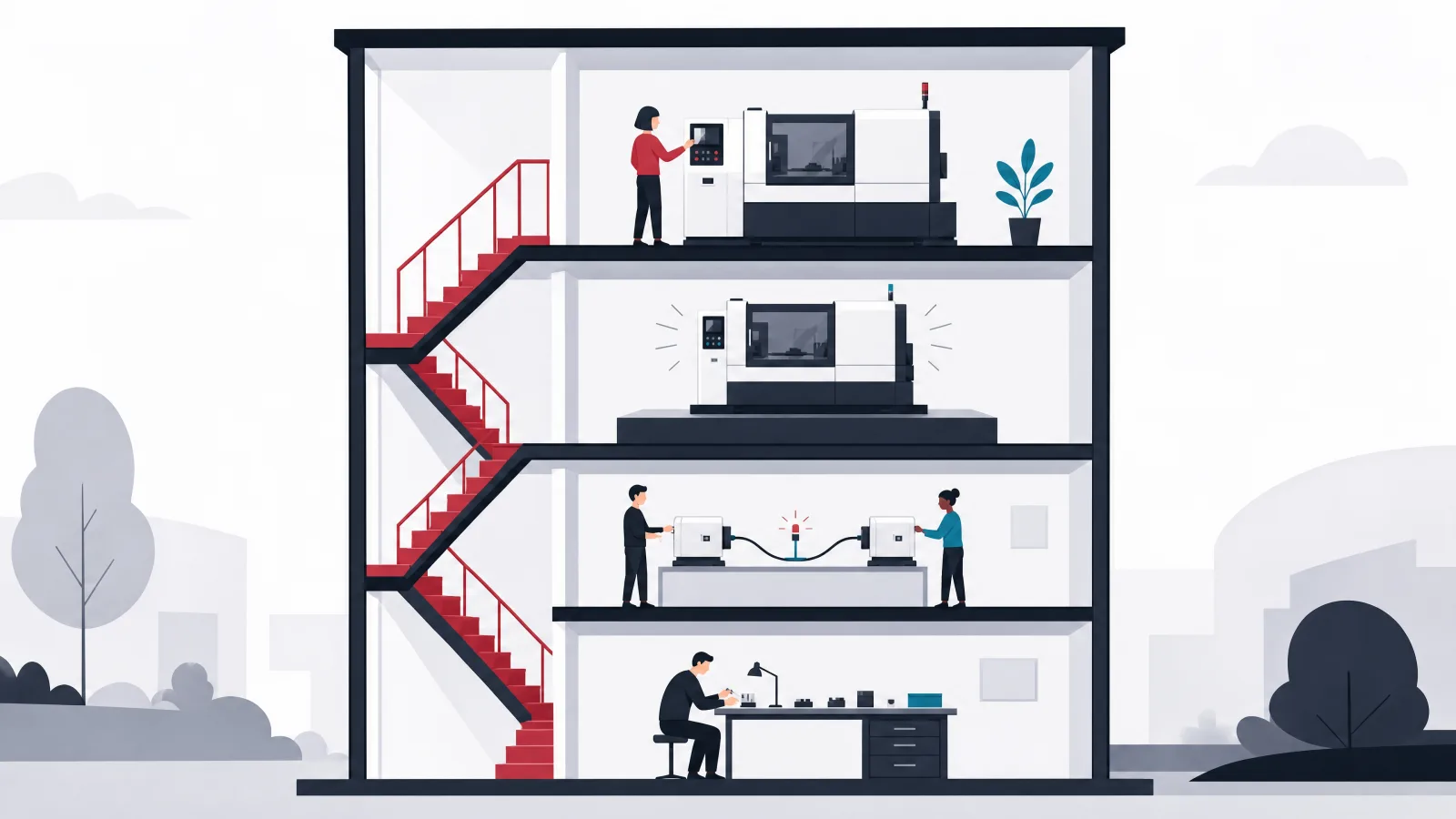
The four common levels are unit, integration, system, and acceptance testing. Each level examines the product at a different boundary and catches different classes of failure, and the levels overlap by design: a defect may be detectable at several of them, but the earliest reliable level is usually the cheapest place to catch it. The table below maps who typically owns each level, what it examines, and what it catches, and the sections after it cover the failure modes each level is prone to.
Unit testing checks small pieces of logic in isolation. A unit test might verify a tax calculation, a validation rule, a date conversion, or a state transition. Good unit tests are fast, deterministic, and focused, which lets developers change internal code while checking that defined behavior remains intact. They suit calculations, validation, data transformations, permission rules, state transitions, error handling, and boundary conditions. They are far less useful for proving that independently correct components work together: a payment service and an order service can each pass every unit test while disagreeing about field formats or failure behavior. The classic failure mode is testing implementation details rather than observable behavior, which produces suites that break during harmless refactoring and quietly teach the team to stop improving code. The decision rule is to test observable behavior and important logic, not every private method.
Integration testing verifies that components, services, databases, queues, and external systems communicate correctly: an API writing to a database, an application talking to a payment provider, a service publishing and consuming an event, a mobile client refreshing an authentication token. Integration defects tend to involve configuration, serialization, timeouts, permissions, retries, and mismatched assumptions, exactly the category isolated unit tests cannot see. External integrations also fail in partial ways: a request can time out even though the provider processed it, and retrying without an idempotency strategy creates duplicate charges or duplicate records. The practitioner rule is to test both success and uncertain outcomes, because third-party integration tests that cover only successful responses create the most dangerous kind of confidence.
System testing evaluates the complete application in an environment that resembles production, checking whether the connected whole supports user workflows and operational requirements. A system test might verify that a customer can register, place an order, receive confirmation, and view the correct status, and that support staff can locate and resolve that order from their side. This level exposes environment configuration errors, broken workflows, permission problems, incorrect data propagation, notification failures, browser and device issues, deployment errors, and integration timing problems. End-to-end automation is one form of system testing, but human exploratory testing belongs here too. Because system tests depend on more components, they are slower and more fragile than unit tests, so they should focus on high-value workflows rather than duplicating every condition already proven at a lower level.
Acceptance testing determines whether the software is fit for its intended business use, which is a different question from whether it passes technical checks. Acceptance testers may include product owners, client representatives, clinicians, finance staff, warehouse operators, or selected end users, and they verify business rules, required outcomes, role responsibilities, operational exceptions, reporting needs, regulatory expectations, and release criteria. A feature can match its written specification exactly and still fail acceptance because the specification omitted a real-world condition the operators live with daily. The common failure mode is treating acceptance as a final demonstration; stakeholders should review workflows throughout delivery, in the rhythm described in our agile SDLC phases guide, rather than discovering fundamental mismatches at the end.
The four testing levels at a glance
| Testing level | Typical owner | What it examines | What it catches |
|---|---|---|---|
| Unit testing | Developers | A function, class, or small component | Logic errors and edge cases |
| Integration testing | Developers and QA engineers | Communication between components | Contract, data, and configuration failures |
| System testing | QA engineers and product teams | The complete application | End-to-end workflow and environment issues |
| Acceptance testing | Product owners, clients, and users | Fitness for business use | Requirement and operational gaps |
The levels overlap deliberately. The earliest level that can reliably detect a defect is usually the cheapest place to catch it.
What are the main types of software testing?
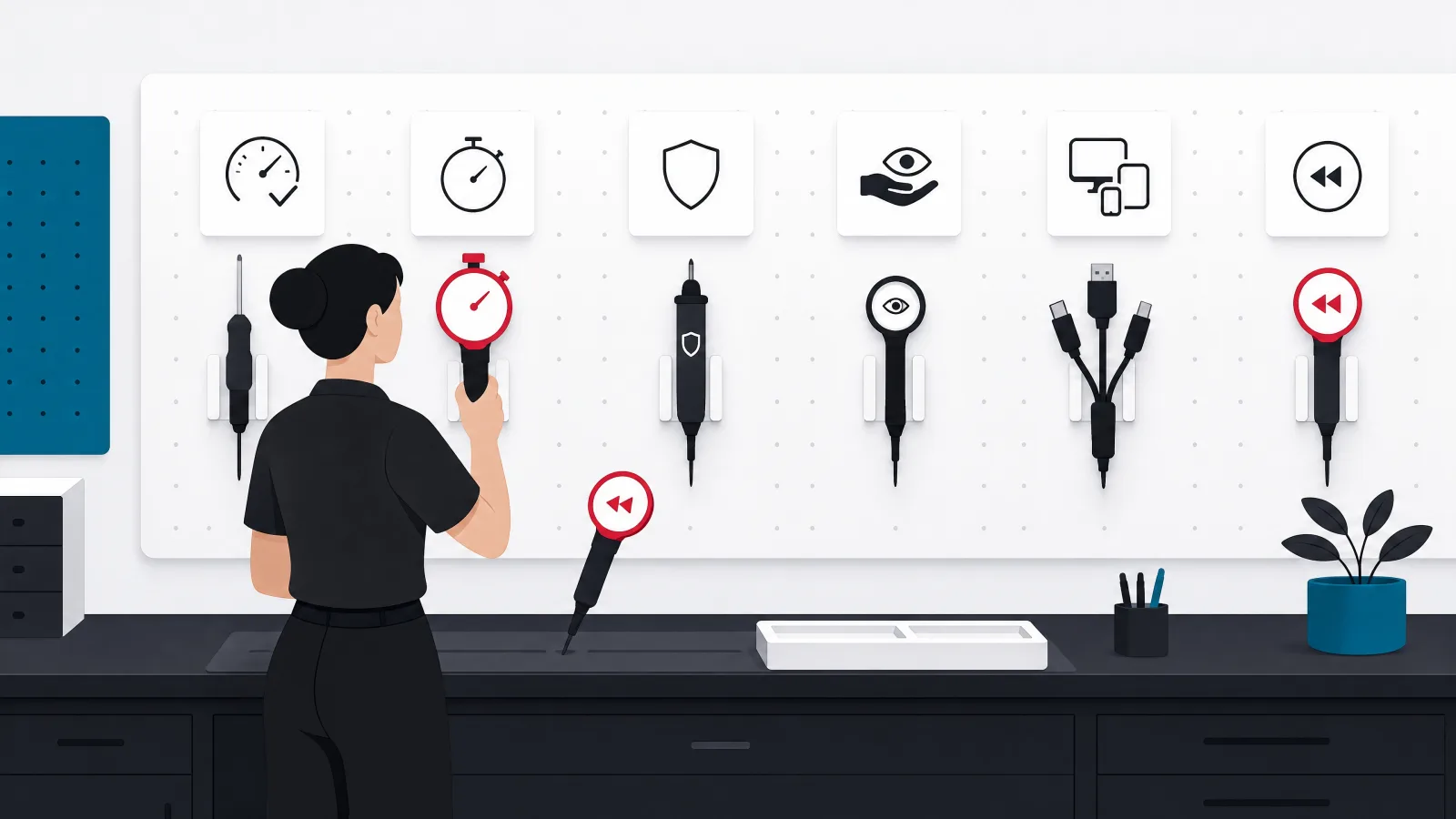
The main types are functional, performance, security, usability, regression, and smoke testing, and the cleanest way to keep them straight is that each type asks a different quality question. Functional testing asks whether the software behaves according to requirements: can a user reset a password, is the correct tax applied, can only authorized staff issue a refund, does a canceled booking release availability, is an invalid file rejected. It verifies inputs, business rules, outputs, permissions, and workflows, and the practitioner insight is to include negative paths, because testing only what users should do misses everything the system must prevent. Functional correctness also proves nothing about behavior under load or against malicious input; those questions belong to other types, which is why teams that stop at functional coverage get surprised twice.
Performance testing asks whether the software remains responsive, stable, and efficient under expected and extreme conditions, through load, stress, endurance, spike, and capacity testing plus response-time measurement. Two disciplines separate useful performance work from theater. First, tests should represent actual traffic patterns: a hundred simulated users repeatedly loading one page is less realistic than a smaller group completing database-heavy workflows. Second, averages hide the experience that matters, so teams should inspect slower percentiles, error rates, resource saturation, and recovery after load. The common mistake is scheduling performance testing shortly before launch, when the architecture and database problems it finds are at their most expensive to correct.
Security testing asks whether the system resists misuse and protects confidentiality, integrity, and availability, which covers far more than whether users can log in: authentication, authorization, session handling, input validation, dependency risk, secrets management, data exposure, logging, encryption, abuse controls, and infrastructure configuration. The distinction from functional testing is instructive. A functional permission test verifies that an administrator can open a report; a security test also asks whether a normal user can bypass the interface and call the report endpoint directly. Security testing must be supported by secure design and code review, because a late penetration test cannot compensate for an architecture that never had role boundaries or data isolation in the first place.
Usability testing asks whether intended users can understand and complete tasks effectively, because a feature can be functionally correct and still be difficult or even dangerous to use. It evaluates task completion, navigation, terminology, error comprehension, accessibility, cognitive load, feedback, and recovery from mistakes, and it demands representative users: an internal product team already understands the system and stops noticing confusing labels and hidden assumptions. The insight most teams miss is to test operational users, not only customers. Support agents and administrators can lose hours every week to inefficient internal workflows while the consumer-facing interface wins design awards.
Regression testing checks whether a change damaged previously working behavior. It is a testing objective rather than a separate technical layer: a regression suite may contain unit, integration, API, interface, and manual tests, unified by the goal of protecting important existing behavior during change. Not every old test deserves permanent residence; suites become slow and noisy when teams retain checks that no longer represent meaningful risk, and a failed test that everyone routinely ignores has no protective value at all. Smoke testing, finally, is a small fast set of checks that determines whether a build is stable enough for deeper testing: the application starts, users can sign in, core pages load, the database is reachable, a basic transaction completes, critical services respond. Smoke tests are especially valuable immediately after deployment, where they catch obvious environment and configuration failures before users do, but they provide broad, shallow confidence and never substitute for regression coverage.
What a regression suite should prioritize
- Revenue pathsCheckout, billing, subscription state, refunds. The workflows where a silent defect costs money by the hour.
- Authentication and permissionsSign-in, session handling, and every rule about who can see and do what. The defects here become incidents, not tickets.
- Data integrityWrites, migrations, and calculations whose corruption is expensive or impossible to reverse.
- Core workflowsThe handful of journeys that define the product. If these break, nothing else matters.
- Previously escaped defectsEvery bug that reached production earns a permanent test. Escapes cluster where they clustered before.
- High-change components and critical integrationsCode that changes weekly and third parties that fail in partial ways deserve standing coverage.
Membership in the suite is earned by risk, not by age. Retire checks that no longer protect anything.
What is the difference between manual and automated testing?
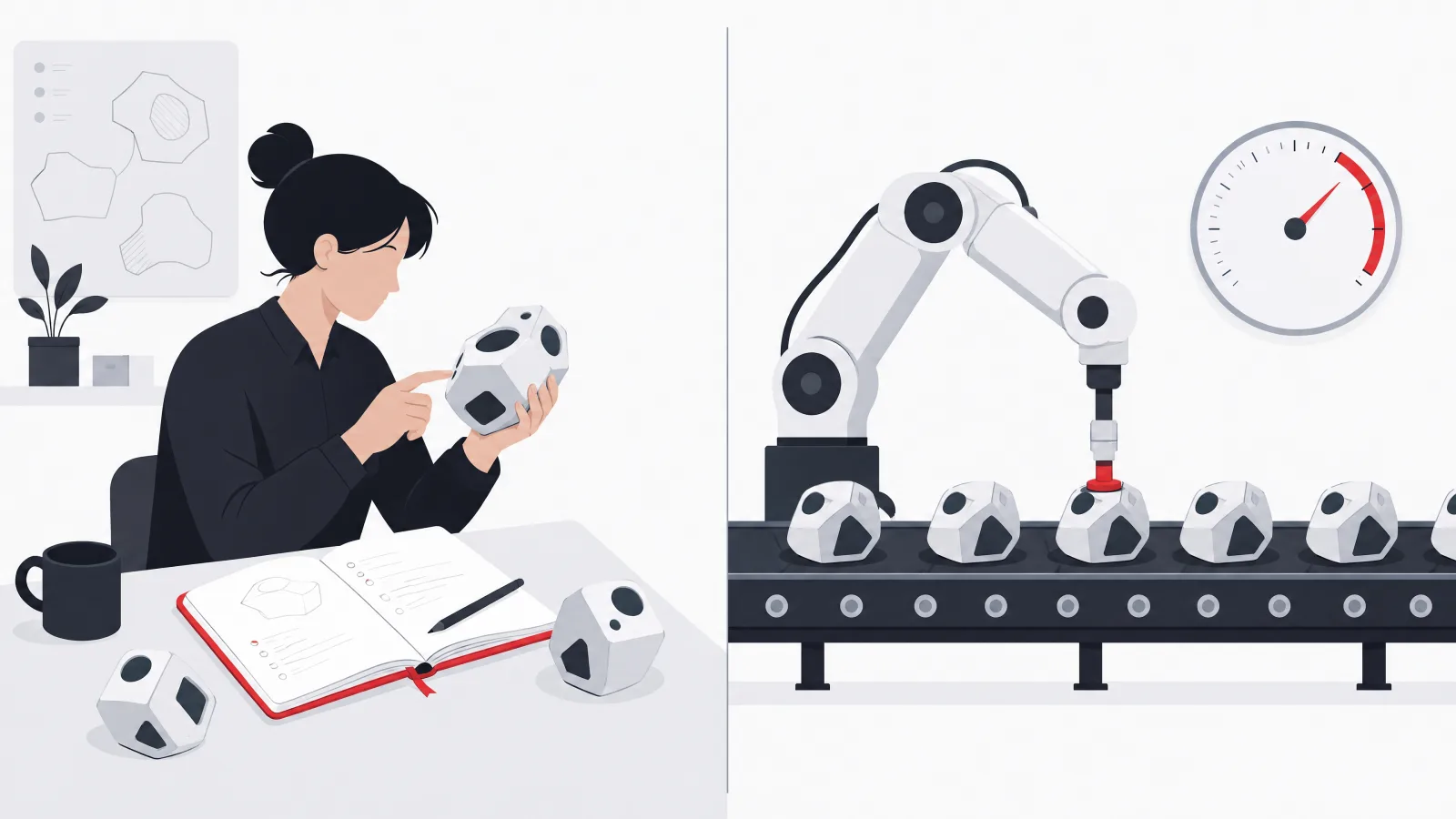
Manual testing is performed through human interaction and observation, while automated testing uses software to execute predefined checks. The framing that saves teams from a false debate is that automation is a delivery mechanism, not a separate type of testing. Functional, regression, performance, integration, and security work can all include automation, and all of them can include manual investigation where human judgment adds something a script cannot. The question is never which side wins; it is which mechanism suits each specific check.
The pattern in the table below repeats across products: automation dominates wherever the check is repeated, deterministic, and precise, and humans dominate wherever the work is exploratory, visual, judgment-heavy, or changing too fast for scripts to keep up. Load generation is impractical by hand; noticing that an error message is technically accurate but humiliating to the user is impractical by machine. Most real needs land in the combined rows, where automation carries the repetition and a human carries the judgment.
The honest decision rule underneath all of it: automate when the future savings and risk reduction exceed the cost of creating and maintaining the test. Maintenance is the word that gets forgotten. An automated check is a small program that must be updated when the product changes, kept deterministic, and kept trusted, and a suite the team stops trusting is worse than no suite, because it trains everyone to ignore red.
Manual versus automated by testing need
| Testing need | Manual approach | Automated approach | Better default |
|---|---|---|---|
| New feature exploration | Strong | Limited until behavior stabilizes | Manual |
| Repeated regression | Slow and inconsistent | Fast and repeatable | Automated |
| Visual and usability judgment | Strong | Limited | Manual |
| Calculation rules | Error-prone at scale | Precise and fast | Automated |
| Cross-browser checks | Useful for exploration | Useful for repeated coverage | Combined |
| One-time investigation | Efficient | Automation may cost more than it saves | Manual |
| Load generation | Impractical | Essential | Automated |
| Accessibility | Human judgment needed | Useful for rule-based checks | Combined |
Automation is a delivery mechanism. The right default depends on the check, not on a philosophy.
What should be automated first, and what should stay manual?
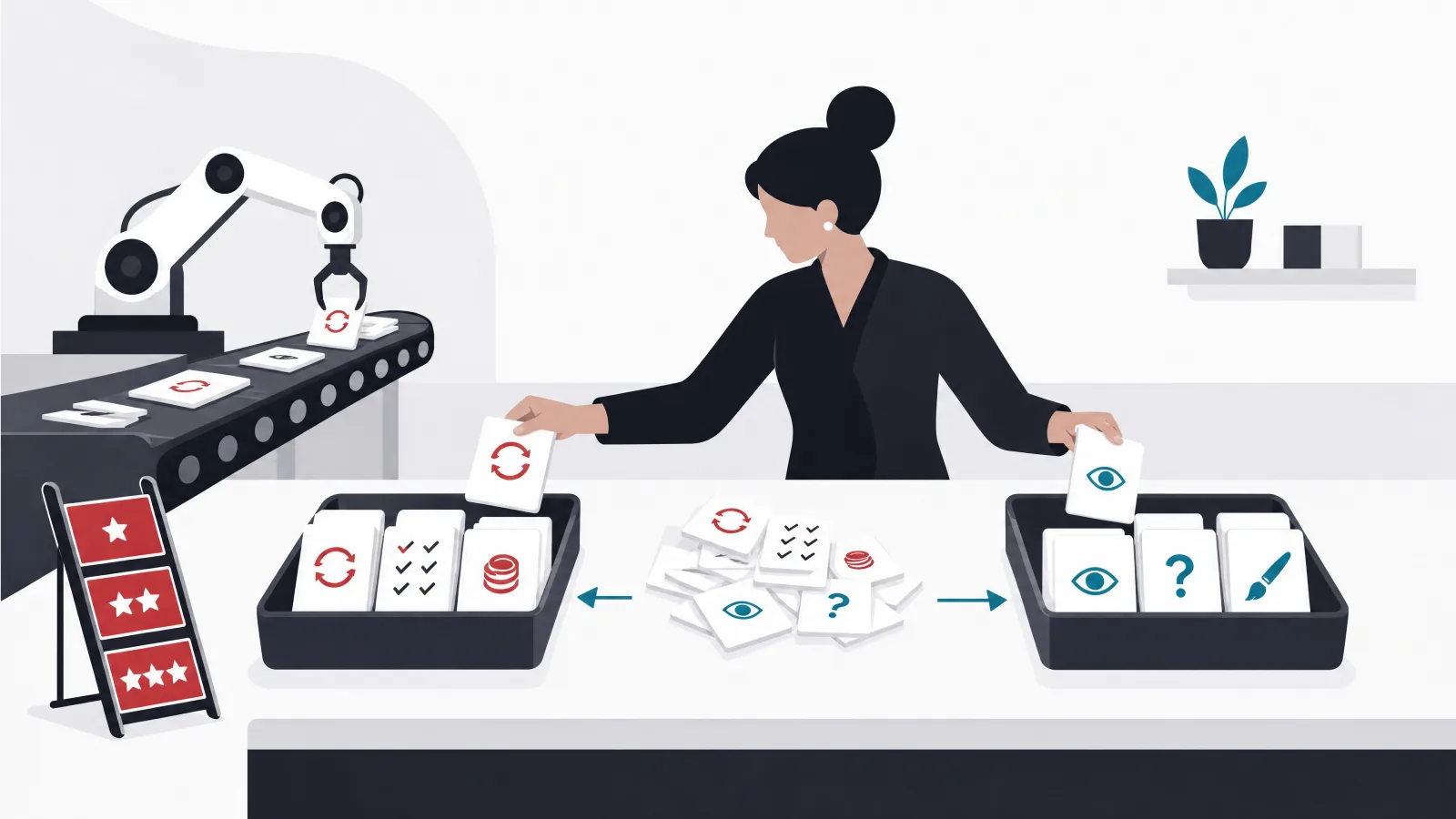
Automate checks that are valuable, repeatable, deterministic, and run frequently. The strong early candidates are unit tests for business rules, API tests for core workflows, authentication checks, permission checks, payment state transitions, data validation, smoke tests, and the high-value regression paths from the checklist above. Notice what the list has in common: every item is either run on every change or protects something whose failure is expensive, and every item can be made deterministic with controlled test data.
The single most useful tactical advice in this entire subject is to automate at the API level before investing heavily in browser automation. API-level checks are faster, more stable, and cheaper to maintain than interface scripts, and they cover the business behavior that actually carries risk. Teams routinely overinvest in end-to-end browser suites that break with every layout change while the service contracts underneath, where the real defects live, go untested. A disciplined automation testing practice builds the pyramid from the API layer up and reserves browser scripts for the few journeys where the interface itself is the risk.
Manual testing remains the better mechanism for exploratory testing, usability, visual review, new or rapidly changing features, unusual workflows, device-specific behavior, accessibility assessment, and unexpected combinations of actions. Human testers notice ambiguity, inconsistency, and surprising behavior that no predefined script can recognize, because a script can only check what someone anticipated. The teams that get this balance right treat their manual testers as investigators who feed the automation backlog: every meaningful defect a human finds becomes a candidate for a permanent automated guard.
Automation investment, done well and done badly
Do this
- Start where checks repeatBusiness rules, API workflows, auth, payments, smoke. Every one runs constantly and pays maintenance back quickly.
- Control your test dataDeterministic setup and cleanup per test. Shared accounts and shared environments are where flakiness is born.
- Treat the suite as codeReview it, refactor it, delete dead tests. A suite nobody maintains decays into noise within quarters.
- Feed automation from manual findsEvery escaped defect and every meaningful exploratory find becomes a permanent automated guard.
Not this
- Script every screen firstBrowser suites built before API coverage break constantly and test the layout, not the business.
- Chase a coverage numberPercentage targets produce tests for trivial code while the risky permission rule stays bare.
- Tolerate flaky testsA red build everyone reruns until green has already taught the team to ignore red.
- Automate the one-time checkIf it will run once, a human doing it once is cheaper than a script maintained forever.
How does testing fit into modern software delivery?
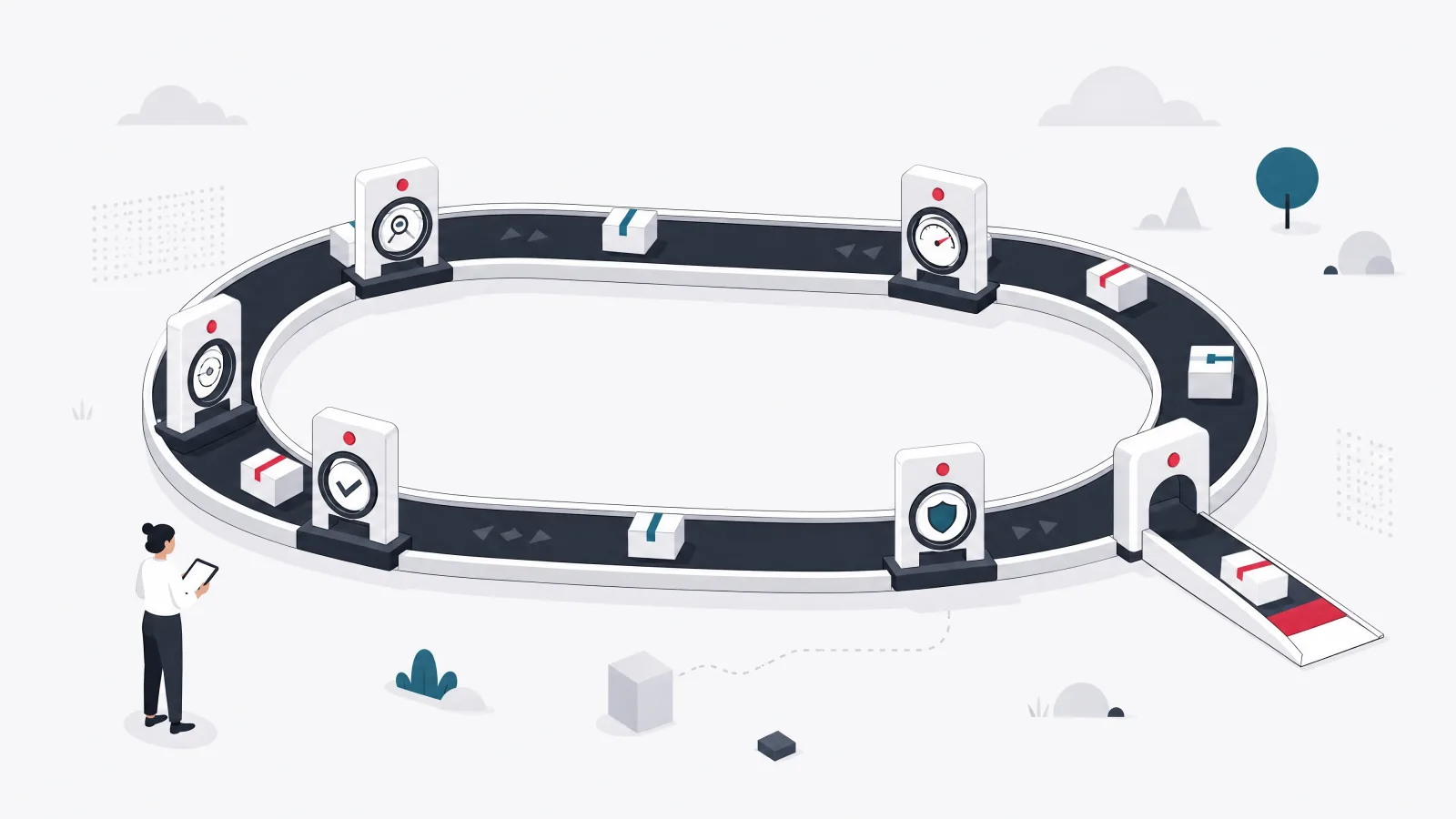
Modern teams test throughout delivery instead of holding a separate phase at the end, an evolution covered from the process side in our agile versus waterfall comparison. Tests run during development, code review, continuous integration, deployment, and production monitoring. A continuous integration pipeline runs formatting checks, static analysis, unit tests, integration tests, security checks, and build validation on every change, and its most important property is speed: developers use a suite that answers quickly and route around one that does not. The practical structure separates tests by cost, with fast checks on every change, broader integration checks before merge, system and regression suites at controlled stages, performance and security suites on defined schedules, and post-deployment smoke checks. Pouring everything into one long pipeline slows delivery and encourages exactly the bypasses it was meant to prevent.
Shift-left means addressing quality earlier: reviewing requirements, testing designs, clarifying acceptance criteria, and creating checks before a feature reaches final QA. The phrase is sometimes misread as transferring all testing to developers, which is not the goal; the goal is earlier feedback and shared responsibility. QA specialists contribute during discovery by identifying missing states, ambiguous rules, integration risks, and difficult test data, which is the cheapest defect prevention available anywhere in the lifecycle. The traditional test pyramid, many fast unit tests, fewer integration tests, a small number of end-to-end tests, remains a useful default for balancing confidence, speed, and maintenance cost, but it is a heuristic rather than a quota. A thin frontend over substantial backend logic leans on API tests; a mobile product with complex device behavior needs broader system coverage. The better rule is to place each check at the lowest level that can reliably detect the risk: never prove a simple calculation through a full browser workflow, and never ask a unit test to catch an integration contract.
Testing in production completes the picture. Monitoring, feature flags, canary releases, and controlled experiments provide evidence that no pre-release environment can, because only production has real traffic, real data shapes, and real third-party behavior. This is not a license to make users unpaid testers for avoidable defects; production controls complement pre-release testing rather than replacing it. The prerequisites are fast rollback, observability, clear ownership, and alerting, and the detail teams learn the hard way is that a feature flag without a tested disable path provides mostly the feeling of protection.
The delivery-pipeline vocabulary
- Continuous integration
- Automatically building and testing every code change. The pipeline is the first tester every commit meets.
- Shift-left
- Moving quality work earlier: requirement review, design testing, acceptance criteria before code. Prevention priced lower than detection.
- Test pyramid
- Many fast unit tests, fewer integration tests, few end-to-end tests. A cost heuristic, not a quota.
- Smoke suite
- Minutes of shallow checks proving a build deserves deeper testing. Runs after every deployment.
- Canary release
- Shipping to a small slice of traffic first and watching before full rollout. Production evidence with a contained blast radius.
- Feature flag
- A switch that enables behavior without redeploying. Only as safe as its tested disable path.
What are the three most common testing mistakes?
The most common mistakes are testing too late, automating the wrong things, and ignoring failure states, and their shared property is that each one creates false confidence even while the project dashboard reports a healthy number of passing tests. The first is structural: when QA begins after implementation is complete, missing requirements and architectural problems are already expensive to change, and the testers inherit a product whose biggest defects were locked in months earlier. The repair is involvement during discovery, design, refinement, and technical planning, with testers reviewing acceptance criteria before coding starts.
The second mistake is measuring test count instead of risk coverage. A project can carry thousands of unit tests and still fail during payment, authentication, or deployment, because the number of tests says nothing about what they protect. The repair is a map from tests to critical workflows, business rules, integrations, security boundaries, and known failure history; the mapping exercise itself usually exposes both overtested trivia and untested risk within an afternoon. The third mistake is covering only the successful path. Real systems encounter timeouts, duplicate requests, expired sessions, unavailable dependencies, partial payments, incorrect permissions, and interrupted workflows, and every one of those is a behavior someone must design, not an edge case to hope against. The repair is treating exception behavior as part of the feature: for each external dependency, ask what happens when it succeeds late, fails clearly, or produces an uncertain result.
A fourth issue recurs often enough to earn a warning of its own: unstable test data. Shared environments and reused accounts produce inconsistent results that teams learn to dismiss as random automation failure, at which point the suite has lost its authority. Controlled data setup and cleanup are part of test engineering, not an optional refinement, and the teams with trustworthy suites treat them that way.
What does a dedicated QA engagement look like?
A dedicated QA engagement provides risk assessment, test planning, manual investigation, automation, release evidence, and quality reporting, and its purpose is to improve delivery decisions rather than to operate as a final approval gate. The distinction shows up in the first weeks: a gate-shaped engagement waits for builds and stamps them, while a decision-shaped engagement begins with product and architecture review, a risk inventory, critical workflow mapping, an assessment of existing tests, environment and data review, an automation strategy, release criteria, a defect workflow, and agreed quality metrics. The team composition follows the product: a QA lead, manual QA engineers, automation engineers, and specialized performance or security support where the risk profile demands it, scaled to release frequency rather than to headcount symmetry with development.
Early deliverables are concrete: a test strategy, prioritized test scenarios, a smoke suite, a regression plan, and a defect baseline, with automation then targeting the stable high-value checks identified in the strategy rather than whatever is easiest to script. A good QA partner also identifies testability problems, because missing logs, inaccessible test environments, unclear requirements, and tightly coupled components make every future defect more expensive to diagnose, and fixing them multiplies the value of every test written afterward. Choosing that partner is its own discipline; our guide to evaluating a software partner covers the reference and portfolio checks that apply just as directly to QA engagements.
The goal, stated plainly, is not to eliminate every defect, because no budget on earth achieves that and no honest partner promises it. The goal is to give the delivery team reliable evidence, reduce escaped risk, and make quality sustainable as the product changes. When an engagement is working, releases get calmer, incident postmortems stop repeating themselves, and the argument about whether the product is ready gets replaced by a shared dashboard that simply answers the question.
The first month of a QA engagement, step by step
-
Product and architecture reviewWeek one
Understand what the system does, how it is built, where it integrates, and where it has failed before. History predicts escape routes.
-
Risk inventory and workflow mappingWeek one to two
Rank features by probability, impact, reversibility, and detectability. Map the critical journeys that define release readiness.
-
Existing test and environment assessmentWeek two
Audit what coverage exists, what it actually protects, and whether environments and test data can support deterministic runs.
-
Strategy, smoke suite, and defect baselineWeek three
Publish the test strategy and release criteria, stand up the smoke suite, and baseline the current defect landscape.
-
Automation of stable high-value checksWeek four onward
Begin API-level automation on the workflows the risk inventory ranked first. Browser scripts come later, and only where earned.
Frequently asked questions
What is software testing?
Software testing is the process of evaluating software to find defects and determine whether it meets technical and business requirements. It includes manual investigation and automated checks at several levels, from individual functions to complete business workflows. It does not prove the absence of defects; it produces evidence about quality so a team can decide whether remaining risk is acceptable for release.
What are the main types of software testing?
The common types are functional, performance, security, usability, regression, and smoke testing. Each answers a different quality question: functional testing checks behavior against requirements, performance checks responsiveness under load, security checks resistance to misuse, usability checks whether people can complete tasks, regression checks whether change broke existing behavior, and smoke testing checks whether a build is stable enough for deeper work.
What are the four levels of software testing?
The four common levels are unit, integration, system, and acceptance testing. They move outward from small code components to communication between components, then to the complete connected application, and finally to fitness for business use judged by product owners and users. The earliest level that can reliably detect a defect is usually the cheapest place to catch it.
What is the difference between manual and automation testing?
Manual testing relies on human interaction and judgment, while automated testing uses software to execute repeatable predefined checks. Automation is a delivery mechanism rather than a separate testing type: it excels at fast, deterministic, frequently repeated checks, but it does not replace exploratory testing, usability evaluation, or visual review, where human judgment is the entire point.
Is automated testing better than manual testing?
Neither is universally better. Automation wins for stable, repeatable, frequently run checks such as regression suites, calculations, and load generation, where humans are slow and inconsistent. Manual testing wins for exploration, usability, visual judgment, and rapidly changing features, where scripts either cannot see the problem or cost more to maintain than they save. Mature teams combine both and decide check by check.
What software tests should a team automate first?
Start with critical business rules, API-level tests of core workflows, authentication and permission checks, payment state transitions, data validation, smoke tests, and the highest-value regression paths. These are run constantly, protect expensive failures, and can be made deterministic. Automate at the API layer before investing in browser scripts, and only automate where repeatability and risk reduction justify the ongoing maintenance cost.
When the testing needs a team behind it, AgileTech is an AI native software development company in Vietnam whose QA practice ships evidence, not approval stamps.
Source: https://agiletech.vn/blog/what-is-software-testing/ · (c) AgileTech Vietnam. Printed from agiletech.vn.
