 Nguyen Manh Thang
Chief Executive Officer, AgileTech Vietnam
Nguyen Manh Thang
Chief Executive Officer, AgileTech Vietnam
- Published
- Last updated
- Read time
- 13 min
- Views
- 128
Read the AI overview
An SDK, or software development kit, is a packaged set of code libraries, tools, documentation and sample projects for building on a specific platform or integrating a specific service. An API is the contract a service exposes; a library is reusable code you call; an SDK is the full kit, and it usually wraps an API. The practical consequence is that adopting an SDK is a supplier decision, not a download: it runs inside your process, with your permissions, and its behavior becomes your responsibility in app store declarations and privacy filings.
SDK stands for software development kit: a packaged set of tools, libraries, documentation and examples that lets a developer build for a platform or integrate a service. Install the Android SDK and you get everything needed to build Android applications. Add a payments kit and you get working code for taking money without hand-writing every network call, retry and signature.
The term is used loosely, and the loose usage has consequences that show up in procurement rather than in code. A vendor saying "we have an API" and a vendor saying "we have an SDK" are making materially different promises about how much of your integration work is already done, and confusing the two produces estimates that are wrong by weeks.
This article gives a working definition, opens up what is actually inside a kit, and ends with the review we run before any third-party SDK enters a client codebase, drawn from our API and integration work.
Key takeaways
- API is the contract, library is reusable code, SDK is the whole kit. Most SDKs wrap an API, so the choice is rarely SDK versus API but paved road versus direct control.
- A mature kit contains libraries, tooling, documentation, sample projects, migration notes and license terms. Thin or stale documentation is the earliest reliable warning sign.
- Every third-party SDK executes inside your application with your permissions. Its data collection appears in your privacy declaration, not the vendor's.
- Evaluate on six axes: maintenance signal, binary and startup cost, data behavior, failure mode, support model and exit cost. Measure the first two rather than trusting the marketing page.
- An adapter layer between your code and any SDK keeps removal at a sprint rather than a rewrite, and costs almost nothing to add at integration time.
- Build your own SDK when several integrators keep solving the same problems against your API, and treat it as a product with a versioning policy and samples tested in CI.
SDK, API and library: the actual difference
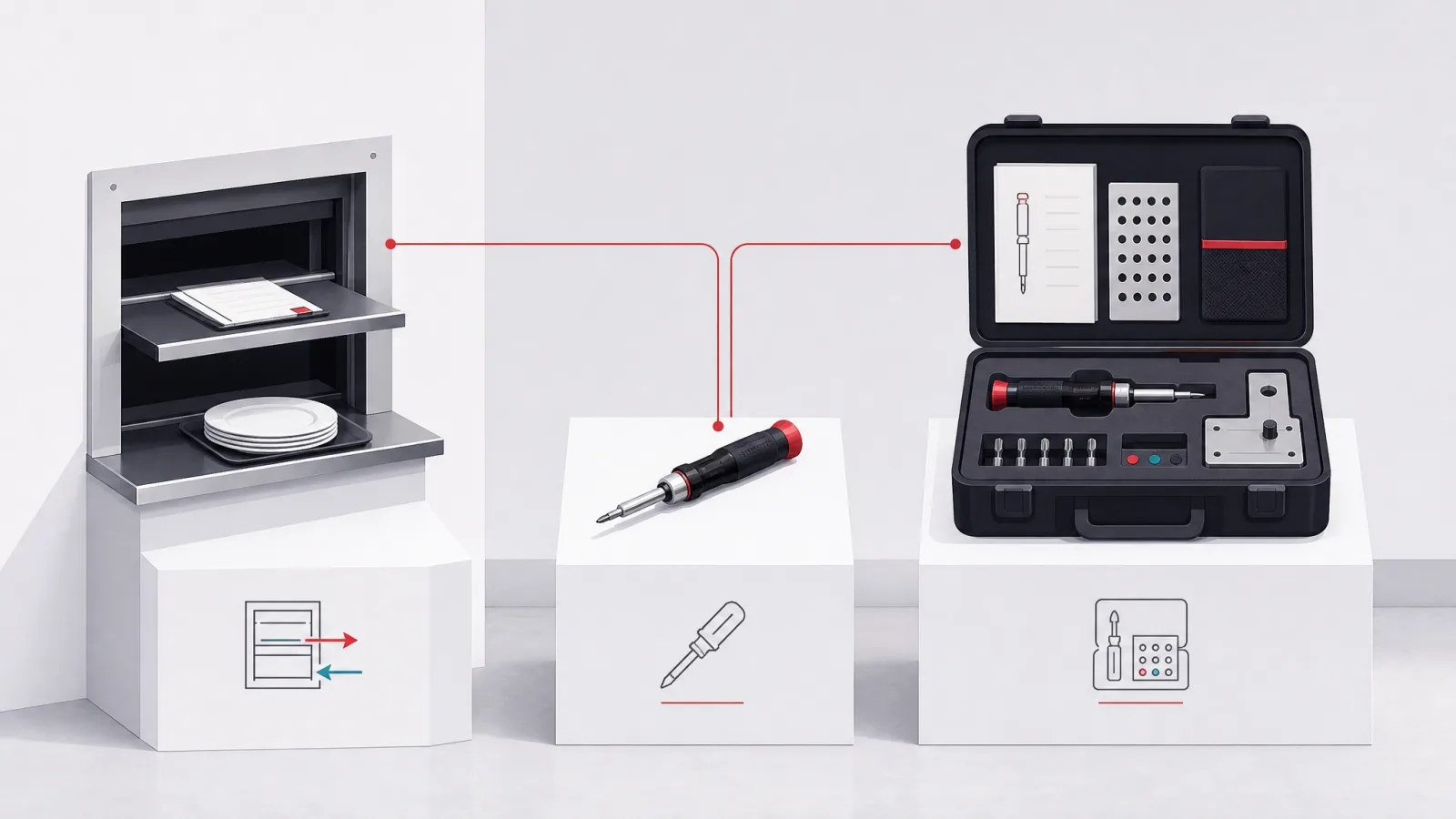
An API, an application programming interface, is a contract. It defines the requests a piece of software accepts and the responses it returns. It is a specification with an implementation behind it, and it says nothing about how you call it.
A library is reusable code you link into your program and call directly. It runs in your process. It has no opinion about networks or platforms; it is simply code somebody else wrote that you did not have to.
An SDK is the full kit. Typically it contains one or more libraries, plus the tooling, documentation and sample code needed to be productive against a platform or service. The relationship between the three is nesting rather than rivalry: most SDKs contain libraries, and most service SDKs wrap an API.
The practical version is this. The API is the thing you could always call yourself with an HTTP client. The SDK is the vendor having already written that code, handled authentication and retries, mapped the responses to types in your language, and shipped an example that works. You are choosing between the paved road and driving across the field, and both are legitimate depending on what you are carrying.
The three terms, compared on the axes that matter
| API | Library | SDK | |
|---|---|---|---|
| What it is | A contract for requests and responses | Reusable code you call | A packaged kit for building or integrating |
| Where it runs | On the vendor's infrastructure | In your process | In your process, usually calling out |
| What you write | Every call, retry and type by hand | Your own glue around it | The minimum, following the samples |
| What you inherit | Only the contract | Its code and its bugs | Its code, size, data behavior and update cadence |
| Typical example | A REST endpoint set | A date-handling package | The Android SDK, a payments kit |
The column that changes decisions is the last one. Whatever the naming, what you are really asking is how much of the integration the vendor has already done and how much of their behavior you inherit.
What is actually inside a mature kit
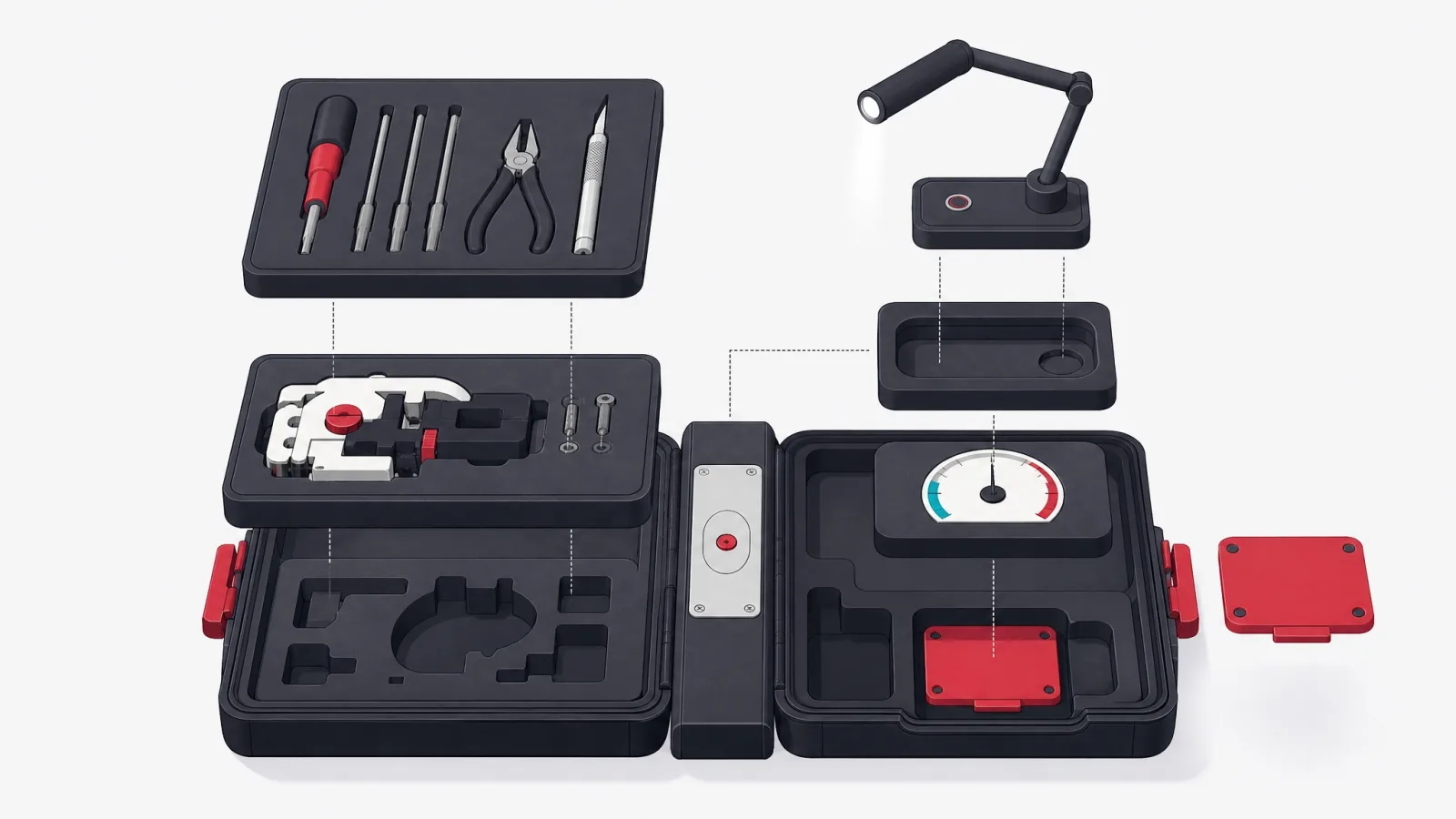
Open a serious SDK and the anatomy is consistent. Learning that anatomy is useful mostly as a checklist, because it lets you tell in about ten minutes whether you are looking at a maintained piece of engineering or a thin wrapper that will become your problem.
The order below is roughly the order in which absence hurts. Missing tooling is an inconvenience. Missing documentation is a schedule risk. Missing migration notes means every version upgrade is an archaeology exercise, and missing license clarity means a question your legal team will ask when you are already integrated.
The anatomy of a kit, and what its absence costs you
Code
- Client libraries
- The linked code: a service client, or the framework classes for a platform.
- Sample projects
- Working examples of the intended patterns. Also a direct test of the vendor's own developer experience.
- Type definitions
- Real types for your language rather than untyped maps. Their absence moves whole classes of error to runtime.
Tooling
- Build and debug tools
- Compilers, emulators, inspectors. The Android SDK ships an emulator; a payments kit may ship a webhook tester.
- Local test mode
- A sandbox or mock so your CI does not depend on a vendor's uptime. Its absence makes your tests flaky forever.
- Diagnostics
- A verbose mode that says what the kit is doing. Without it, every integration bug is a packet capture.
Documentation
- Reference
- Every public method, with parameters and errors. Generated is fine; absent is not.
- Integration guides
- Task-shaped writing, not just an alphabetical list of classes.
- Migration notes
- What changed between versions and what you must do. The single best predictor of upgrade pain.
Terms
- License
- What you may build and ship. Some kits restrict competing use in ways that matter later.
- Data terms
- What the kit collects and transmits. You will be declaring this to app stores under your own name.
- Support and lifecycle
- How long a major version is supported, and what notice you get before it is not.
Use this during evaluation rather than after integration. Every row can be checked from a repository and a documentation site in well under an hour.
Kits you already depend on, in two categories
Platform SDKs define what you can build at all. The Android SDK and Apple's iOS SDK are the canonical cases: every mobile application is built on one or both, and their annual releases set the ceiling on what your product can offer. Cross-platform frameworks are themselves kits sitting above the platform kits, which is why cross-platform work always tracks two layers of release notes rather than one.
Service SDKs bring a capability into your product: payments, backend services, mapping, analytics, crash reporting, push delivery. Each trades integration time for a dependency, and a mature consumer application commonly carries a dozen or more.
That accumulation deserves a pause, because it changes the risk profile in a way no single decision does. Twelve kits mean twelve pieces of third-party code executing inside your process with your permissions, twelve update cadences, twelve sets of data behavior, and twelve suppliers whose outage can become your outage. There have been repeated incidents where an analytics or advertising kit collected more than the host application's own developers understood. None of those developers chose that; they simply never asked.
Why the count matters more than any single choice
Illustrative figures from our own audits of client mobile codebases rather than an industry survey. The point is the shape: dependency risk is cumulative and mostly invisible.
Managing a growing set of dependencies
Do this
- Keep a dependency registerOne page listing every kit, why it is there, who owns it internally, and what it collects. Ten minutes per addition, and it answers audit questions instantly.
- Wrap each kit in an adapterYour code calls your interface; the adapter calls the kit. Replacing a vendor becomes one file rather than a search across the codebase.
- Measure size and startup impact on addRecord the binary size and cold start before and after. Without a baseline, nobody can attribute the slow launch a year later.
- Pin versions and upgrade deliberatelyFloating versions mean a vendor can change your application without a release on your side.
Not this
- Adding a kit for one functionA whole analytics platform to record one event is a supplier relationship bought for a single line of value.
- Letting each team add its ownTwo analytics kits and three HTTP clients is how a codebase arrives at twenty dependencies nobody chose as a set.
- Trusting the marketing page on sizeStated sizes usually exclude transitive dependencies and platform variants. Measure your own build output.
- Integrating deeply on first useVendor types spread through your domain model make the exit cost unbounded, and the exit is when you have least time.
The review every third-party kit should pass

Before an SDK enters a client codebase we ask a fixed set of questions. None are exotic. The discipline is asking them before integration rather than after an incident, because after integration the answers are the same but the options are not.
Two of the six require measurement rather than reading. Binary size and startup cost are routinely understated on vendor pages, partly because the stated figure excludes transitive dependencies and partly because it is measured on a configuration that is not yours. Build it into a branch and compare.
The six-question review
- Maintenance signalRecent releases, a real changelog, open issues that get responses. A kit that has not shipped in a year will break on the next platform release, on its schedule rather than yours.
- Size and startup costWhat does it add to the binary and to cold start? Build with and without it and measure. Do not accept the vendor's number.
- Data behaviorWhat does it collect, where does it send it, and can you turn that off? You declare this to app stores under your own name, so "we did not know" is not a position.
- Failure modeWhen the vendor is down, does your application degrade or crash? Test it by blocking the domain, not by reading the documentation.
- Support and lifecycleWho answers when it breaks, on what timeline, and how long is this major version supported? Free tiers often mean a community forum.
- Exit costHow hard is removal? With an adapter layer the honest answer is a sprint. Without one it can be a rewrite, and you will find out during an emergency.
A half day of work for a kit you may carry for years. Run it as a written note in the pull request that adds the dependency, so the reasoning survives the person who made the decision.
When you should ship a kit of your own

If your product exposes an API that customers or partners integrate, at some point the question arrives from the other side: should we publish an SDK? The honest threshold is repeated integration friction. When several integrators keep solving the same authentication, pagination and retry problems against your API, a kit converts recurring support cost into a one-time engineering investment. The clearest commercial case is the mini-app platform: a super app opening its surface to partners is publishing a platform kit of its own, and everything in this section is the checklist for that decision.
Below that threshold, a kit is usually a liability. It is another artifact to version, document and support, and a badly maintained official kit is worse for your API's reputation than no kit at all, because it looks like the supported path while being the abandoned one.
Building one well means treating it as a product. That means a stated versioning policy, documentation written for someone who has never seen your system, and sample projects built in continuous integration so they cannot silently rot. The kit is your API's storefront, and a broken sample costs you integrations you will never hear about. Designing the surface area, the error model and the compatibility policy is a specialized flavor of backend and platform engineering, and it is expensive to get wrong precisely because integrators depend on the choices immediately.
Should you publish an official SDK for your API?
How many integrators are hitting the same friction, and can you commit to maintenance?
-
A handful of integrators, each with different needs
Publish excellent documentation and a reference implementation, not a kit
A worked example in one or two languages gives most of the benefit with none of the version support burden, and it stays honest because it is clearly a sample rather than a product.
-
Many integrators repeatedly solving auth, retry and pagination
Ship a real kit in your two most common integrator languages
At this volume the support cost of everyone reimplementing the same logic exceeds the cost of maintaining a kit, and consistency in how integrators call you reduces your own incident load.
-
Integration is a competitive factor in your sales cycle
Treat the kit as a funded product with an owner
If time to first successful call is something buyers compare, the kit is part of the product surface and needs the same roadmap and quality bar as anything else you sell.
The question is not whether a kit would be nice. It is whether you will maintain it, because an abandoned official kit does more damage than none.
Publishing a kit without acquiring a maintenance problem
-
Stabilize the API firstBefore any kit exists
A kit freezes your API surface in a second place. Breaking changes now cost one migration; after a kit ships they cost two, plus every integrator's upgrade.
Done when The API has a versioning policy and has gone a full quarter without a breaking change.
-
Reference implementationTwo to three weeks
A complete worked example in one language, in a public repository, exercising authentication, pagination, retries and errors. This is a sample, and is labeled as one.
Done when A developer outside your team completes an integration using only the sample and the docs.
-
The first real kitFour to six weeks
Package the reference into a versioned kit in your most common integrator language, with types, an error model, a changelog and samples built in CI.
Done when Samples build on every commit, and a deliberate breaking change produces a migration note before it produces a release.
-
Ownership and cadenceOngoing
A named owner, a stated support window per major version, and a release cadence that tracks the API. Publish what you support and for how long.
Done when The kit has survived one platform or language runtime upgrade without an integrator noticing.
The sequence matters. Most abandoned kits were published before anyone decided who would own version two.
Version policy is the part that decides long-term cost
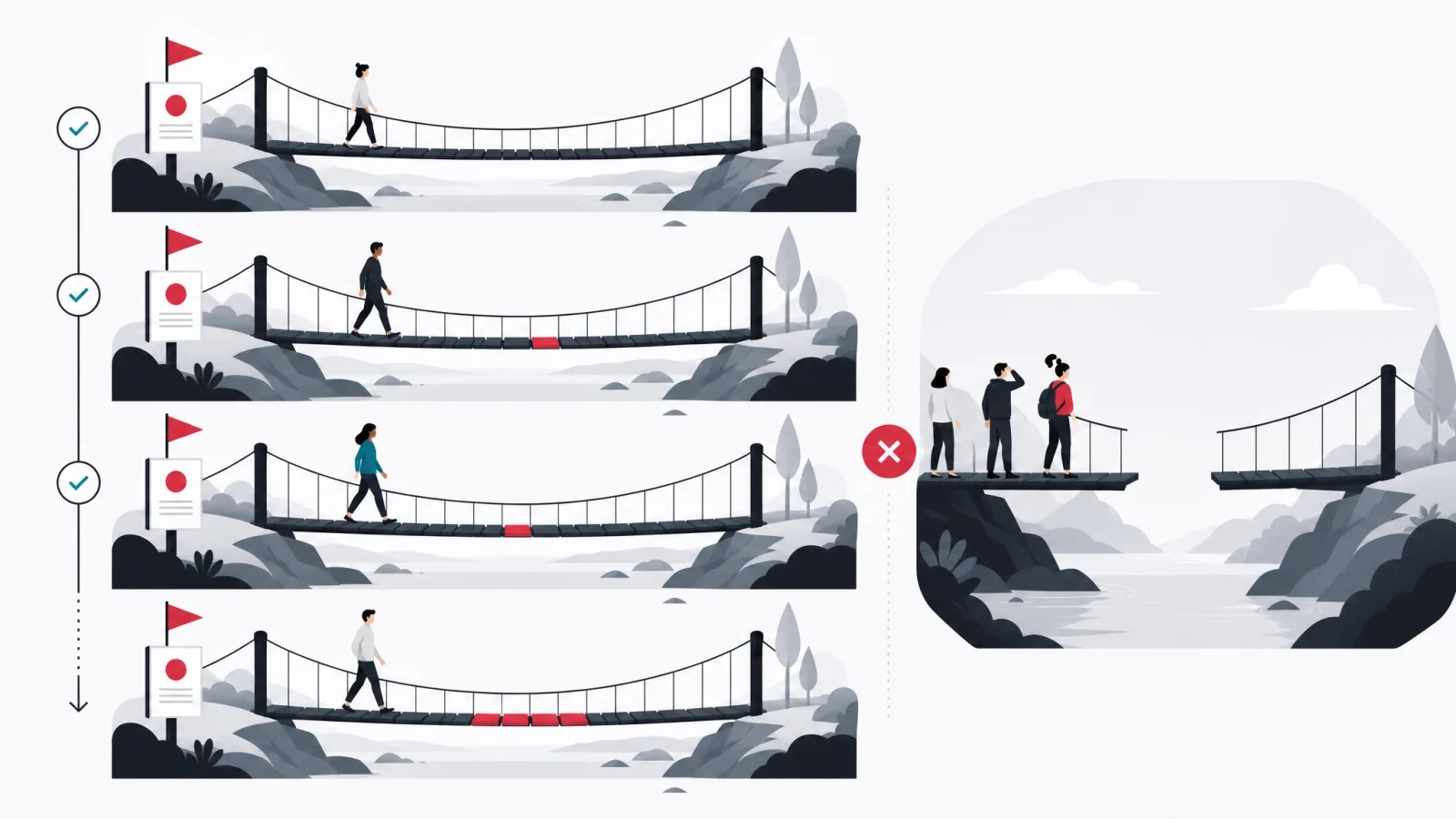
Whether you are consuming a kit or publishing one, the version policy determines how much of your future is spent on maintenance. This is the least discussed part of SDK work and the most consequential, because it compounds.
On the consuming side, the risk is floating versions. A dependency specified loosely means a vendor can change the behavior of your shipped application without you making a release. That is convenient right up to the day it is not, and the day it is not tends to be a day when several things changed at once and nobody can tell which one broke the build.
On the publishing side, the risk is silent breakage. A change that is technically compatible but behaviorally different, a stricter validation, a changed default, a new required field, is experienced by integrators as a break regardless of what the version number claims. The remedy is unglamorous: write the migration note first, and let it tell you whether the change is really compatible.
Version terms that appear in every SDK discussion
- Semantic versioning
- Major.minor.patch, where major means a breaking change. A widely used convention, not a guarantee: it depends on the publisher classifying honestly.
- Breaking change
- Any change that requires an integrator to modify code. Removing a method is obviously breaking; tightening validation quietly is too.
- Deprecation window
- The period between announcing that something will be removed and removing it. A kit with no stated window is a kit that can break you without notice.
- Long term support
- A major version that continues to receive security fixes after the next major ships. Ask for the end date in writing, not the label.
- Transitive dependency
- A package your dependency depends on. This is where most unexpected size and most surprise vulnerabilities come from.
- Pinning
- Specifying an exact version rather than a range, so upgrades are a deliberate act with a diff and a test run.
Worth owning before a vendor conversation. Most disputes about SDK upgrades are really disputes about which of these words applies to a specific change.
The adapter layer: the cheapest insurance in integration work
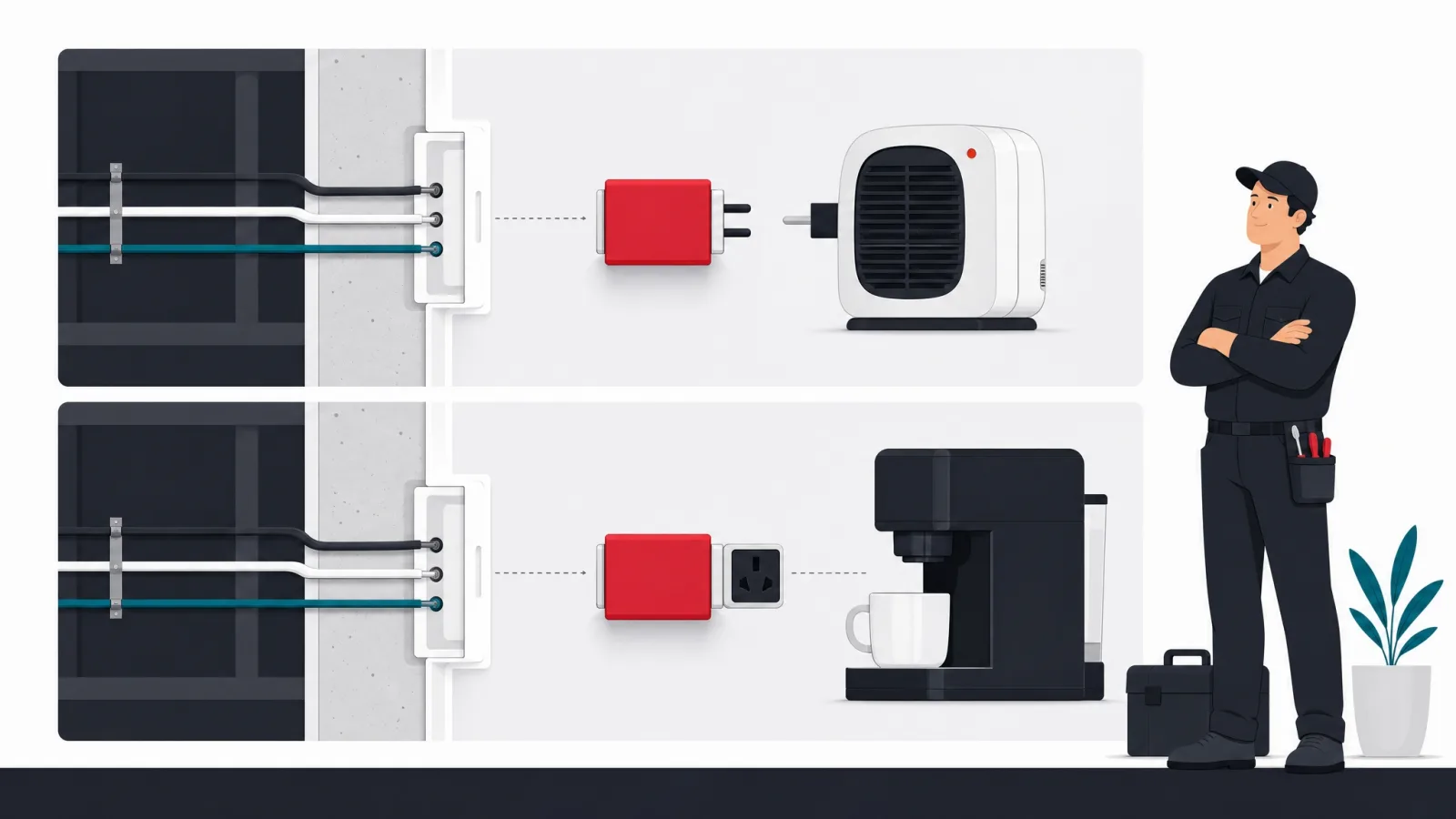
One practice does more than any other to keep the cost of third-party kits bounded, and it takes an afternoon. Define your own interface for what you need, implement it once by calling the vendor kit, and have the rest of the codebase call your interface.
The value is not abstraction for its own sake, which is a fair criticism of a lot of layering. It is that the vendor's types, error model and assumptions stop at one file instead of spreading through the domain model. When the vendor changes their pricing, gets acquired, deprecates the version you are on, or has an outage that requires a fallback, the change is contained.
The practice also has a second, quieter benefit: it makes the kit testable. Your own interface can be substituted in tests, so your test suite stops depending on a vendor sandbox, and stops being flaky for reasons that have nothing to do with your code.
Frequently asked questions
What is the difference between an SDK and an API in simple terms?
An API is the contract: the set of requests a service accepts and the responses it returns. An SDK is a kit that already contains working code for calling that contract, plus tooling, documentation and samples. You can always integrate through the raw API; the SDK exists so that the common path is faster and harder to get wrong. Most service SDKs are wrappers around that service's public API.
Is an SDK the same as a library?
No, though the words are often used interchangeably. A library is reusable code you call. An SDK is a package that usually contains one or more libraries plus the surrounding tooling, documentation, samples and license terms. If what you downloaded is a single package with a readme, it is behaving like a library whatever the vendor calls it, and you should plan to write the tooling and testing support yourself.
Are third-party SDKs a security risk?
They are a supplier risk, which includes security. Every kit executes inside your application with your application's permissions, so it can reach the same data and the same network. There have been repeated incidents of analytics and advertising kits collecting more than the host developers realized. Manage it the way you manage any supplier: know what each one collects, keep a register, pin versions, and put an adapter between it and your code.
How many SDKs is too many in a mobile app?
There is no fixed number, but there is a useful test: can you name every dependency, say why it is there, and name who owns it internally? Most mature consumer apps carry between ten and twenty. The problem is rarely any single one; it is that nobody chose the set. Each adds binary size, startup time, an update cadence and a privacy declaration line, and those costs are cumulative and mostly invisible until someone measures.
Should we build an SDK for our own API?
Only when integrators are repeatedly solving the same problems against your API and you can commit to maintaining the kit. Below that threshold, excellent documentation and a reference implementation give most of the benefit without the support burden. An abandoned official kit is worse than no kit, because it looks like the supported path while being the one nobody watches.
What does an SDK adapter layer actually look like?
You define an interface describing only what your product needs, for example a method to charge a card or to record an event. One class implements that interface by calling the vendor kit. Everything else in the codebase calls your interface and never sees a vendor type. It costs about half a day at integration time and turns a vendor replacement from an audit of every call site into a change in a single file.
Choosing kits is really choosing suppliers, and the review is the same either way. If you want that judgment applied across your whole build, work with AgileTech, a leading software development company in Vietnam that evaluates every dependency the way it evaluates its own code.
Source: https://agiletech.vn/blog/what-is-an-sdk/ · (c) AgileTech Vietnam. Printed from agiletech.vn.
