 Nguyen Manh Thang
Chief Executive Officer, AgileTech Vietnam
Nguyen Manh Thang
Chief Executive Officer, AgileTech Vietnam
- Published
- Last updated
- Read time
- 15 min
- Views
- 108
Read the AI overview
The best e-learning platform depends on which of three jobs you are hiring for. For corporate training, TalentLMS is the strongest starting point for small and mid-size teams, Docebo and Absorb LMS lead for larger enterprises, and 360Learning stands out for collaborative course creation. For ready-made content, Coursera and Udemy Business dominate the marketplace model. For selling your own courses, Teachable, Thinkific and Kajabi lead the creator segment. Cloud LMS pricing typically runs 3 to 15 US dollars per active user per month, and a custom-built platform starts to beat subscriptions when you pass a few thousand learners or need product-specific workflows.
The e-learning market crossed from useful to unavoidable years ago: corporate training budgets moved online, universities hybridized, and an entire creator economy grew around selling knowledge. What did not get easier is choosing. Search for the best e-learning platform and you meet a wall of near-identical lists comparing a corporate compliance LMS against a cooking-course marketplace as if they competed.
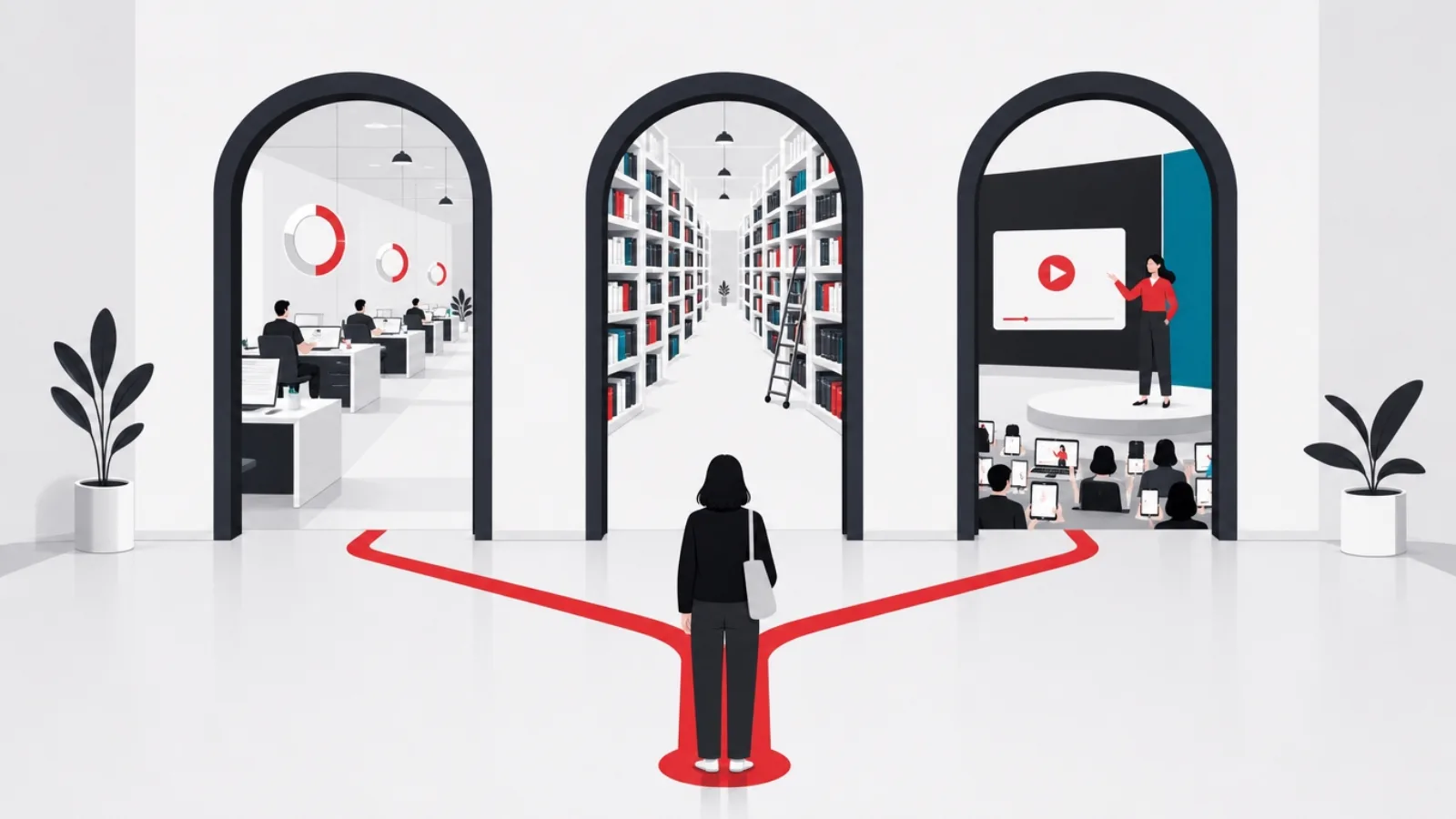
They do not, and that is the first thing this guide fixes. E-learning platforms split into three product families with different buyers, economics and failure modes: the corporate LMS that trains your own people, the content marketplace that rents you someone else's courses, and the creator platform that lets you sell yours. We compare within each family, then arm you with the pricing patterns, the AI reality check, and the one question most lists never touch: when building your own platform beats subscribing to anyone's.
That last question is why this article exists on an engineering company's blog. AgileTech builds custom learning platforms and education apps for clients, and the build-versus-buy line is a conversation we have with founders and training leads regularly. The honest version of that conversation, including when the answer is "just buy TalentLMS", is at the end.
Key takeaways
- E-learning platform is three markets wearing one name: corporate LMS for internal training, content marketplaces for ready-made courses, and creator platforms for selling your own. Naming your job first eliminates two-thirds of the comparison.
- Corporate LMS pricing clusters at 3 to 15 US dollars per active user per month in the cloud tier, but the real cost drivers are implementation, integrations and admin time, which routinely double the first-year bill.
- The AI wave is real but uneven: skills mapping, course generation and adaptive paths genuinely work in the leaders; treat AI feature checklists from smaller vendors as demos until you see them on your own content.
- Compliance training, customer education and employee upskilling are different products in the same category. A platform excellent at one is often mediocre at the others, which is why "best LMS" lists disagree so much.
- Buy beats build until scale or specificity says otherwise: past a few thousand active learners, or when learning is your product rather than your process, custom development starts winning on both cost and fit.
- Whatever you choose, insist on standard content formats (SCORM or xAPI) and a real export path. Vendor lock-in through proprietary content is this category's oldest tax.
Three markets wearing one name
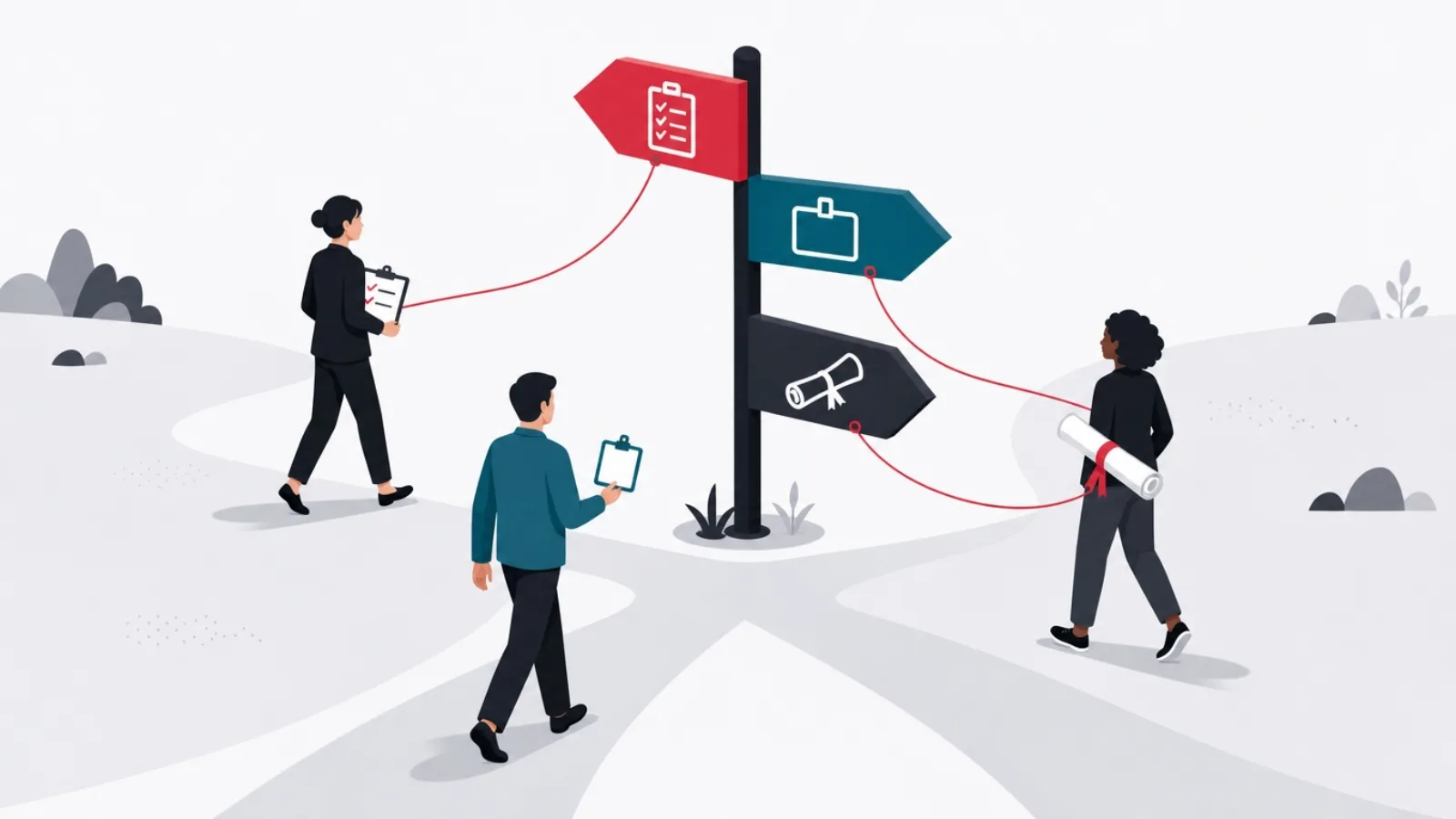
Before any ranking, sort the category. A corporate LMS (learning management system) is infrastructure for training people you already have a relationship with: employees, partners, customers. Its buyers are HR and L&D teams, its metrics are completion and compliance, and its economics are per-user subscriptions. A content marketplace, Coursera, Udemy, LinkedIn Learning, sells access to a library someone else made; you are buying courses, not a system. A creator platform, Teachable, Thinkific, Kajabi, Podia, is e-commerce for knowledge: it exists so you can sell courses to strangers.
The families overlap at the edges, marketplaces sell business tiers with LMS-ish admin, creator platforms bolt on quizzes and certificates, but the core jobs stay distinct. Choosing a platform from the wrong family is the most common expensive mistake in this category: a compliance-driven company on a creator platform has no audit trail, and a solo course creator on an enterprise LMS is paying for SSO integrations they will never use.
One more distinction matters before the lists: within corporate LMS, employee training, customer education and extended enterprise (training partners, resellers, franchisees) are different workloads. Platforms tune for one. The mismatch between what a vendor demos and which of those you actually need explains most LMS regret, a theme our deeper guide to choosing an LMS treats as the whole selection method.
The acronyms this market runs on
- LMS
- Learning management system: the platform that hosts, assigns, tracks and reports training. The system of record for who learned what.
- LXP
- Learning experience platform: a discovery-first layer that recommends content across sources, Netflix-style. Often sits on top of an LMS rather than replacing it.
- SCORM
- The legacy standard for packaging courses so any compliant LMS can run and track them. Old, universal, and still the portability guarantee to insist on.
- xAPI
- The modern successor to SCORM: tracks learning events anywhere (apps, simulations, the field) into a learning record store, not just course completions.
- Extended enterprise
- Training people outside your payroll: customers, partners, resellers. Changes licensing, branding and access requirements enough to be its own product tier.
Five terms that appear in every vendor conversation, defined once so the comparisons below can move faster.
Best corporate LMS platforms: TalentLMS, Docebo, Absorb, 360Learning, Moodle

TalentLMS is the default recommendation for small and mid-size organizations, and it earns it: genuinely fast setup, clean course authoring, sane per-user pricing with a free tier to pilot on, and enough automation (assignments, deadlines, certificates, reporting) to run real programs without an admin hire. Its ceiling shows in complex org structures and advanced reporting, which is exactly where the enterprise tier begins.
Docebo and Absorb LMS are the enterprise pair. Docebo leads on breadth: AI-driven skills mapping and content suggestions, an LXP-style discovery layer, extended enterprise support, and a connector catalog that reaches deep into HR and CRM stacks. Absorb counters with admin ergonomics and reporting that L&D teams consistently praise, plus strong compliance workflows. Both price by quote, both require implementation projects rather than signups, and both reward the buyer who arrives with use cases written down. 360Learning takes a different angle: collaborative authoring, where subject-matter experts inside the company build courses together, with reactions and co-editing closer to a modern SaaS tool than a traditional LMS. For upskilling cultures it is often the best fit in the list.
Moodle remains the open source giant: free to self-host, endlessly customizable, and the backbone of academic e-learning worldwide. The honest corporate read is that Moodle trades license fees for engineering time; budget hosting, maintenance and a developer or partner, or use MoodleCloud and accept its limits. It is the right answer for cost-sensitive institutions with technical staff, and the wrong answer for a lean HR team that wanted training running by Friday.
Corporate LMS at a glance
| Platform | Best for | Pricing pattern | Standout | Watch out |
|---|---|---|---|---|
| TalentLMS | SMB and mid-market teams | Free tier, then per-user plans | Fastest path from signup to running program | Ceiling on complex orgs and reporting |
| Docebo | Enterprise, extended enterprise | Quote-based | AI skills mapping, integrations, LXP layer | Implementation project, not a signup |
| Absorb LMS | Enterprise, compliance-heavy | Quote-based | Admin ergonomics and reporting | Content authoring thinner than rivals |
| 360Learning | Collaborative upskilling cultures | Per-user, team tier published | SME co-authoring workflow | Less suited to pure compliance push |
| Moodle | Academia, technical teams | Free self-hosted; paid cloud | Total control, no license fees | You are the vendor: hosting, upkeep, UX work |
List prices move; patterns hold. Per-user cloud pricing clusters in the single digits monthly, and enterprise tiers move to quotes precisely when your requirements get interesting.
Best for ready-made content: Coursera, Udemy Business, LinkedIn Learning
When the job is "give our people good courses" rather than "run our training system", the marketplaces win on pure content economics. Udemy Business sells a curated slice of its enormous marketplace, strongest in software, IT and practical business skills, refreshed at a pace no internal team matches. Coursera brings the university and big-tech catalog: certificates from Google, IBM and academic institutions that carry weight on a resume, plus degree pathways. LinkedIn Learning integrates with the professional graph, which makes its recommendations uncannily relevant and its completions shareable where recruiters look.
The pattern to notice: marketplaces are complements to an LMS, not substitutes for one. Their business tiers ship with assignment and reporting features, but audit-grade compliance tracking, custom content hosting and org-structure management remain LMS jobs. The common enterprise architecture is both: an LMS as the system of record, marketplace content licensed into it via integrations, which every platform in the previous section supports.
For individuals, the calculus is simpler and worth stating plainly: Coursera for credentials that signal, Udemy for cheap practical depth during its permanent sales, LinkedIn Learning if your employer already pays for it. The best platform is the one whose courses you finish.
Best for selling your own courses: Teachable, Thinkific, Kajabi

The creator family answers a different question: not "how do we train people" but "how do I sell what I know". Thinkific and Teachable are the accessible pair, both offering course builders, payment processing, quizzes, certificates and landing pages, with pricing tiers that start free or cheap and graduate with your revenue. Thinkific tends to win on course structure flexibility and communities; Teachable on checkout and affiliate mechanics. For a first course, either is a fine answer and the difference will not be your bottleneck.
Kajabi is the premium consolidator: courses, email marketing, funnels, podcasts, communities and websites in one subscription at a price that only makes sense once knowledge is your business rather than your side project. Its pitch is replacing four tools with one, and for full-time creators it frequently does. Podia and Payhip serve the budget end honorably, and Circle-style community platforms increasingly eat the low end of this market by making the course a feature of the community rather than the reverse.
The strategic note for this family: platform choice is really a distribution choice. Marketplaces like Udemy bring you students and take the margin plus the customer relationship; creator platforms give you both but bring you nobody. Creators with an audience should own it on a creator platform; creators without one sometimes rent Udemy's discovery first and migrate later, accepting that the migration loses most of the students.
What e-learning platforms cost, and what the AI features are actually worth

Pricing in the corporate family follows a reliable shape. Cloud LMS list prices cluster between 3 and 15 US dollars per active user per month, with volume discounts bending the curve and enterprise quotes replacing lists entirely past a few thousand seats. The number that surprises buyers is everything around the license: implementation and data migration, integrations with HR and identity systems, content development or licensing, and the fraction of an admin's time the platform consumes. A realistic first-year budget runs 1.5 to 2 times the subscription line, a multiplier that vendor calculators reliably omit.
The AI layer deserves a sober paragraph, because it is both real and oversold. What demonstrably works in the leading platforms: generating draft courses and quizzes from existing documents, mapping content to skills taxonomies, recommending next content from role and behavior, and adaptive practice that re-serves what a learner missed. What remains demo-ware in much of the market: anything promising to replace instructional design wholesale, and analytics dashboards that relabel completion rates as insight. The test that cuts through: bring your own messy content to the trial and watch the AI work on it, not on the vendor's prepared corpus.
Two procurement rules travel across every family. First, price on active users, not registered ones, and get the definition of active in writing; the gap between the two is where LMS bills bloat. Second, insist on SCORM or xAPI export for anything you author in-platform. The content you build is the asset; the platform is the container, and containers get outgrown.
The demo-call checklist
- Which of our three jobs are you tuned for?Employee training, customer education or extended enterprise. Watch whether the answer names one or claims all three.
- What does "active user" mean in your pricing?Logged in this month, enrolled, or merely registered. This single definition moves the bill more than any discount.
- Show AI features on our content, not yoursCourse generation and skills mapping look magical on prepared corpora. Your messy PDFs are the real test.
- What exports if we leave?SCORM or xAPI packages for content, CSV for records at minimum. A vague answer here is a lock-in warning.
- What does implementation actually involve?Weeks or months, whose hours, and what the three most common delays are. Vendors who answer concretely have done it often.
- Which integrations are native versus "via API"?Native means built and supported; via API means you are building it. The HR system sync is where this difference bites.
Six questions that separate platform marketing from platform fit. Ask them in the first call and half the shortlist eliminates itself.
When building your own learning platform beats buying one

For most organizations most of the time, buy wins, and this article says so without hedging: a subscription LMS delivers in weeks what a custom build delivers in months, and the vendors amortize compliance, security and mobile apps across thousands of customers. The build conversation starts when one of three conditions appears. Scale: past a few thousand active learners, per-user subscription math starts losing to the flat cost curve of owned software; at 5,000 users, even 5 dollars monthly is 300,000 US dollars a year, which is custom-platform territory. Specificity: when training workflows are your competitive process, simulation-based assessment, field-skill verification, regulated certification with your industry's audit trail, configuring a generic LMS becomes fighting it. And product: when learning is the thing you sell, your margin and roadmap cannot live on someone else's platform.
The realistic budget conversation: a focused learning platform MVP, courses, video, quizzes, progress, certificates, admin and reporting, typically lands between 60,000 and 150,000 US dollars with an offshore product team, with the drivers being video infrastructure, assessment complexity and integration count. The full framework for that math lives in our guides to what software genuinely costs and building an education app, and the selection method for the buy path in how to choose an LMS. The hybrid pattern is often the honest winner: buy an LMS for the commodity core, build the differentiating layer, a practice environment, a certification engine, a customer academy, as your own product against its APIs.
The failure mode to avoid in both directions is the same one: deciding by artifact instead of by workload. Companies buy an enterprise LMS because the demo was impressive, then use a tenth of it; founders build a platform because building is what they know, then spend a year reinventing quiz engines. Write the workload down first, learner count, content types, compliance needs, integration list, and the build-versus-buy answer usually writes itself.
Buy, build, or both
What is your learning platform actually for?
-
Internal training, under a few thousand learners
Buy: TalentLMS tier, or Docebo and Absorb at enterprise scale
Subscription economics win, compliance is amortized, and time-to-running is weeks. This is the default, and it is usually right.
-
Training at large scale, or per-user fees now exceed a build
Build the core, or self-host Moodle with engineering support
Flat cost curves beat per-user pricing at volume, and owned software ends the negotiation cycle permanently.
-
Learning IS the product you sell
Build, with a creator platform only as a validation stage
Your margin, data and roadmap cannot depend on a vendor whose incentives differ. Validate on Teachable; graduate to owned.
-
A commodity core plus one differentiating workflow
Both: buy the LMS, build the layer against its APIs
The academy, simulator or certification engine differentiates; the course player does not. Spend engineering only on the former.
The build-versus-buy fork as a decision, with the honest default at the top.
The shortlist, by situation

Compressing the guide into recommendations: a small or mid-size company starting corporate training should pilot TalentLMS this week, free tier first. An enterprise with integrations, audits and extended enterprise needs should run Docebo against Absorb LMS in a structured evaluation, use cases written before the demos. A company whose culture builds its own courses should look hard at 360Learning. A team that mainly needs good existing content should license Udemy Business or Coursera into whatever LMS it already has. A creator selling a first course should choose between Thinkific and Teachable and not overthink it; a full-time knowledge business should price Kajabi honestly against its tool stack.
And a company whose learner counts, workflows or product ambitions have outgrown every demo it sits through should start the build conversation, with the buy math done first so the decision is economic rather than emotional. That conversation, scoping the platform, pricing the phases, deciding what to buy versus build, is one we run regularly with clients, and the section above is its outline.
Whichever branch you take, the exit rule from the pricing section applies everywhere: own your content in portable formats, know your export path, and re-run the decision when your learner count changes by an order of magnitude. Platforms are containers. The training, and the product it serves, is yours.
Since publication, two adjacent guides have shipped for readers whose question is narrower than this one. If you are choosing a system to run rather than a platform to learn on, the best LMS platforms compares the administration side, and if the subject is languages specifically, the best language learning apps covers a category with its own mechanics and its own retention curve. The comparison above stands as written.
Frequently asked questions
What is the best LMS for corporate training?
For small and mid-size companies, TalentLMS offers the fastest path to a running program with sane per-user pricing. For enterprises, Docebo and Absorb LMS lead: Docebo on AI features, integrations and extended enterprise support, Absorb on admin ergonomics and reporting. 360Learning stands out where subject-matter experts author courses collaboratively. The right answer depends on whether your workload is compliance, upskilling or customer education.
How much does an LMS cost?
Cloud LMS pricing typically runs 3 to 15 US dollars per active user per month, with free tiers at the SMB end and quote-based pricing at enterprise scale. The realistic first-year budget is 1.5 to 2 times the subscription line once implementation, integrations, content development and admin time are counted. The single most important pricing detail is how the vendor defines an active user.
What is the difference between an LMS and an LXP?
An LMS is the system of record: it assigns, tracks and reports training, and it answers compliance questions. An LXP is a discovery layer: it recommends content from many sources based on role and behavior, the way a streaming service recommends shows. Large organizations often run both, with the LXP as the learner-facing front end and the LMS underneath for tracking. Leading platforms increasingly bundle both behaviors.
Is Moodle good enough for a company, given that it is free?
Moodle is genuinely capable and the license is free, but self-hosting trades money for engineering: hosting, upgrades, security patching and interface customization become your responsibility, and the out-of-box experience trails commercial rivals. It fits institutions and companies with technical staff or a Moodle partner. For a lean HR team without engineering support, a commercial cloud LMS is usually cheaper in practice.
Should we build a custom e-learning platform or buy one?
Buy, unless one of three conditions holds: your active learner count makes per-user fees exceed the cost of owned software, typically past a few thousand users; your training workflow is specific enough that you fight the LMS instead of configuring it; or learning is the product you sell, in which case margin and roadmap belong on your own platform. A custom MVP typically runs 60,000 to 150,000 US dollars with an offshore team, and a hybrid, buying the commodity LMS core and building only the differentiating layer, is often the best answer.
What are the best platforms for selling online courses?
Thinkific and Teachable are the strongest starting points: both handle course hosting, payments, quizzes and landing pages at prices that scale with revenue. Kajabi is the premium option once a knowledge business justifies consolidating courses, email marketing and funnels into one subscription. Udemy trades margin and the customer relationship for its marketplace discovery, which can be worth it for creators without an existing audience.
Platform lists get you to a shortlist; shipping a learning product takes a build partner. If your roadmap includes a customer academy, a certification engine or a full learning platform, work with AgileTech, an AI native software development company in Vietnam that scopes both the buy and the build sides honestly before writing code.
Source: https://agiletech.vn/blog/best-e-learning-platforms/ · (c) AgileTech Vietnam. Printed from agiletech.vn.
