 Nguyen Manh Thang
Chief Executive Officer, AgileTech Vietnam
Nguyen Manh Thang
Chief Executive Officer, AgileTech Vietnam
- Published
- Read time
- 15 min
- Views
- 141

Read the AI overview
Salesforce and Dynamics 365 are the two CRM platforms that survive almost every enterprise and upper mid-market shortlist, and they are closer in raw capability than either vendor admits. The real differences are structural. Salesforce is a single multi-tenant platform built around CRM from the start, with the deepest sales and service feature set, the largest partner and app marketplace, and its own development stack (Apex, Lightning Web Components, Flow) that requires Salesforce-specific skills. Dynamics 365 is a family of business applications on Microsoft's Dataverse data layer, customized with the same Power Platform tools an organization already uses for Power BI and Power Apps, and priced to be cheaper per user, especially when bundled with Microsoft 365 and Azure. Pick Salesforce when the sales and service processes are the business, the team wants the richest out of the box functionality, and the budget can carry premium licensing plus specialist developers. Pick Dynamics 365 when the organization already runs on Microsoft, wants one data layer under CRM, ERP, and analytics, and has Power Platform skills in house. Neither choice fails on features; both fail on implementation, so the section on rollout and the five year cost model matter more than the feature table.
Every CRM selection above a certain size ends with the same two logos on the last slide. Salesforce has defined the category since it invented cloud CRM, and Microsoft Dynamics 365 has spent a decade becoming the alternative that procurement teams in Microsoft organizations are almost obligated to evaluate. The comparisons published about them are mostly feature checklists, and feature checklists are the least useful way to decide, because both products check nearly every box.
The useful comparison is about shape. Salesforce is one platform, built for CRM, that everything else attaches to. Dynamics 365 is a family of applications that share a data layer and a low-code toolset with the rest of Microsoft's business software. That difference explains why one costs more per seat and the other bundles well, why one has a specialist developer market and the other borrows skills from the Power Platform, why one has the deepest sales features and the other has the tightest link to ERP and Excel. It also explains why the right answer differs by company, and why the answer is rarely the one the salesperson with the bigger discount is offering.
This comparison works through platform architecture, sales and service functionality, licensing and five year cost, customization and developer skills, integration and data, AI agents, and implementation, and closes with a decision tree. It pairs naturally with the Power BI against Looker Studio comparison, because the analytics decision and the CRM decision are usually made by the same people within the same year, and the ecosystem choice in one constrains the other.
Key takeaways
- Feature parity in core sales and service is close to complete. The decision is about architecture, ecosystem, customization skills, and total cost, not about which product can do lead scoring.
- Salesforce is one platform with CRM at its center; Dynamics 365 is a set of applications on Dataverse that share a data model with Microsoft's ERP, analytics, and low-code tools. The second design pays off for Microsoft shops and costs something for everyone else.
- List prices favor Dynamics 365 per user at comparable tiers, and Microsoft discounts aggressively inside enterprise agreements. Salesforce's premium is real but narrows once add-ons, integration, and developer rates are counted on both sides.
- Customization skills decide long term cost more than license price. Salesforce needs Apex and Lightning developers who command a premium; Dynamics 365 needs Power Platform and C# plugin skills that are more widely available and often already inside the company.
- Both vendors now sell AI agents (Agentforce, Copilot) priced by consumption or per user on top of the base license. Budget for them as a separate line, and pilot before committing.
- Implementation quality, data migration, and adoption decide the outcome far more than the platform. The same partner discipline applies to both, and the contract terms matter as much as the demo.
Two architectures: a CRM platform against a business application family
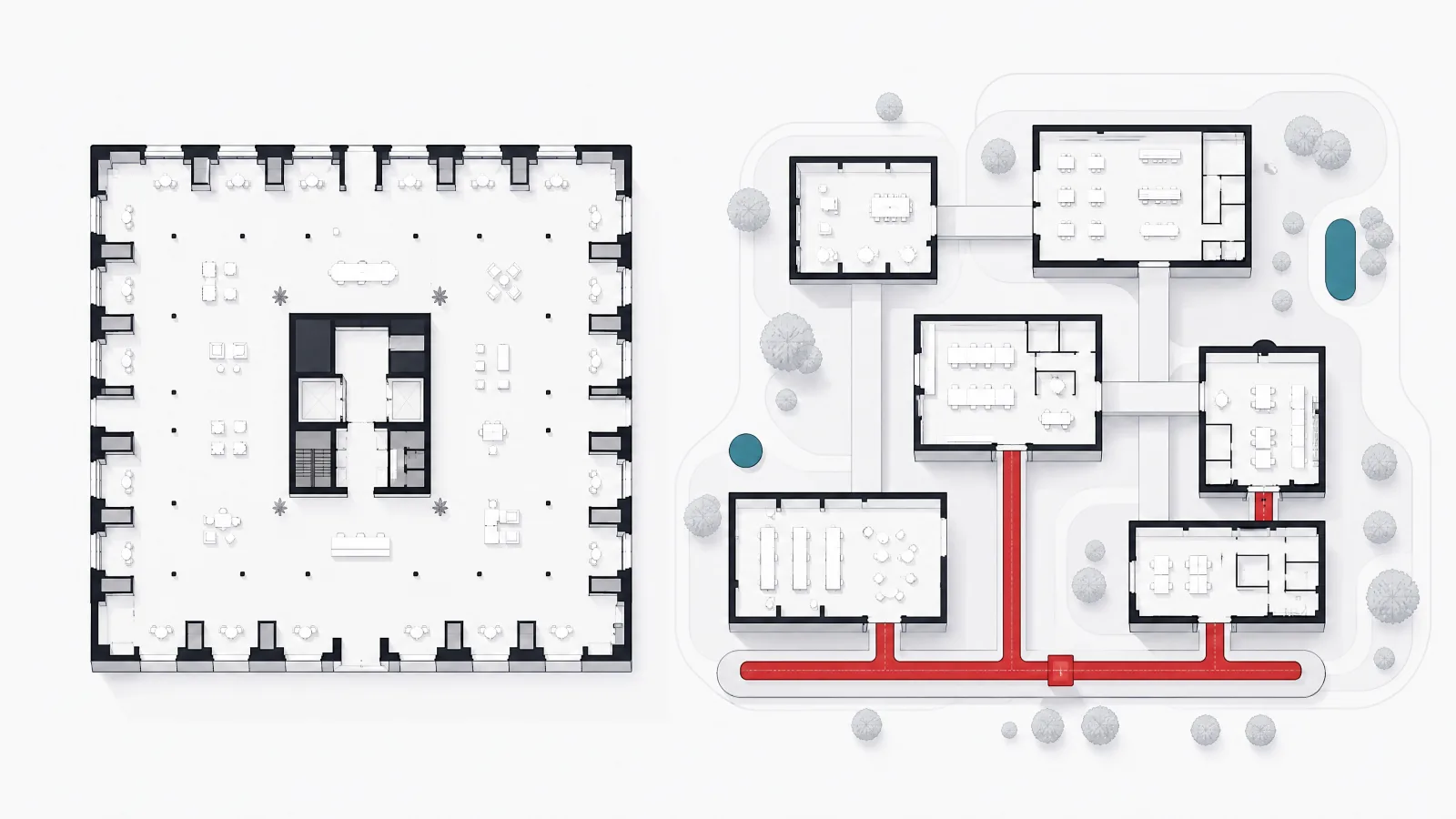
Salesforce is a single multi-tenant platform. Every customer runs on the same code base, upgraded three times a year, with data in Salesforce's own object model and customizations expressed in that platform's languages: declarative Flow for automation, Apex for server-side code, Lightning Web Components for interfaces. Sales Cloud, Service Cloud, Marketing Cloud, Commerce Cloud, and the industry clouds are products layered on that core, and the AppExchange marketplace supplies thousands of add-ons that install into the same object model. Data Cloud, the customer data platform, and MuleSoft, the integration layer acquired in 2018, extend the platform outward to systems that are not Salesforce.
Dynamics 365 is a family of applications, Sales, Customer Service, Field Service, Customer Insights, Marketing (now folded into Customer Insights), and on the ERP side Business Central, Finance, and Supply Chain Management, that share Microsoft's Dataverse as their data layer. Dataverse is the same store that Power Apps and Power Automate use, which means a Dynamics 365 customization is a Power Platform customization: a model-driven app, a Power Automate flow, a Power BI report on the same tables, or a C# plugin for server-side logic. The applications are licensed and deployed separately, so a company can run Sales and Customer Service without ever touching Finance, but the data model is designed for them to sit together.
The consequence is that Salesforce optimizes for depth inside CRM and Dynamics 365 optimizes for breadth across business functions on one platform. A company whose competitive edge is its sales and service process, and whose finance system is somebody else's, will find Salesforce's depth worth paying for. A company that wants CRM, ERP, analytics, and internal apps to share one data layer and one skill set will find Dynamics 365's breadth worth its rough edges. Both vendors are moving toward the other's strength, Salesforce with Data Cloud and Microsoft with deeper Sales features, but the centers of gravity have not moved.
The structural differences in one table
| Dimension | Salesforce | Dynamics 365 |
|---|---|---|
| Platform shape | One multi-tenant CRM platform with products layered on it | Family of business apps on the shared Dataverse layer |
| Data layer | Salesforce object model; Data Cloud for unified profiles | Dataverse, shared with Power Platform and ERP apps |
| Customization stack | Flow, Apex, Lightning Web Components, AppExchange | Power Apps, Power Automate, C# plugins, Power BI |
| Integration layer | MuleSoft (separately licensed), REST and Bulk APIs | Azure Logic Apps, Power Automate, Dataverse Web API |
| AI layer | Einstein features; Agentforce agents by consumption | Copilot in each app; Copilot Studio agents by capacity |
| Release cadence | Three major releases per year, mandatory | Two release waves per year, mandatory |
| Natural neighbor | Best of breed everything else | Microsoft 365, Azure, Power BI, Business Central |
Every other difference in this comparison follows from the first two rows.
Sales and service functionality: parity with different edges

On core sales functionality the two are at parity. Both manage leads, accounts, contacts, opportunities, and pipelines; both have configurable sales processes with stage gates; both do forecasting with hierarchies and adjustments; both offer territory management, quotes, and product catalogs; both embed email and calendar (Salesforce with Gmail and Outlook, Dynamics 365 natively with Outlook and Teams); both have mobile apps that work offline. A sales team migrated from one to the other would recognize every screen within a week.
Salesforce's edge is depth and polish in the places sales leaders care about most. Its forecasting and pipeline inspection tooling is more mature, its Sales Engagement (cadences, sequences) is built in rather than bolted on, its CPQ (configure, price, quote) product is the market reference for complex quoting, and Revenue Cloud extends into billing. The AppExchange means almost any niche sales requirement, from commission calculation to conversation intelligence, has several mature options that install in an afternoon. For a company whose sales motion is complex, high value, and central to the business, these edges are worth real money.
Dynamics 365's edge is the seams with the rest of a Microsoft workplace. Sales lives inside Outlook and Teams without a plugin; a seller can update an opportunity from the email thread, see LinkedIn Sales Navigator data in the record, and pull an Excel export that stays live. Customer Service has an omnichannel engine that handles chat, voice, and social in one queue, with knowledge management and case routing that match Salesforce's Service Cloud closely and cost less. Field Service, for companies that send technicians to sites, is a genuine strength that Salesforce matches only with its own Field Service product at additional cost. A company whose service operation is large and whose workforce lives in Teams will feel these seams every day.
Where each platform is strongest, by function
| Salesforce | Dynamics 365 | |
|---|---|---|
| Core pipeline and forecasting | Yes | Yes |
| Complex quoting and CPQ | Yes | Partial |
| Built-in sales engagement cadences | Yes | Partial |
| Omnichannel service (chat, voice, social) | Yes | Yes |
| Field service scheduling and dispatch | Partial | Yes |
| Native Outlook and Teams experience | Partial | Yes |
| Marketplace breadth for niche needs | Yes | Partial |
| Shared data layer with ERP and finance | No | Yes |
Yes means market leading, partial means competent and adequate for most companies, no means it requires an add-on or partner product.
Licensing and the five year cost model
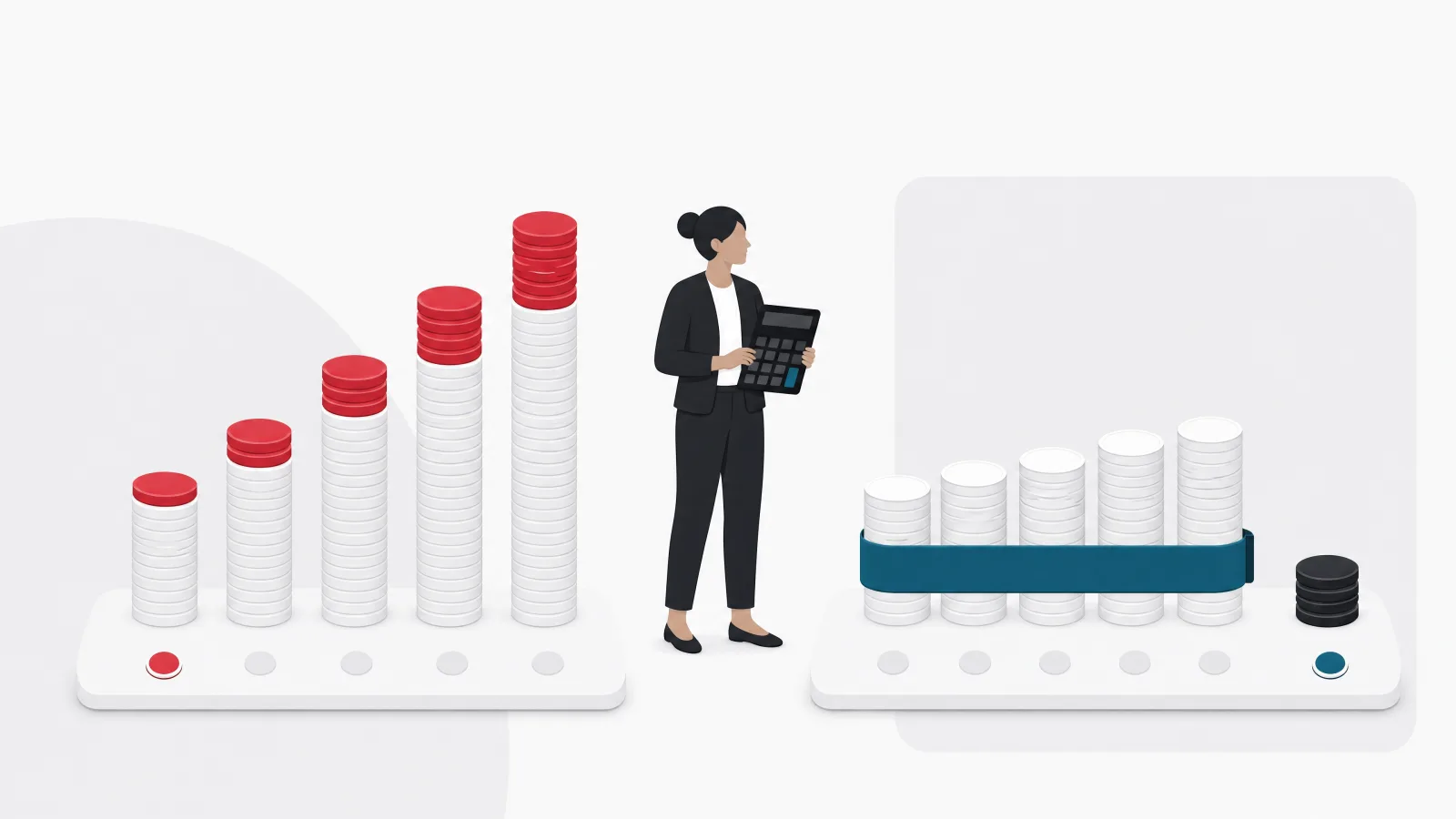
Both vendors license per user per month, in editions, with add-ons. Salesforce Sales Cloud runs from a Starter edition for very small teams through Professional, Enterprise, and Unlimited, with the AI-inclusive tier at the top; Service Cloud mirrors it. Indicative mid 2026 list prices, rounded and before discount, put Enterprise, the edition most mid-size companies actually need, in the range of $165 per user per month and Unlimited around double that. Dynamics 365 Sales Professional lists around $65, Sales Enterprise around $105, and Sales Premium (which adds Sales Insights) around $150; Customer Service Professional and Enterprise sit at similar points. Microsoft also offers attach pricing, where a second Dynamics 365 app for the same user costs a fraction of its standalone price, which matters when sellers also need service access.
List price is where the comparison starts, not where it ends. Salesforce's effective price rises with add-ons that are common in real deployments: CPQ, Sales Engagement on lower editions, additional API calls, sandboxes beyond the included ones, Data Cloud credits, MuleSoft, and the Agentforce consumption line. Dynamics 365's effective price rises with Power Platform capacity (Dataverse storage beyond the included allowance is a frequent surprise), Power Automate premium flows, Copilot Studio capacity, and Azure services for integration. Both vendors discount from list, Salesforce more at renewal for large accounts, Microsoft more inside an enterprise agreement that already covers Microsoft 365 and Azure.
The honest way to compare is a five year total cost of ownership with people included. Implementation and integration are the largest lines in year one on either side; developer and administrator salaries or partner retainers run every year; license growth follows headcount; and the AI agent line is new and uncertain on both. The chart below lays out an illustrative model for a 200 user deployment. It is not a quote, and the ratios matter more than the absolute figures: on this model Salesforce runs roughly a third more over five years, with the gap driven by license tier, add-ons, and developer rates rather than by any single item. Companies that already have Microsoft enterprise agreements and Power Platform staff widen that gap; companies that need CPQ-class quoting and have no Microsoft footprint narrow it.
Customization, developers, and the skills market

Both platforms let administrators do a great deal without code: custom objects and fields, page layouts, validation rules, approval processes, and automation flows. The line where code begins is where the two diverge in a way that shapes long term cost. Salesforce customization beyond Flow means Apex, a Java-like proprietary language, and Lightning Web Components, a JavaScript framework with Salesforce conventions. Both run only on Salesforce, so the skill is specific to the platform, and the market for it is a specialist market with a premium: certified Salesforce developers and architects cost more than general software engineers in every region.
Dynamics 365 customization beyond the declarative tools means Power Apps (canvas and model-driven), Power Automate for workflow, Power Fx for formulas, and C# plugins running in the Dataverse pipeline for server-side logic, plus JavaScript for form scripting. C# and JavaScript are general purpose languages with enormous talent pools, and Power Platform skills are increasingly present inside companies that never bought Dynamics 365, because they use Power Apps for internal tools and Power BI for reporting. The result is that Dynamics 365 customization is typically cheaper to staff and easier to keep in house, at the cost of a less polished developer experience and a smaller marketplace of ready components.
Where the two meet is in governance. A Salesforce org with five years of unmanaged customization is as hard to change as a Dynamics 365 environment with five years of ad hoc Power Automate flows. Both need an architecture owner, a release process with sandboxes or environments, a test strategy, and a rule about what goes in the platform and what stays in an integration layer. A partner that offers Salesforce consulting or Dynamics 365 delivery should be judged first on whether they bring that discipline, and second on their certification count.
Customization habits that keep either platform changeable
Do this
- Start declarative, add code when a flow becomes unreadableBoth platforms punish premature code and reward configuration until the configuration itself becomes the problem.
- Keep an architecture owner from day oneOne person who approves new objects, fields, and automations prevents the sprawl that makes both platforms expensive to change later.
- Build integrations outside the CRM where possibleMuleSoft, Logic Apps, or a lightweight middleware keeps the CRM clean and makes a future platform switch survivable.
Not this
- Rebuild the old CRM's screens exactlyMigrations that replicate every field and quirk of the previous tool import its problems and forfeit the new platform's defaults.
- Let every team own its own automationsCompeting flows on the same record are the leading cause of mysterious data changes in both ecosystems.
- Skip the sandbox or environment strategyBoth vendors ship mandatory releases; testing them only in production is a plan to discover breakage from customers.
Integration, data, and the analytics layer
CRM is never alone. It exchanges customers and orders with ERP, sends leads to and receives them from marketing systems, feeds the data warehouse, and pulls product and pricing data from wherever those live. How each platform integrates is a large part of its real cost. Salesforce's answer is APIs (REST, SOAP, Bulk, Streaming, and the newer GraphQL) plus MuleSoft, a full integration platform that Salesforce owns and sells separately. MuleSoft is excellent and expensive; companies that do not buy it use a third party integration tool or build against the APIs directly, which works well but consumes the API allowance discussed above.
Dynamics 365's answer is that the data already sits in Dataverse, which Power BI, Power Apps, and Azure services read natively, and that Dataverse itself has connectors to hundreds of systems through Power Automate and Logic Apps. Synapse Link and Fabric expose CRM data to the analytics estate without extraction jobs. For a Microsoft shop this is a substantial advantage: the Microsoft consulting team that runs Azure and Power BI can integrate Dynamics 365 with tools they already know. For a company on AWS or Google Cloud with a Snowflake warehouse, the advantage shrinks to ordinary connectors and the choice becomes neutral.
On customer data unification the two have converged on similar products. Salesforce Data Cloud and Dynamics 365 Customer Insights both ingest data from many sources, resolve identities, build segments, and push them back into sales, service, and marketing. Both are priced on top of the CRM, both are young enough that implementation experience matters more than feature lists, and both are the foundation their vendor's AI agents read from. A company deciding between the platforms should ask to see the data platform working on its own data before treating it as a differentiator.
Integration questions to settle before choosing
- Which system owns the customer record?CRM, ERP, or a customer data platform. The answer decides the direction of every sync and should be written down before the platform is chosen.
- What is the ERP and where does it run?Business Central or Finance tilts toward Dynamics 365; SAP or Oracle is neutral; NetSuite has mature connectors to both.
- Where is the data warehouse and BI tool?Fabric and Power BI tilt toward Dynamics 365; a Snowflake or BigQuery estate with Tableau or Looker is neutral to slightly Salesforce.
- How many integrations, and how much traffic?Model the API call volume against each vendor's allowance. The excess charge is real on both sides.
- Who maintains the integrations after go-live?If the answer is the same team that runs Azure, the Microsoft path is cheaper to sustain. If it is a MuleSoft partner, budget the retainer.
AI agents: Agentforce against Copilot, and what to budget
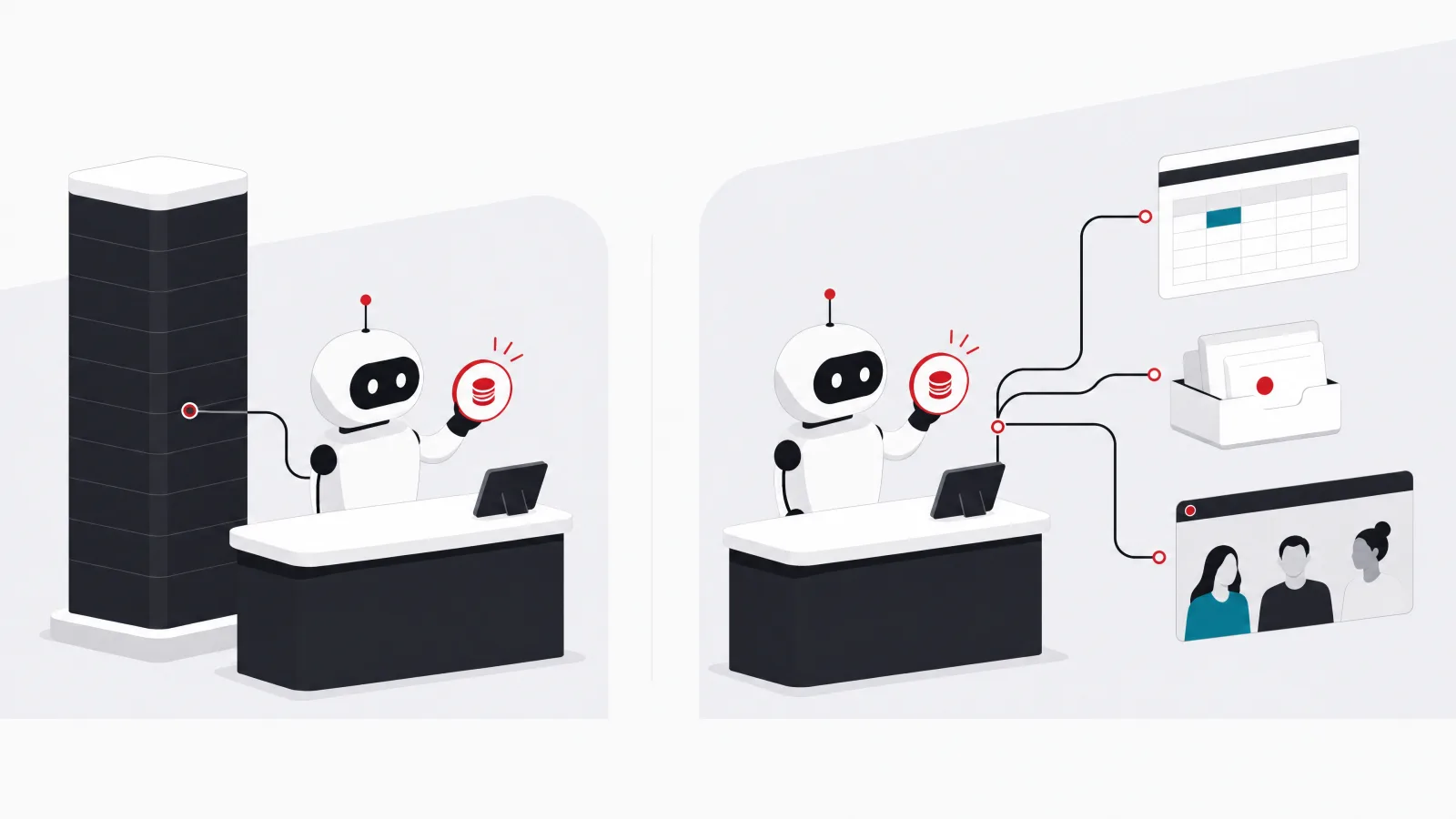
Both vendors have rebuilt their roadmaps around AI agents that act inside the CRM: summarizing cases, drafting replies, qualifying leads, scheduling follow-ups, and increasingly handling whole service conversations without a human. Salesforce sells this as Agentforce, built on Data Cloud and priced largely by consumption (per conversation or per action), with a set of prebuilt agents for sales development, service, and commerce. Microsoft sells Copilot inside each Dynamics 365 app, with some capability included in the premium editions, and Copilot Studio for building custom agents, priced by message capacity packs. The naming will change again; the structure, base license plus a consumption or capacity line for agents, is likely to persist.
Two practical points matter more than the demos. First, the agents are only as good as the data under them, which is why both vendors bundle the data platform pitch with the agent pitch. A CRM with duplicate accounts, stale contacts, and inconsistent stage definitions produces agents that confidently do the wrong thing. Second, consumption pricing is hard to forecast. A service agent that handles ten thousand conversations a month at list price is a material budget line, and both vendors' pricing has changed more than once since 2024. Pilot with a capped budget, measure resolution rate and deflection honestly, and negotiate consumption commitments only after the pilot.
For most companies in 2026 the agent capability should not decide the platform. Both are credible, both are moving fast, and both will look different in eighteen months. It should be a line in the cost model and a criterion in the pilot, not the headline. The exception is a company whose service volume is very high and whose case data is already clean; for that company the agent economics are worth modeling in detail on both platforms before choosing, and a Dynamics 365 customer service specialist or a Service Cloud partner should build the pilot rather than the vendor's own team.
Implementation: where both platforms actually succeed or fail
Neither platform fails on features. Both fail, when they fail, in implementation: scope that grows through the project, data migrated without cleaning, integrations discovered late, processes copied from the old tool rather than redesigned, and adoption treated as a training session rather than a change program. The failure patterns are the same on both sides and so is the discipline that prevents them, which is why the partner matters more than the vendor and the contract matters more than the demo.
A realistic timeline for a mid-size sales and service deployment on either platform runs four to nine months from kickoff to first go-live, depending on integration count and data quality. The phases are the same: discovery and process design, configuration in a sandbox or development environment, integration build, data migration rehearsals (plural; the first one always finds problems), user acceptance testing with real sellers and agents, cutover, and a hypercare period. Salesforce implementations tend to run slightly faster in configuration because of the maturity of the defaults, and slightly slower in integration if MuleSoft is not in scope. Dynamics 365 implementations tend to run faster in integration for Microsoft shops and slower in configuration where the team is learning Power Platform.
Where a company needs functionality neither platform provides, or needs CRM logic embedded in a product rather than in an internal tool, the answer is sometimes neither. A company building a customer portal, a marketplace, or a product where the customer relationship is the product itself often ends up with custom CRM development on its own stack, sometimes integrated with Salesforce or Dynamics 365 for the internal team and sometimes replacing them. That is a different decision with a different cost model, and the ERP development guide covers the equivalent build, extend, or configure choice for the finance and operations side.
The implementation sequence that works on both platforms
-
Process design before configurationWeeks 1 to 4
Map the sales and service processes as they should be, not as the old tool forced them to be. Decide the stage definitions, ownership rules, and data standards in writing.
-
Data audit and cleaning planWeeks 2 to 6
Profile the source data: duplicates, missing fields, dead contacts. Decide what migrates, what is archived, and what is deleted. Most projects migrate too much.
-
Configure in a sandbox with real users watchingWeeks 4 to 14
Build the core objects, layouts, and automations. Show working screens to sellers and agents every two weeks; their reactions change the design.
-
Integrations and migration rehearsalWeeks 8 to 20
Build the ERP and marketing integrations; run a full migration into the sandbox and have business users validate counts and samples. Repeat until clean.
-
Acceptance testing on real scenariosWeeks 16 to 24
Test with the scripts sellers and agents actually follow, not with the vendor's demo paths. Fix, then freeze.
-
Cutover and hypercareWeeks 22 to 30
Migrate, switch, and staff a response team for the first four weeks. Measure adoption weekly: logins, records updated, pipeline hygiene.
Deciding: a short framework and the cases where the answer is obvious
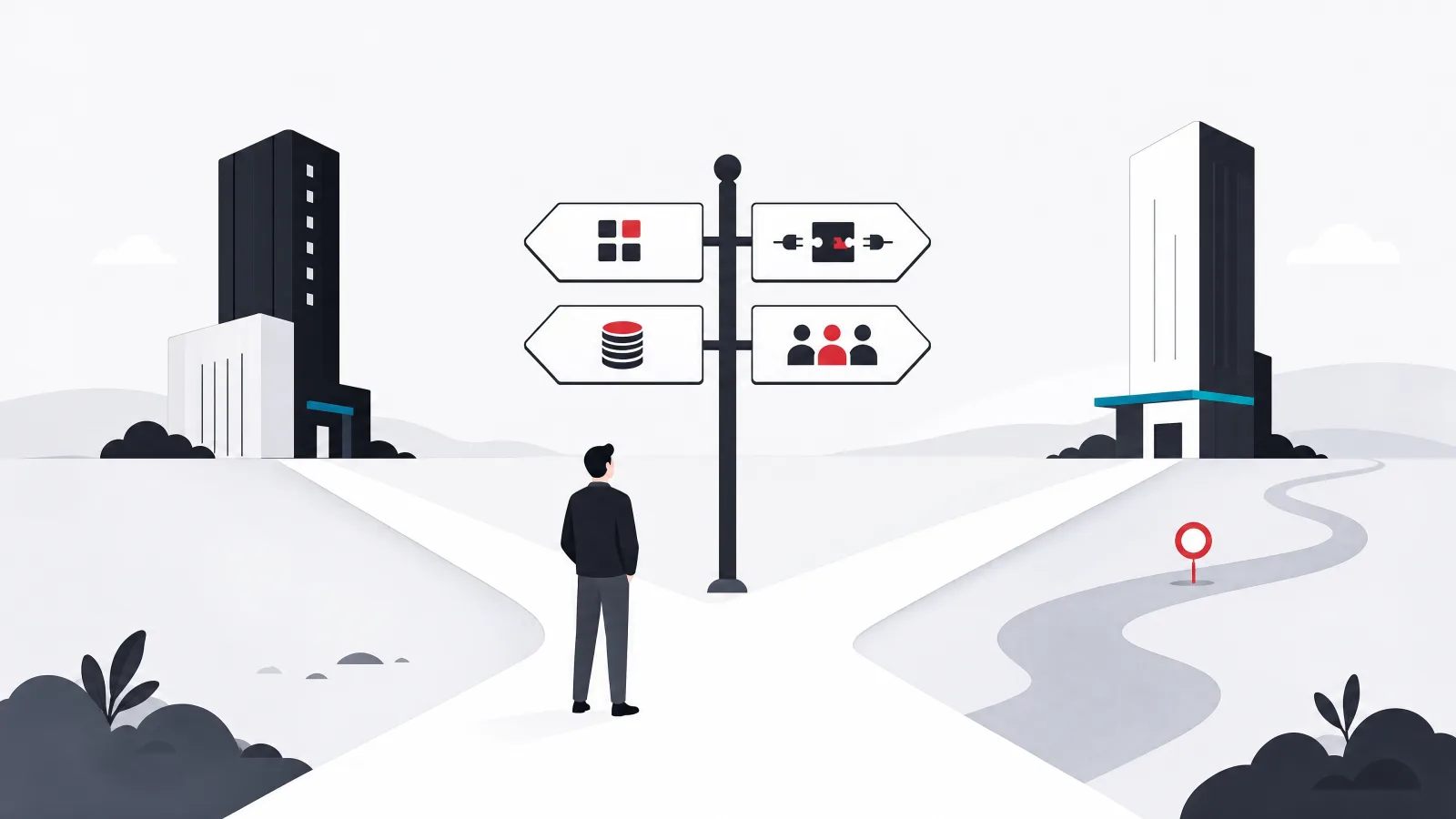
Three questions settle most cases. First, what does the company already run? A Microsoft 365, Azure, and Power BI estate with Business Central or Finance on the ERP side makes Dynamics 365 the default and Salesforce the option that has to justify a premium; a best of breed estate on Google Workspace or AWS with a non-Microsoft ERP makes the two neutral and lets the CRM be chosen on its own merits. Second, how central and how complex is the sales motion? Enterprise selling with complex quoting, large deal teams, and revenue operations as a discipline is where Salesforce's depth earns its price; transactional or relationship selling in a service-heavy business does not need it. Third, who will customize and maintain the platform? A company with Power Platform skills in house or a Microsoft partner on retainer should weight Dynamics 365; a company willing to hire or contract Salesforce specialists, or already running Salesforce elsewhere in the group, should weight Salesforce.
The obvious cases are at the extremes. A high growth software company with a complex sales motion, no Microsoft dependency, and a revenue operations team will choose Salesforce and be right. A manufacturer or distributor on Business Central with Power BI everywhere, a large field service operation, and a finance-led IT function will choose Dynamics 365 and be right. The contested middle, a mid-size services or product company on Microsoft 365 with an ordinary sales process and a non-Microsoft ERP, is where the five year cost model and a structured pilot on each platform earn their keep.
One last consideration is exit. Both platforms are sticky by design, and both make leaving expensive: data comes out, but customizations, automations, and integrations are rebuilt from scratch. Companies should assume a ten year horizon when choosing, negotiate data export rights and renewal caps at the start, and keep integration logic outside the CRM where practical so that the eventual switch, or the eventual merger with a company on the other platform, is survivable.
Which platform leads the evaluation
Which platform should lead the evaluation?
-
Microsoft 365 plus Business Central or Finance, Power BI in use, ordinary sales process
Dynamics 365 leads; Salesforce must justify the premium
Shared data layer, attach pricing, and in-house Power Platform skills compound over five years.
-
Complex enterprise selling, CPQ needs, revenue operations team, no Microsoft dependency
Salesforce leads; evaluate Dynamics 365 for price only
Depth in forecasting, quoting, and the AppExchange is worth the license premium when sales is the business.
-
Large field or omnichannel service operation, Teams-centric workforce
Dynamics 365 leads for service; compare Service Cloud on features
Field Service and the Teams and Outlook seams are daily advantages for service-heavy companies.
-
Mid-size company, Microsoft 365 but non-Microsoft ERP, standard sales
Run a structured pilot on both with a five year cost model
The contested middle; neither platform wins on paper, so implementation partner and total cost decide.
Conclusion: choose the ecosystem, then buy the implementation
Salesforce and Dynamics 365 are both excellent CRM platforms, and the question of which is better has no general answer. Salesforce is the deeper CRM with the richer marketplace and the specialist skills market to match; Dynamics 365 is the broader business platform with the cheaper seat, the shared data layer, and the skills a Microsoft organization already has. The choice follows from what the company already runs, how central and complex its sales motion is, and who will maintain the platform for the next decade.
Whichever way that lands, the outcome is decided by implementation. Process design before configuration, data cleaned before migration, integrations built outside the CRM where possible, adoption measured weekly, and a contract with renewal caps and data export rights: the same discipline produces a good result on either platform, and its absence produces a bad one on both. Buy the platform on the ecosystem fit and the five year model; buy the implementation on the partner's discipline, not their logo.
Frequently asked questions
Is Dynamics 365 cheaper than Salesforce?
At list price, yes, at comparable tiers: Dynamics 365 Sales Enterprise lists around $105 per user per month against Salesforce Enterprise around $165, indicative mid 2026 figures before discount. The gap narrows or widens with add-ons, integration tooling, developer rates, and negotiated discounts. Over five years with people included, Salesforce typically runs a quarter to a third more for a comparable deployment, but a company with no Microsoft footprint and heavy quoting needs can see a much smaller difference.
Which is better for a small business?
For teams under about twenty users, both vendors have entry editions (Salesforce Starter, Dynamics 365 Sales Professional) and both are more platform than a small business needs. Small companies already on Microsoft 365 often find Dynamics 365 Sales Professional or even a Power Apps build adequate and cheap; small companies with an aggressive sales motion and no Microsoft dependency often prefer Salesforce Starter for its polish. Many small businesses are better served by a lighter CRM until their process is complex enough to justify either.
Can Salesforce and Dynamics 365 work together?
Yes, and after mergers they frequently do. Both expose full APIs, both have connectors in the major integration tools, and Power Automate has a native Salesforce connector. Long term dual running is expensive in licenses and integration maintenance, so most companies consolidate within two to three years, but a transitional period with both is common and workable.
Do I need a Salesforce developer, or can admins handle it?
Administrators can configure a large share of what most companies need using Flow and declarative tools. Code is needed for complex business logic, custom user interfaces beyond the standard components, and non-trivial integrations. Most mid-size deployments need developer time during implementation and a smaller ongoing allocation afterward. The same is true of Dynamics 365 with Power Platform makers and C# developers, with the difference that those skills are usually easier and cheaper to source.
How do Agentforce and Copilot compare?
Both are AI agent layers on top of the CRM, both depend on the vendor's data platform (Data Cloud, Dataverse and Customer Insights), and both are priced as a separate line, Agentforce mostly by consumption and Copilot by inclusion in premium editions plus Copilot Studio capacity for custom agents. Capabilities are close and changing quickly. Treat them as a pilot criterion and a budget line rather than the reason to pick a platform, and insist on a capped pilot on your own data before committing to consumption volumes.
How long does a CRM implementation take?
A mid-size sales and service deployment on either platform typically runs four to nine months from kickoff to first go-live, driven mainly by integration count and data quality rather than by the platform. Small deployments with clean data and few integrations can go live in eight to twelve weeks; large multi-country programs run in phases over one to two years. Projects that copy the old CRM instead of redesigning the process take longer and adopt worse.
When the CRM platform is chosen and the hard part, implementation, begins, AgileTech is an AI native software development company in Vietnam that implements Salesforce and Dynamics 365 and builds custom CRM where neither fits.
Source: https://agiletech.vn/blog/salesforce-vs-dynamics-365/ · (c) AgileTech Vietnam. Printed from agiletech.vn.
